28
Navigation mode
The corresponding menu appears or the
required action is initiated.
Selecting a country
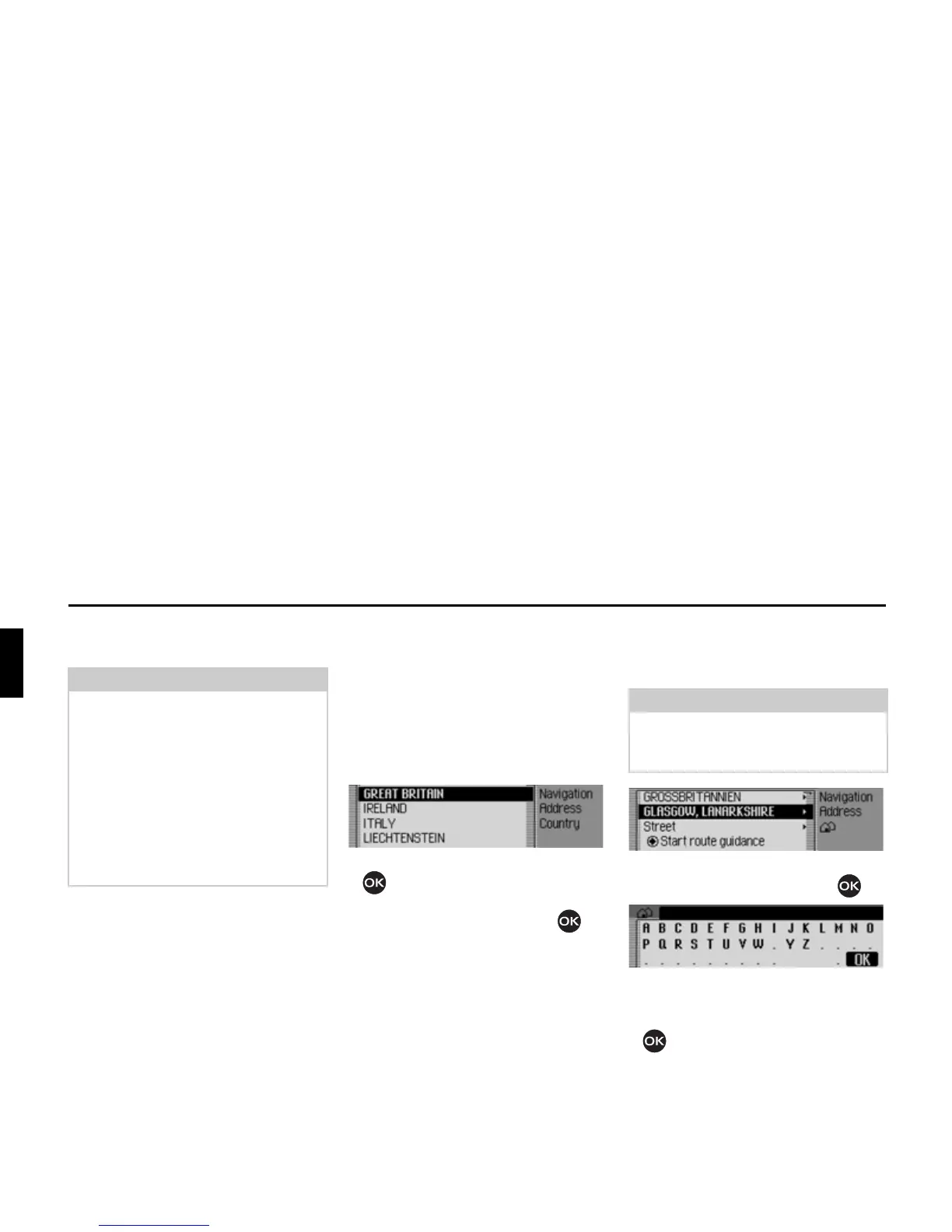
If your destination is located in a different
country (
*5($7 %5,7$,1 in the example
display) you must first select the required
country.
X In the Enter Destination menu, select
the country (
*5($7%5,7$,1 in the exam-
ple).
X Turn the rotary control/push button
to select your destination country.
X Confirm your selection by pressing
the rotary control/push button .
Entering a destination town
X In the Enter Destination menu, select
the town (
*/$6*2: in the example).
X Confirm your selection by pressing
the rotary control/push button .
The data entry menu for the town
appears.
X Turn the rotary control/push button
and then press the rotary control/
push button to select each letter one
after the other.
Note
Some entries in the Enter Destination
menu cannot be selected directly. For
example, a house number cannot be
entered unless the name of a road has
been entered first. These non-selectable
entries are greyed out in the display and
cannot be selected.
The entry will also be greyed out if no
house numbers are available for a
specific road.
2005
Note
If your destination is in the same town
as that displayed, you can continue
directly with entering the road/centre.
2004
2006















 To Next Page