EasyManua.ls Logo

BENSHAW RSi GM2 Series - User Manual

BENSHAW RSi GM2 Series
282 pages
Print Icon
To Next Page IconTo Next Page
Loading...
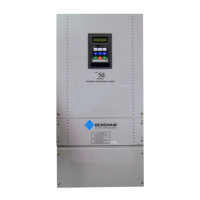
RSi GM2 Series
Variable Frequency Drive
1.0 to 15HP - 230V
1.0 to 15HP - 460V
Instruction Manual
890054-00-00
©
2020 Benshaw Inc.
Benshaw retains the right to change specifications and illustrations in text without prior notification. The contents of this document may
not be copied without the explicit permission of Benshaw.

Table of Contents

Questions and Answers

BENSHAW RSi GM2 Series Specifications

General IconGeneral
CategoryDC Drives
SeriesRSi GM2 Series
Control MethodMicroprocessor-based control
Communication OptionsModbus RTU, Ethernet
Protection FeaturesOverload, overvoltage, undervoltage, short circuit
Enclosure RatingNEMA 1, NEMA 12
Cooling MethodForced air cooling
Operating Temperature0°C to 40°C
Humidity5% to 95% non-condensing
AltitudeUp to 1000 meters without derating

Summary

Safety Information

Safety Symbols in This Manual

Explains symbols like Danger, Warning, and Caution used throughout the manual.

General Safety Instructions

Detailed safety precautions for handling the inverter and avoiding hazards.

1 Preparing the Installation

1.1 Product Identification

Details about the GM2 Inverter range and specifications found on the label.

1.3 Installation Considerations

Details ideal installation and operating conditions for the inverter's longevity.

1.4 Selecting the Installation Site

Provides points to consider when selecting an installation location for proper air circulation.

1.5 Cable Selection

Guides on selecting appropriate power and signal cables for safe and reliable operation.

2 Installing the Inverter

2.1 Mounting the Inverter

Step-by-step guide for mounting the inverter on a wall or inside a panel.

2.2 Wiring

Detailed steps for connecting power and control wiring to the inverter terminals.

3 Perform Basic Operations

3.1 About the Keypad

Explains the keypad layout, display, and operation keys.

3.2 Learning to Use the Keypad

Covers moving between groups, parameter codes, and setting values.

4 Learning Basic Features

4.1 Frequency Reference Configuration

Sets and modifies the frequency reference using various input sources.

5 Learning Advanced Features

5.1 Operating with Auxiliary References

Uses main and auxiliary frequency references for calculated operating conditions.

5.2 Jog Operation

Provides temporary manual control of the inverter using digital input terminals.

6 Learning Protection Features

6.1 Motor Protection

Covers protection features for the motor like Overload, Overheat, Stall Prevention.

6.2 Inverter and Sequence Protection

Details inverter protection against faults like open-phase, overload, and external trips.

7 RS-485 Communication Features

7.1 Communication Standards

Outlines RS-485 communication standards and interface specifications.

7.2 Communication System Configuration

Explains setting up the communication system with master and slave devices.

7.2.2 Setting Communication Parameters

Guides on setting communication parameters like ID, protocol, and speed.

8 Table of Functions

8.1 Operation Group

Lists parameters related to operation, frequency, and command sources.

8.2 Drive Group (PAR→dr)

Lists parameters for drive control, torque boost, and frequency settings.

9 Troubleshooting

9.1 Trip and Warning

Explains how to interpret and resolve inverter faults and warnings.

9.1.1 Faults

Lists specific fault codes, their causes, and remedies.

10 Maintenance

10.1 Periodic Inspection Summary

Outlines key areas for periodic inspection of the drive.

11 Technical Specification

11.1 Input and Output Specification

Details electrical specifications, dimensions, and ratings of the inverter.

11.3 External dimensions

Provides physical dimensions and mounting hole information for different models.

Related product manuals