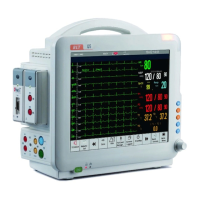
Patient Monitor User’s manual
3-12
While the available space of a SD memory card is little, the monitor
will display “space of memory card is insufficient”, at that time, user
should delete some data in the SD memory card or replace a new SD
memory card to ensure sufficient memory of the SD memory card.
3.14 General Setting
3.14.1 Adjusting the screen brightness
1. Select【Brightness】or select【Main menu】→【Brightness】.
2. You can set the screen brightness to a value between 1 and 10. 1 is the
minimum brightness and 10 is the maximum.
If the monitor runs on batteries, choose a lower level brightness to save
the power. When the monitor enters standby mode, the screen brightness is
automatically set to the lowest level.
3.14.2 Adjusting the volume
1. Setting the QRS volume
Select【Volume】smartkey→【QRS Volume】, or select【QRS Volume】
in ECG or SpO
2
parameter area. The QRS volume can be set to 【Silence】 or
a value between 【1】and【6】. Silence means the QRS volume is turned off
and 6 is the maximum volume.
2. Setting the alarm volume
Select【Volume】smartkey→【Alm Volume】, or select【Main Menu】
→【Alm Setup】→【Alm Volume】. The volume can be set to a value between
X and 6. X is the minimum alarm volume and 6 is the maximum volume.
Silence means the alarm volume is turned off.
3.14.3 Setting the Date and Time
User can configure the system date and time. The user is advised to set
system time before implementing monitoring. If the configuration is to be
conducted during the process of monitoring, the user is advised to switch off
the monitor after exiting the current window and then restart it. The time for
the revision takes effect after the current window is exited.
To set the date and time:



 To Next Page