53
Chapter 7 - BITS Parameters
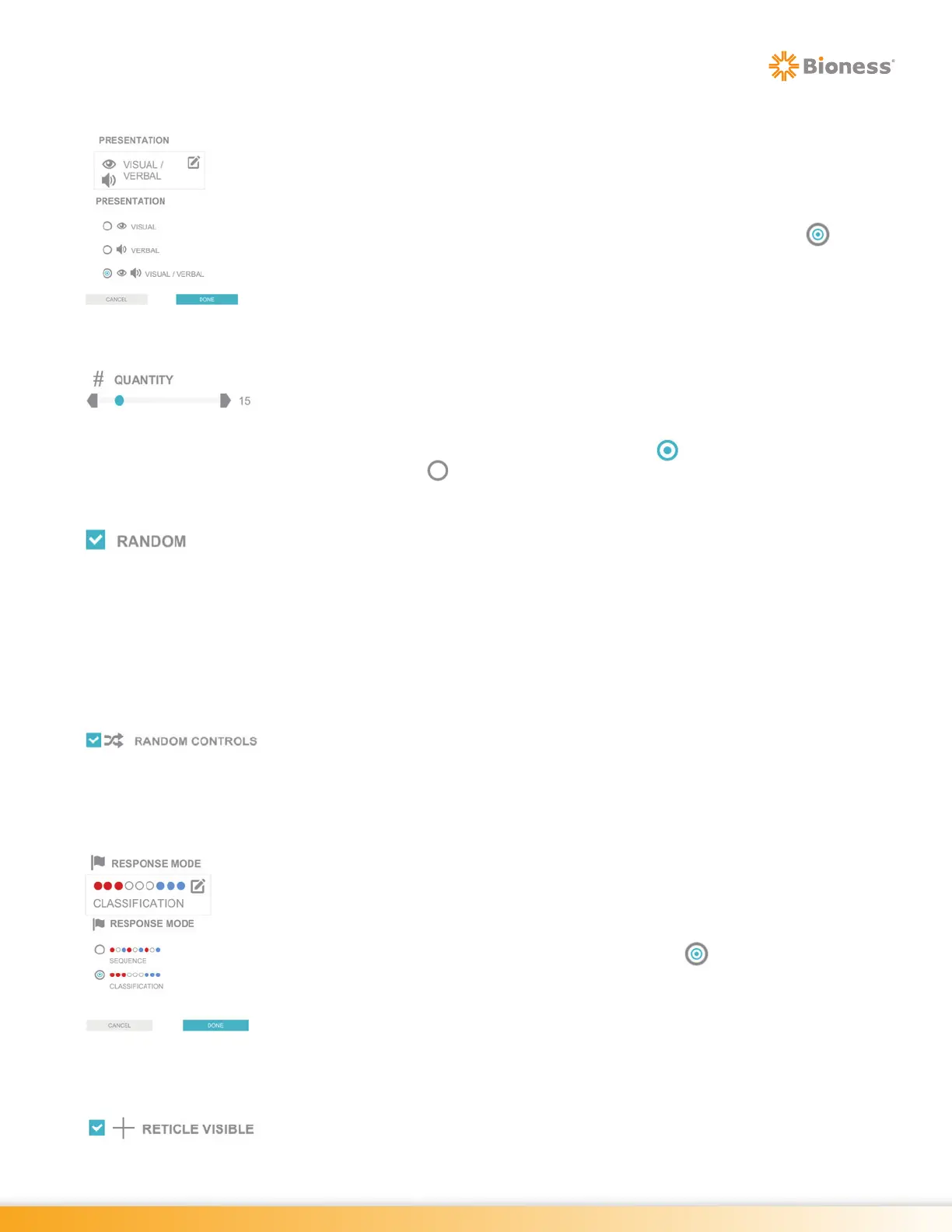
Presentation
The Presentation Parameter determines how the target is presented during the
therapy session. The Presentation Parameter options are: Visual, Verbal and
Visual/Verbal
To change this setting, press the Presentation Parameter Icon. The Presentation
pop up window will open displaying the options. Press the radio button next
to the desired option to enable it. Press the Done Button to close the window.
Quantity
The Quantity Parameter controls the amount of target stimuli displayed during the
therapy session. Press the gray arrows or drag the blue indicator to change the
value.
Note: If enabled, the radio button will appear as
. If deactivated, the radio
button will appear as .
Random
In the Smooth Pursuit Program, the Random Parameter sets the Quantity, Size,
Speed, and Colors Parameters to a random value which change every 1-3 minutes.
When the Random Parameter is not selected, the Quantity, Size, and Speed
Parameters are displayed in the Stimuli Tab. In the Trail Making Assessment,
the Random Parameter controls the orientation of the stimuli. It randomizes the
placement of the stimuli in the assessment to reduce the effect of learning error
when a client has performed the assessment more than once.
Random Controls
The Random Controls Parameter randomizes the keypad controls in Ocular Motor
and Visual Acuity Programs. The controls to select the optotype direction will be
presented randomly each time when Random Controls is enabled.
Response Mode
The Response Mode Parameter controls how the client will need to respond to
the target stimuli. This parameter is only found in the Rotator Multi Color Program.
The Response Mode Parameter options are: Sequence and Classification.
To change the setting, press the Response Mode Parameter Icon. A pop up window
will open displaying the options. Press the radio button next
Reticle Visible
The Reticle Visible Parameter controls whether the reticle will be visible on screen
during the therapy session.



 To Next Page