Introduction 13
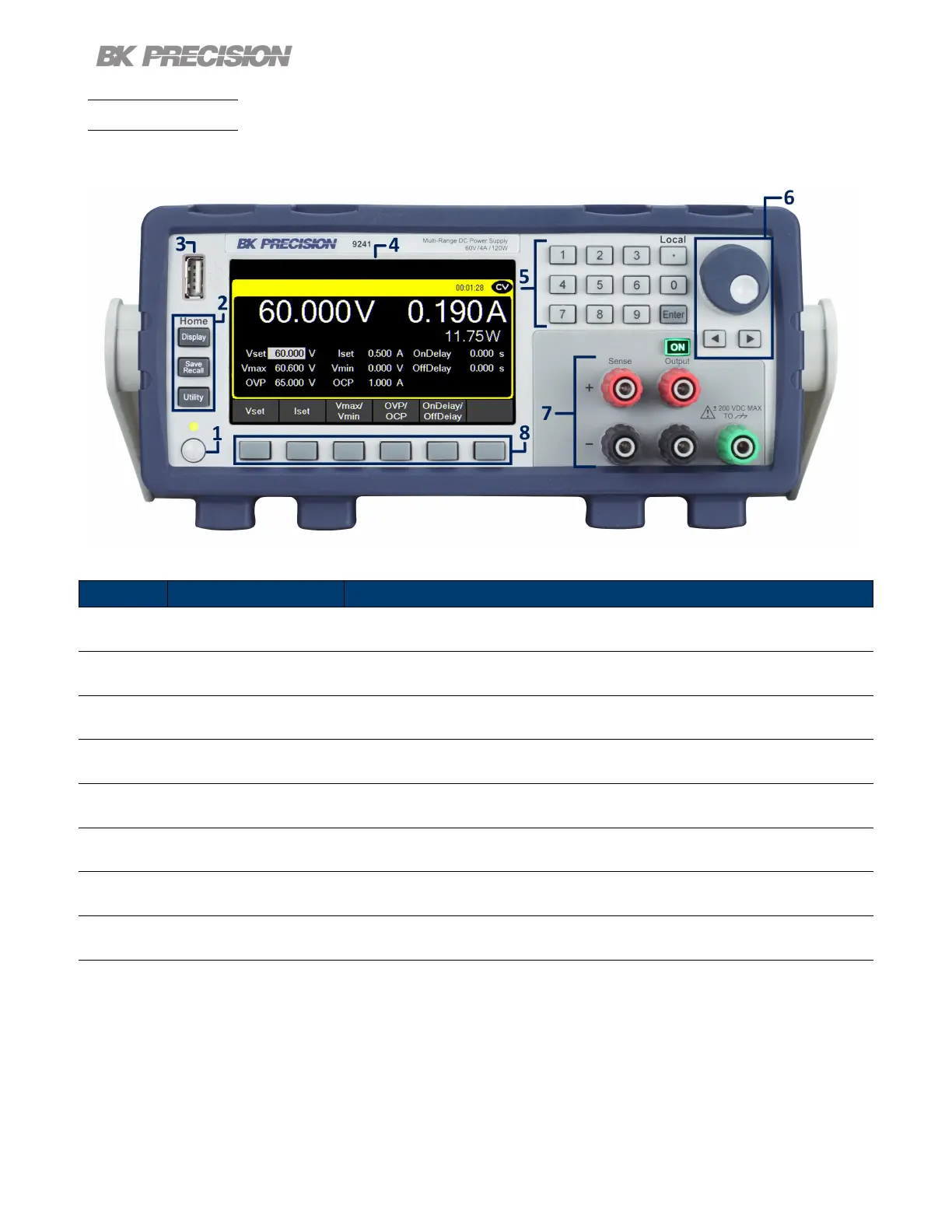
1.6 Front Panel
The front panel interface allows for control of the unit.
Figure 1.4 Front Panel
Item Name
Description
1 Power Button Power the instrument ON or OFF
2 Function Keys See section 3.1.1 for details.
3 USB Host Port USB port used to connect ash drives.
4 Display Visual presentation of the device function and measurements.
5 Numeric Keypad Used to enter precise values.
6 Rotary Knob Used to navigate menues or congure parameters.
7 Output/Sense
Isolated and oating output channel supporting sheathed banana plugs and
spade lug type connectors
8 Soft Keys Used to invoke any functions displayed above them.
Table 1.2 Front Panel


 To Next Page
 Loading...