Battery Charge Function 39
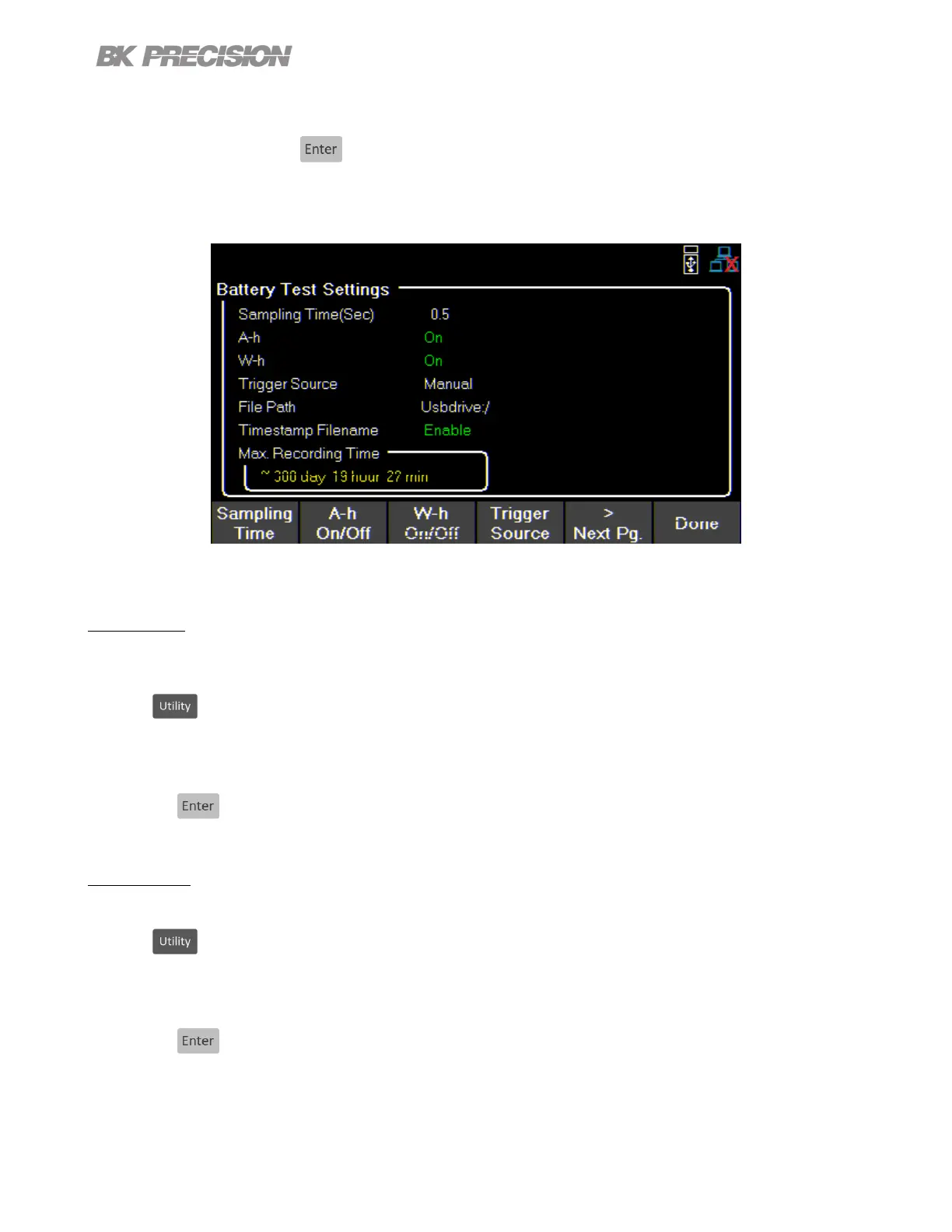
– Use the corresponding softkey to select the Save to USB or Load from USB function.
– Use the rotary knob and the key to navigate through the le path of the USB. Once the desired location has
been found select Save or Load by pressing the softkey furthest to the left.
If no USB drive is inserted the following prompt will be displayed.
Figure 6.2 List Setup
6.1.3 V Full
Set a voltage value to be interpertrated as the battery being fully charged. We recommend to set this value to 90% of
the battery full capacity.
Press the button then use the soft key to select List Battery > Batt Test Setup > Charge Test > V-Full.
– Use the numeric keypad or the rotary knob to enter or adjust the V Full value.
– Press the to set the V Full value.
6.1.4 I Limit
Set a current limit value limiting the curring being supplied to the battery.
Press the button then use the soft key to select List Battery > Batt Test Setup > Charge Test > I Limit.
– Use the numeric keypad or the rotary knob to enter or adjust the I Limit value.
– Press the to set the I Limit value.


 To Next Page
 Loading...