BradyPrinter S3100 Sign & Label Printer User’s Manual
103
Using the Input Method Editor (IME)
Chinese Simplified
Using the Input Method Editor (IME)
Printers shipped to certain regions come with an Input Method Editor (IME) for
including Asian language characters on labels. The IME converts text to one of
the following languages as you type: Chinese Simplified, Chinese Traditional, or
Korean. The language is set at the factory depending on where the printer is to be
shipped.
Note: The composition window displays the current language of your system. For
example, if your printer is setup for Korean, the window displays Korean.
Chinese Simplified
To use IME:
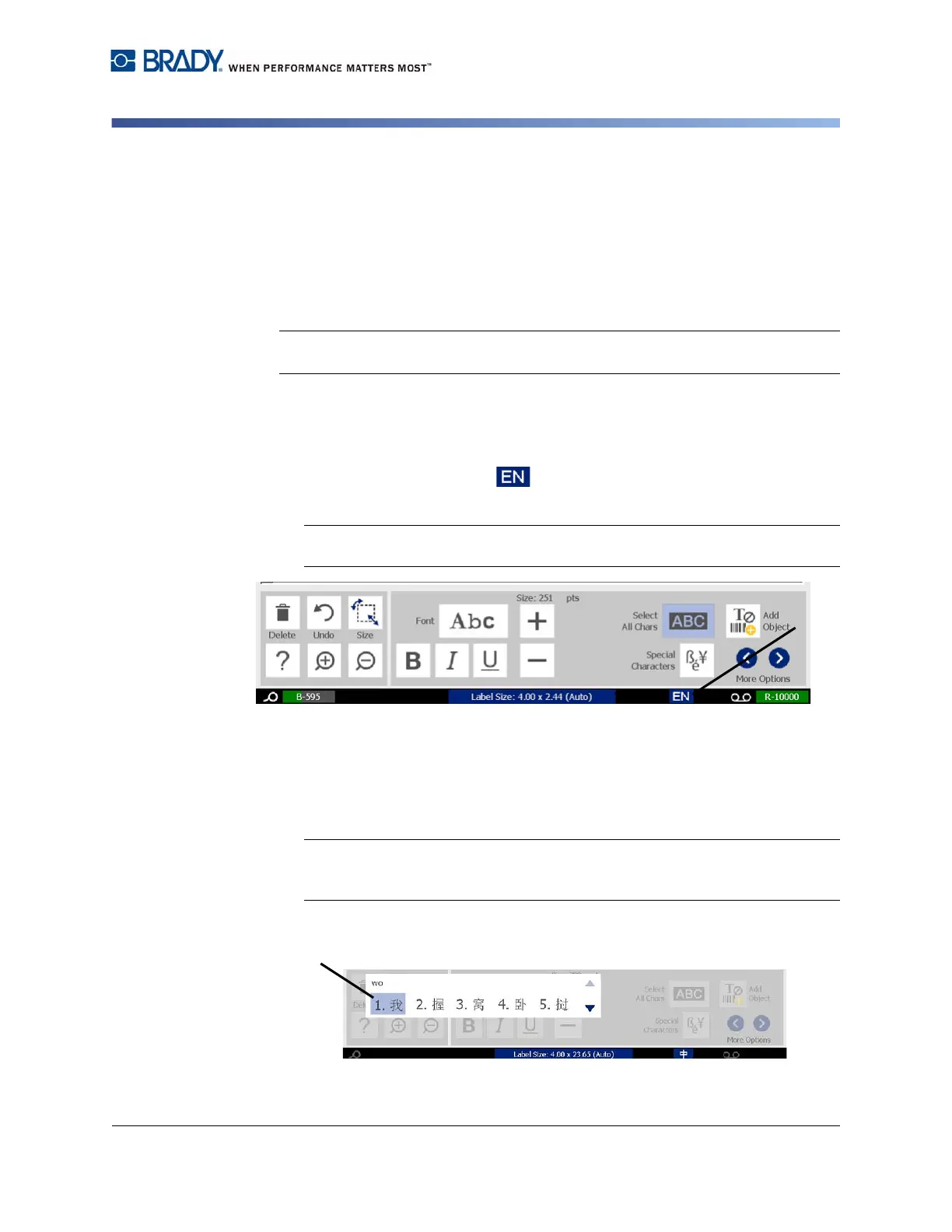
1. Touch the language button [1] to toggle the language between the
current language of your system and Chinese mode.
Note: Touch the Language button at any time to toggle between the IME and
the standard input, or type Ctrl-Spacebar to toggle between languages.
When you start typing, the control and tool panels fade and the Chinese text
editor displays.
2. Enter the words or keystrokes that you want converted. A list of candidates is
generated and displayed in the Chinese text editor window, with the first
candidate highlighted by default [2].
Note: For each letter typed, the IME predicts a set of characters based on the
entered text. For frequently selected characters, the printer "learns" the
characters and moves them up the list of character options.















 To Next Page