Confidential
2-85
4.10 Other Problems
4.10.1 The machine cannot be powered ON
User Check
- Insert the power cord securely.
4.10.2 Memory card/PictBridge does not function (no response)
User Check
- Check if the memory card is inserted correctly.
- Replace the USB cable.
- Check that memory card is compatible.
- Check that data form is compatible.
- Format the memory card.
- Load the latest firmware.
- Disconnect and insert again the power cord.
4.10.3 Data of memory card/PictBridge does not read
User Check
- Check that memory card is compatible.
- Check that data form is compatible.
- Format the memory card.
- Load the latest firmware.
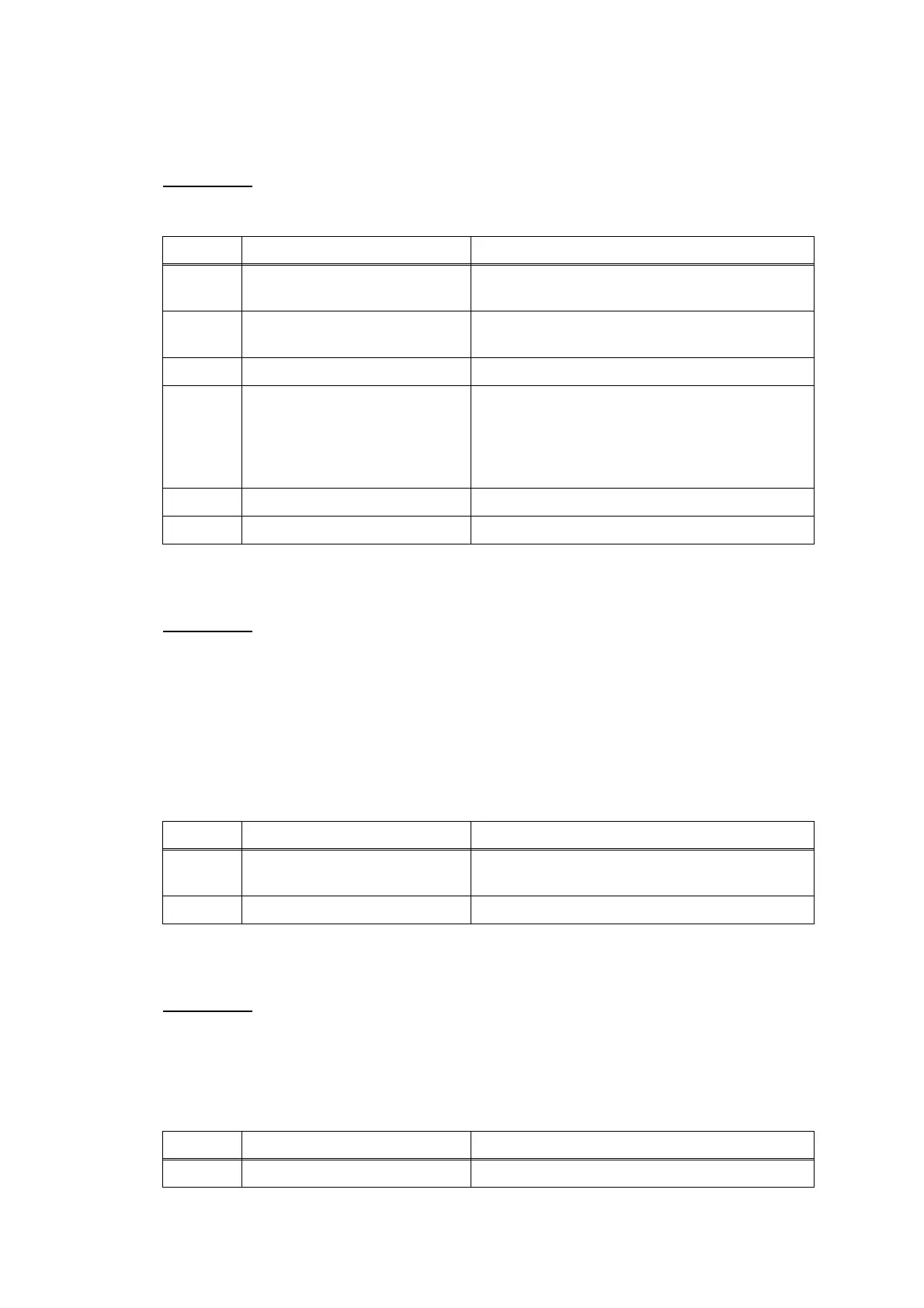
Step Cause Solution
1 LCD PCB harness connection
failure
Reconnect the LCD PCB harness.
2 LCD harness connection
failure
Reconnect the LCD harness.
3 LCD unit defective Replace the LCD unit.
4 Condenser defective on the
main PCB
Replace the condenser on the main PCB. (For
the judgment and replacement methods of
condenser defective, refer to APPENDIX 4
"REPLACEMENT OF CONDENSER ON THE
MAIN PCB".)
5 Power supply PCB defective Replace the power supply PCB ASSY.
6 Main PCB defective Replace the main PCB ASSY.
Step Cause Solution
1 Media cover not mounted in
place
Set the media cover into place in the case the
memory card won't be inserted smoothly.
2 Main PCB defective Replace the main PCB ASSY.
Step Cause Solution
1 Main PCB defective Replace the main PCB ASSY.



 To Next Page
 Loading...











