Confidential
2-46
Error Code A3
Document detection sensor detects that document is pulled out during document
scanning. Or, the document scanning position sensor cannot detect document within
specified time.
User Check
- Remove the jammed document.
Error Code A4
ADF cover sensor detects opened cover state.
User Check
- Close the ADF cover.
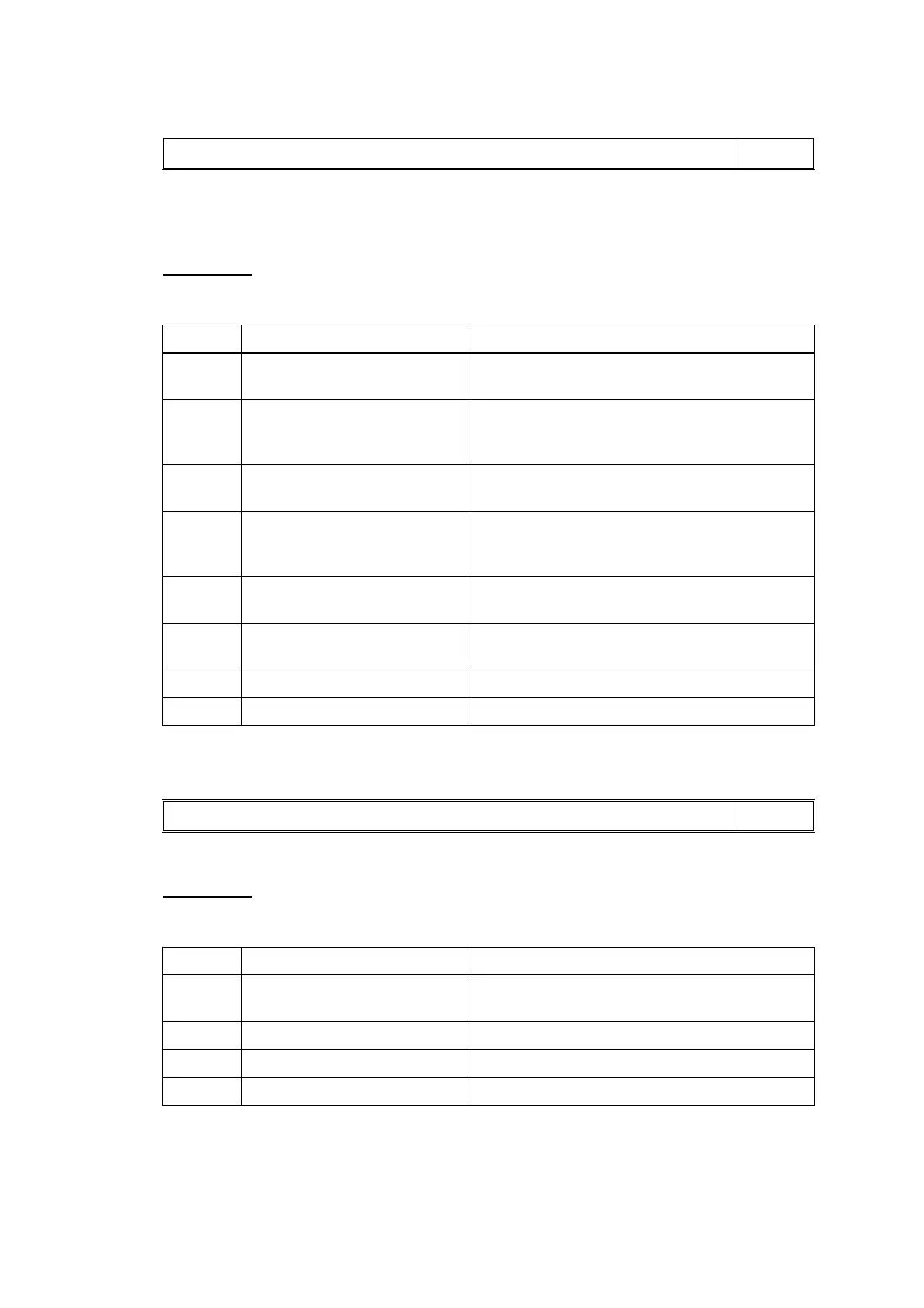
Document Jam LCD
Step Cause Solution
1 Foreign materials in the
document feeding path
Remove foreign materials.
2 Document detection actuator
caught on the surrounding
parts
Set the document detection actuator into place.
3 Document scanning position
actuator out of place
Set the document scanning position actuator
into place.
4 Document scanning position
sensor harness connection
failure
Reconnect the document scanning position
sensor harness.
5 Document scanning position
sensor defective
Replace the document scanning position
sensor PCB ASSY.
6 Document pick-up roller worn
out
Replace the document separation roller ASSY.
7 ADF motor defective Replace the ADF motor.
8 Main PCB defective Replace the main PCB ASSY.
Cover is Open LCD
Step Cause Solution
1 ADF cover sensor harness
connection failure
Reconnect the ADF cover sensor harness.
2 ADF cover boss broken Replace the ADF cover.
3 ADF cover sensor defective Replace the ADF unit.
4 Main PCB defective Replace the main PCB ASSY.



 To Next Page
 Loading...











