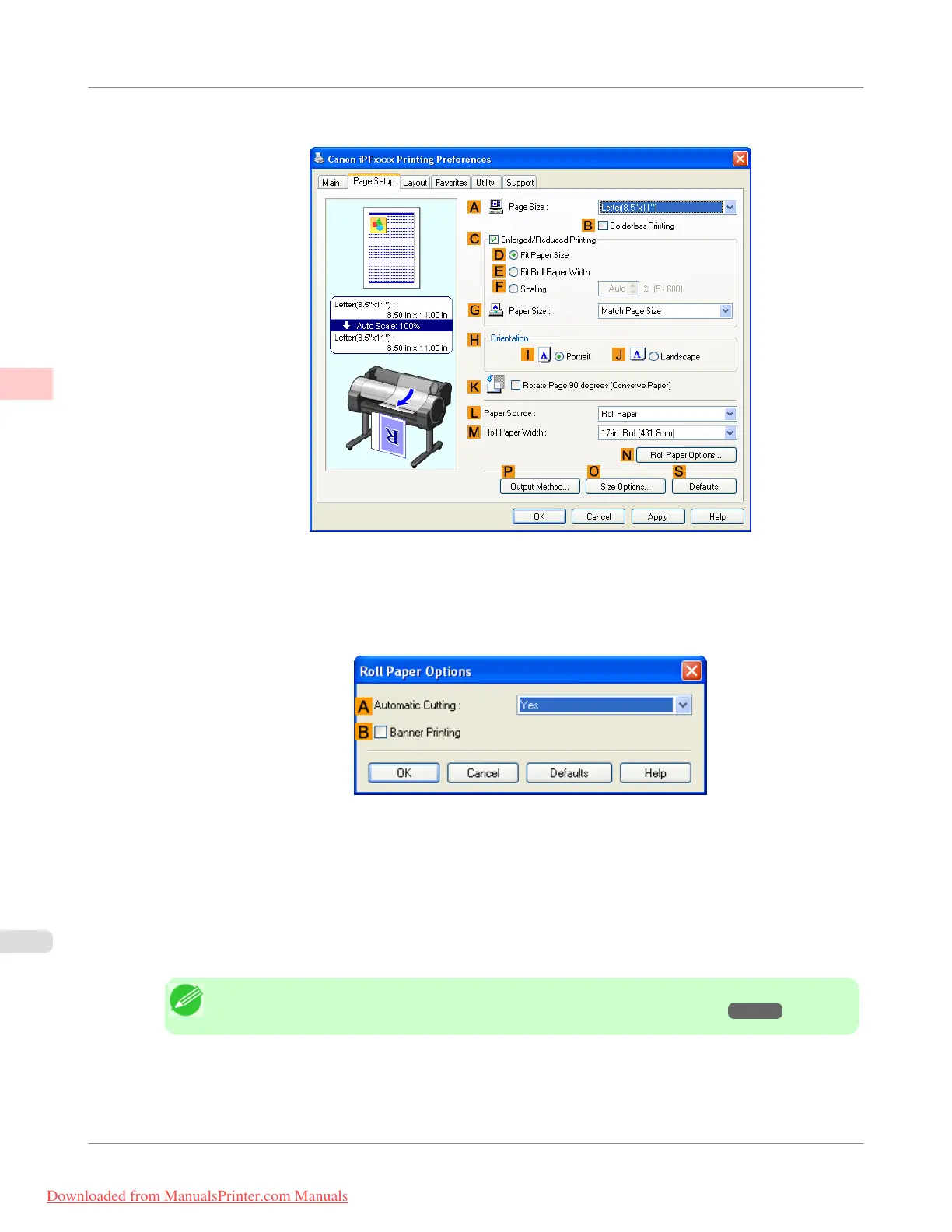
5. Click the Page Setup tab to display the Page Setup sheet.
6. Select and click a roll paper in the L Paper Source list.
7. Click N Roll Paper Options to display the Roll Paper Options dialog box.
8. Select the B Banner Printing check box.
9. Click OK.
10. Confirm the print settings and print as desired.
Note
• For tips on confirming print settings, see "Confirming Print Settings(Windows) →P.212 "
Enhanced Printing Options
>
Tiling and multiple pages per sheet
>
Printing Multiple Pages Continuously (Windows)
iPF755
2
146
Downloaded from ManualsPrinter.com Manuals


 To Next Page
 Loading...










