Caution
• When cutting paper, be careful to avoid injury or damage to the printer.
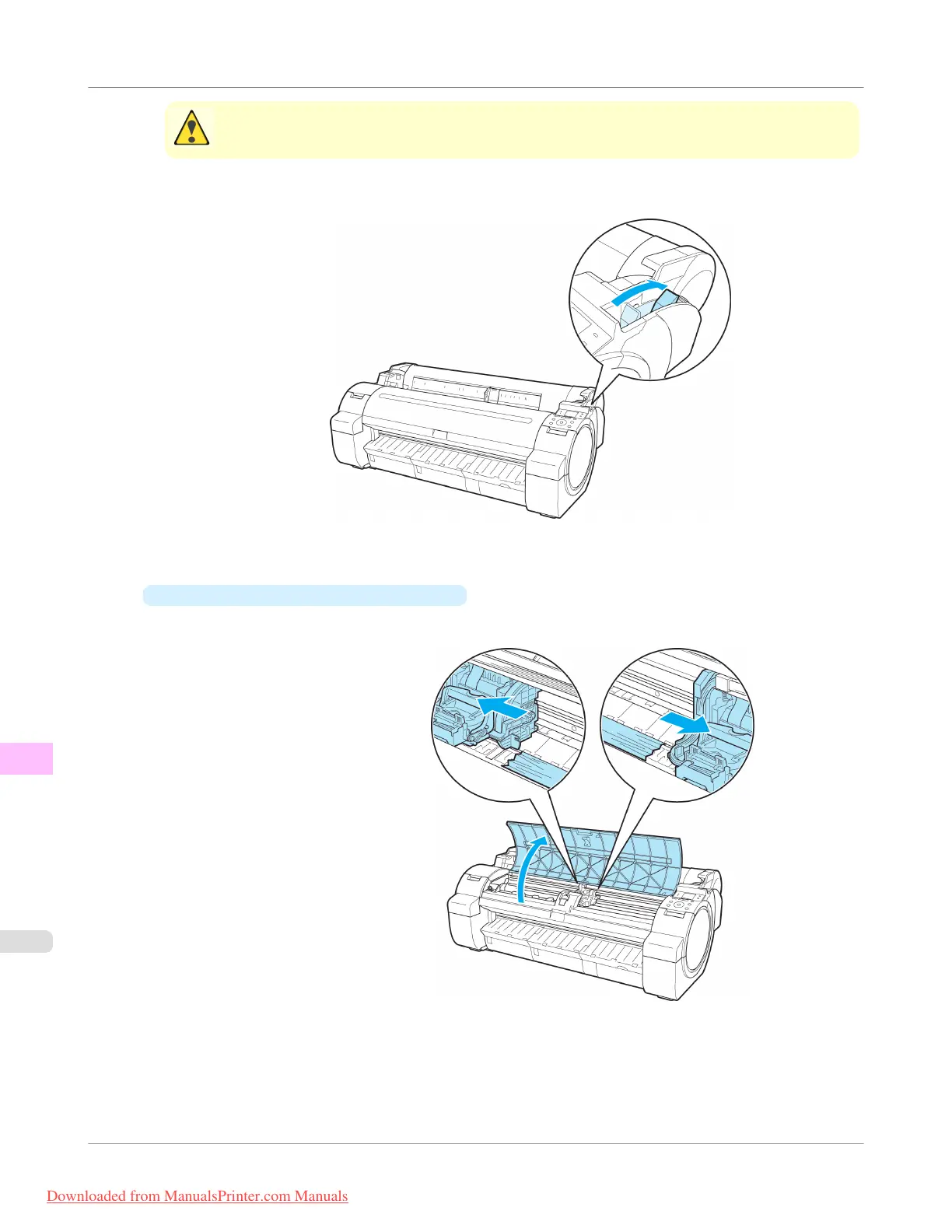
2. Push the Release Lever back.
3. Remove the jammed paper.
•
If paper is jammed inside the Top Cover
1. Open the Top Cover and move the Carriage to the left or right side manually, away from the jam.
2. Clear any jammed paper from inside the Top Cover.
After removing the paper, make sure there are no other scraps of paper in the printer.
Troubleshooting
>
Problems Regarding Paper
>
Clearing Jammed Roll Paper
iPF755
12
842
Downloaded from ManualsPrinter.com Manuals


 To Next Page
 Loading...











