Displaying Details of Saved Jobs
Details of print jobs stored on the printer's hard disk (saved jobs) can be displayed as follows.
This operation is available in RemoteUI, imagePROGRAF Status Monitor, and imagePROGRAF Printmonitor.
Using RemoteUI
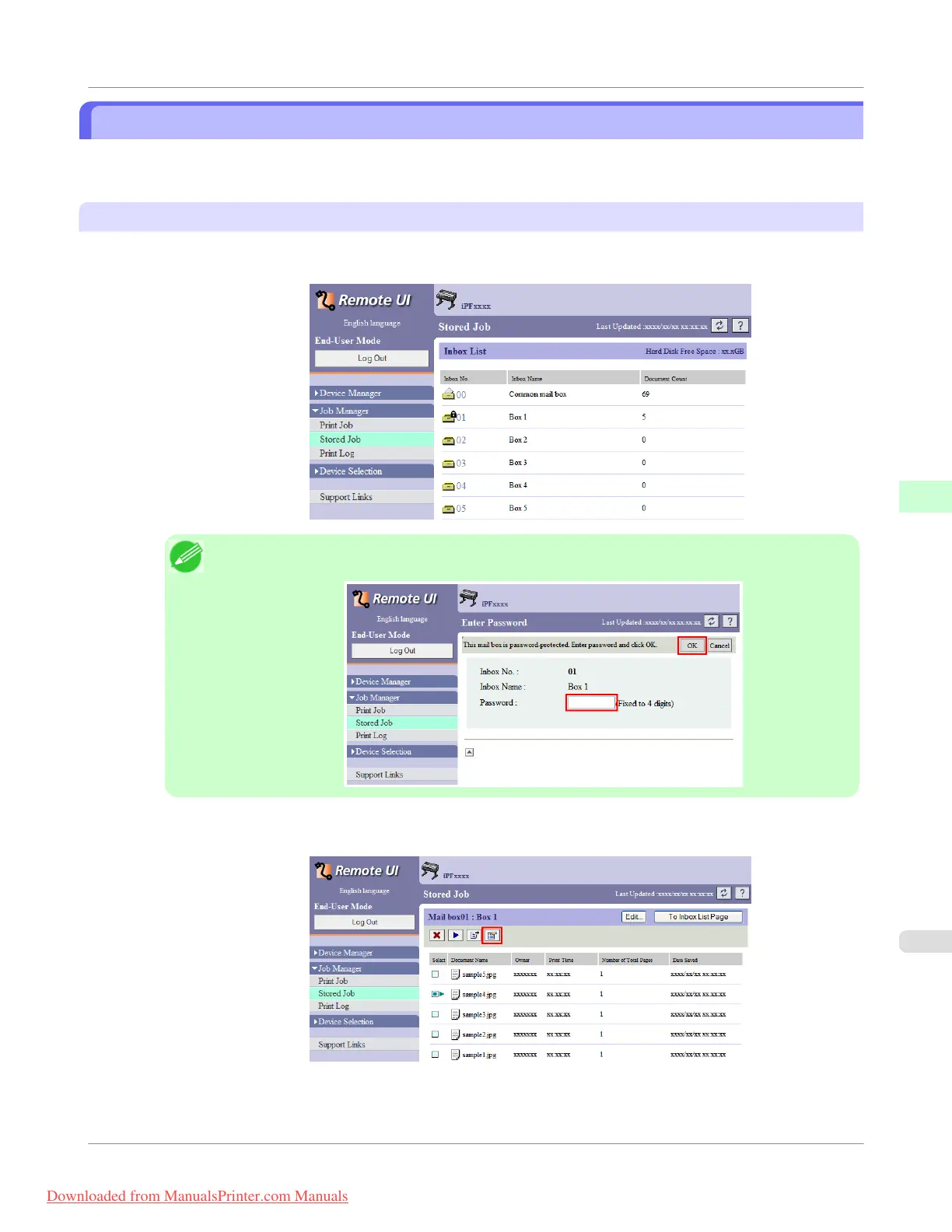
1. On the Stored Job page, choose the box.
Note
• Enter a password if one has been set.
2. Select the print job and click Details.
Print Job Operations
>
Advanced Print Job Operations
>
iPF755
Displaying Details of Saved Jobs
5
615
Downloaded from ManualsPrinter.com Manuals


 To Next Page
 Loading...











