2. Select the printer in the A Printer list.
3. Choose the original size in the F Paper Size list.
4. If you configured the settings using the Page Attributes dialog box, click F OK to close the dialog box, and then
select Print from the application software menu.
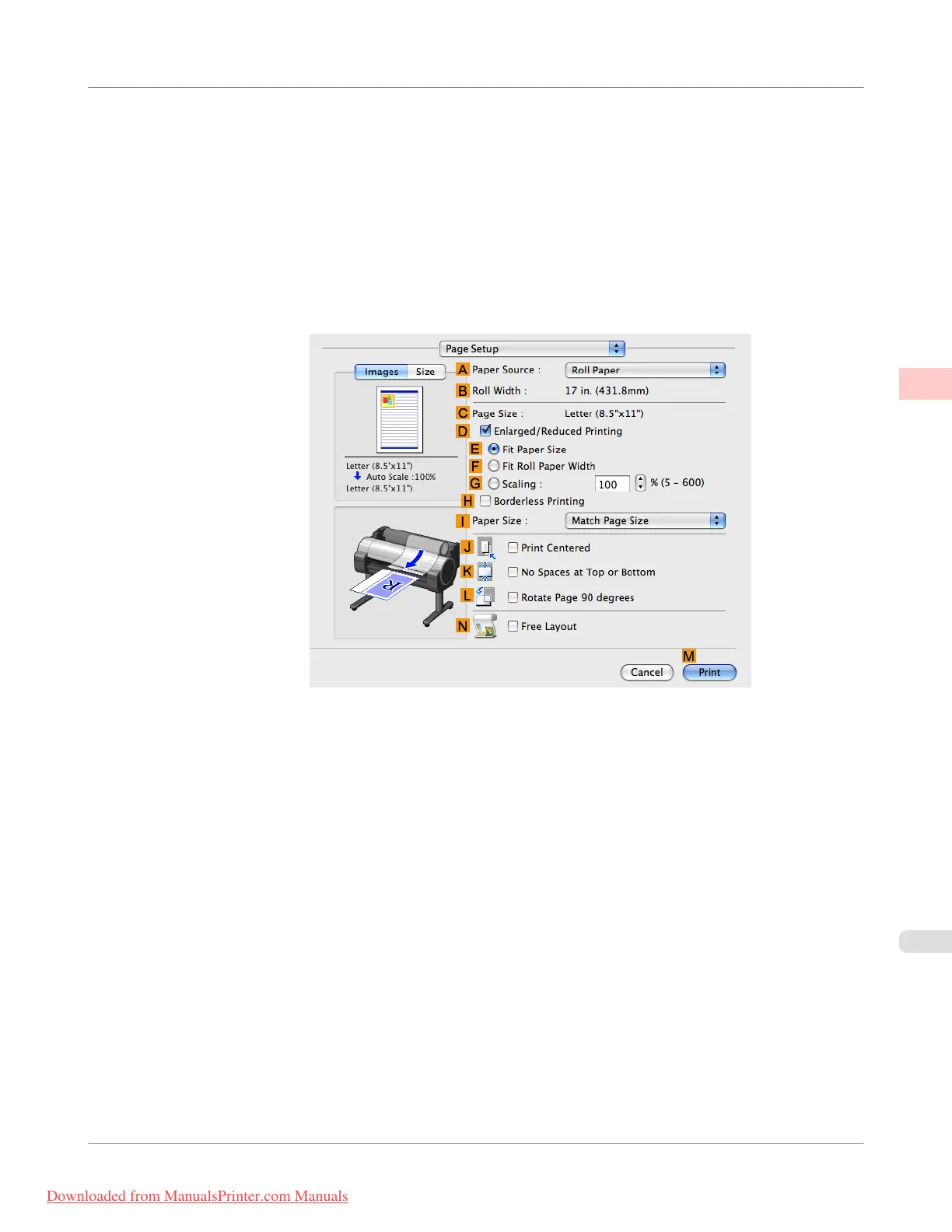
5. Access the Page Setup pane.
6. Select and click a roll paper in the A Paper Source list.
Enhanced Printing Options
>
Other useful settings
>
iPF755
Cutting Roll Paper After Printing (Mac OS X)
2
203
Downloaded from ManualsPrinter.com Manuals


 To Next Page
 Loading...










