6. Confirm the print settings and print as desired.
Note
• For instructions on confirming print settings, see "Confirming Print Settings →P.212 "
Accessing the Printer Driver Dialog Box from Applications
1. Choose Print from the File menu to display the dialog box for printing conditions.
2.
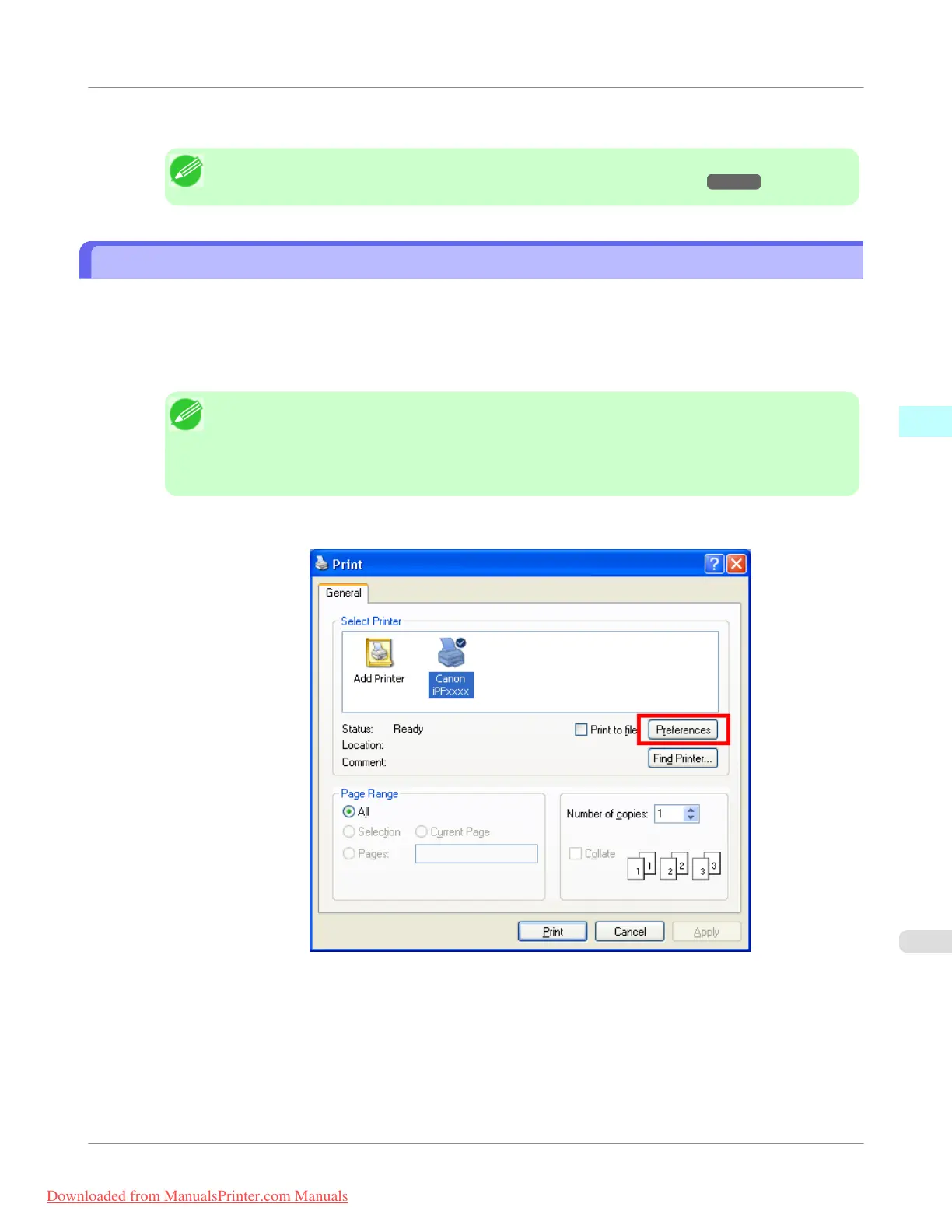
Select the printer, and then display the printer driver dialog box.
Note
• The dialog box for specifying printing conditions varies depending on the source application. In
some cases, when you select the printer, a sheet for configuring the printer driver is added to the
dialog box.
In the following case, click Preferences.
• Example: Print dialog box displayed by the application software
Windows Software
>
Printer Driver
>
iPF755
Accessing the Printer Driver Dialog Box from Applications
3
217
Downloaded from ManualsPrinter.com Manuals



 To Next Page
 Loading...










