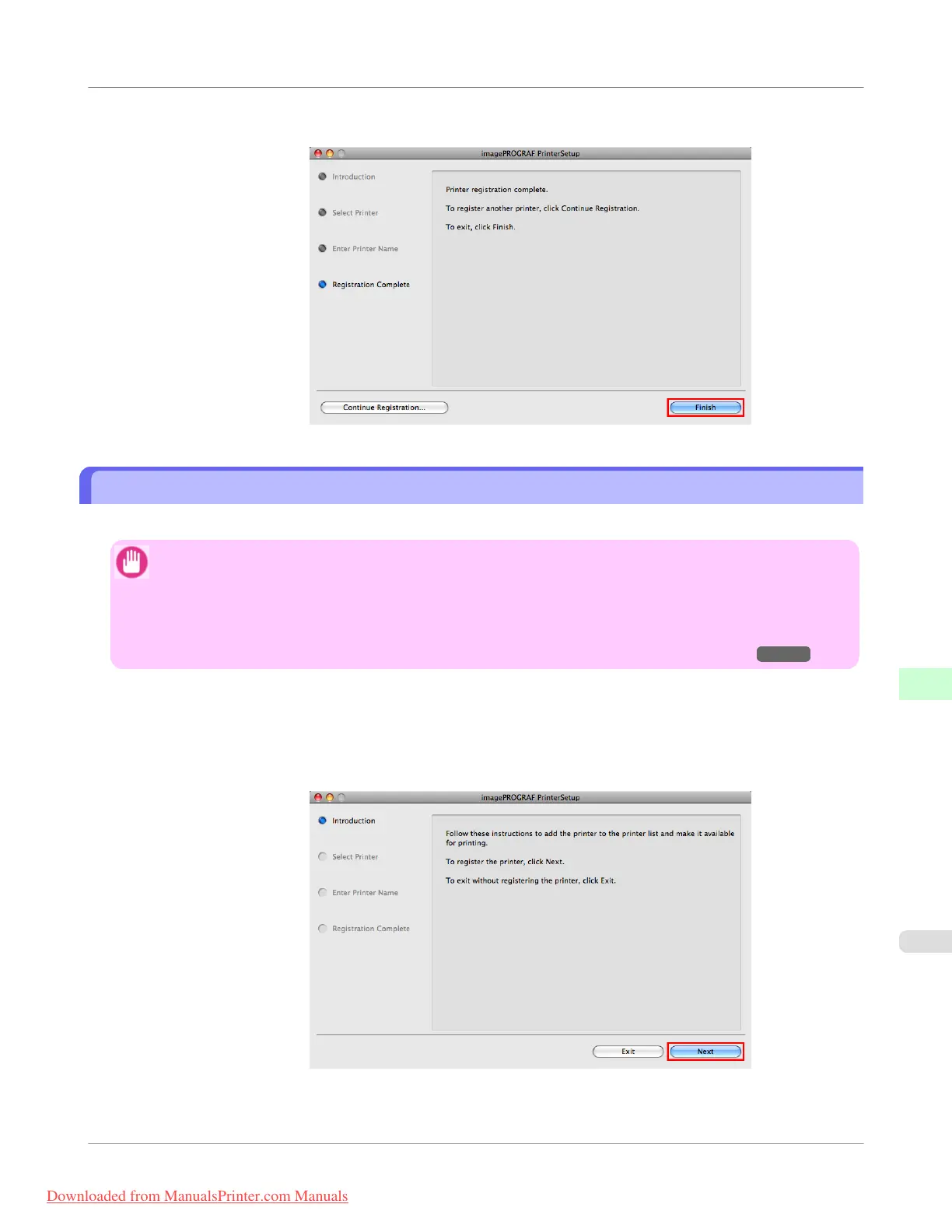
6. Click Finish.
Configuring the Destination for Bonjour Network
Follow the steps below to configure the destination if you are using the printer in a network that uses the Bonjour function.
Important
• Bonjour and IP Print (Auto) do not support printing to a printer on other network groups that require a rout-
er for connection. Make sure the computer and printer are on the same network. For information about net-
work settings, ask your network administrator.
• By default, Bonjour is activated on the printer. You can activate or deactivate the Bonjour function or change
the printer name by using RemoteUI. For instructions on changing it, see "Using RemoteUI." →P.764
1. Navigate to Applications > Canon Utilities > imagePROGRAF PrinterSetup and double-click imagePROG-
RAF PrinterSetup.app.
2. Click Next.
Network Setting
>
Mac OS X Settings
>
iPF755
Configuring the Destination for Bonjour Network
10
789
Downloaded from ManualsPrinter.com Manuals



 To Next Page
 Loading...










