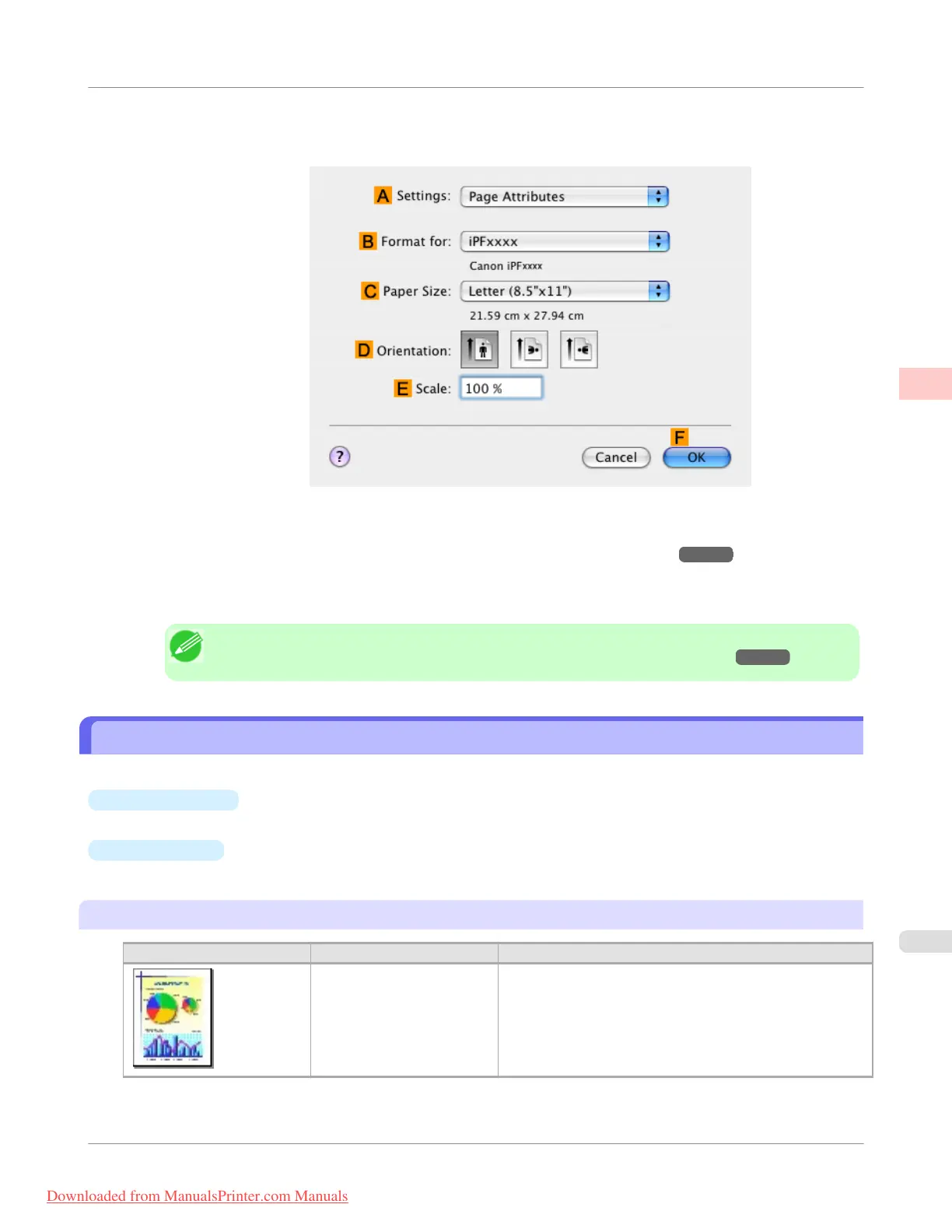
12. Make sure C Page Size on the Page Setup pane shows the original size as specified in C Paper Size in the Page
Attributes dialog box—in this case, 10"x12".
13. Specify additional printing conditions.
For details on available printing conditions, see "Printer Driver Settings(Mac OS X) →P.434 "
14. Confirm the print settings, and then click M Print to start printing.
Note
• For tips on confirming print settings, see "Confirming Print Settings(Mac OS X) →P.438 "
Printing Office Documents
Printing is easy when you simply choose the type of original to print.
•
Easy Settings
Simply choose the printing application in the list for optimal printing results.
•
Print Target
Choose presets that match the type of document to be printed.
Print targets for office documents
Print Target
Description
Office Document Settings optimized for clear printing of office documents
such as handouts.
Enhanced Printing Options
>
Printing Photos and Office Documents
>
iPF755
Printing Office Documents
2
29
Downloaded from ManualsPrinter.com Manuals


 To Next Page
 Loading...











