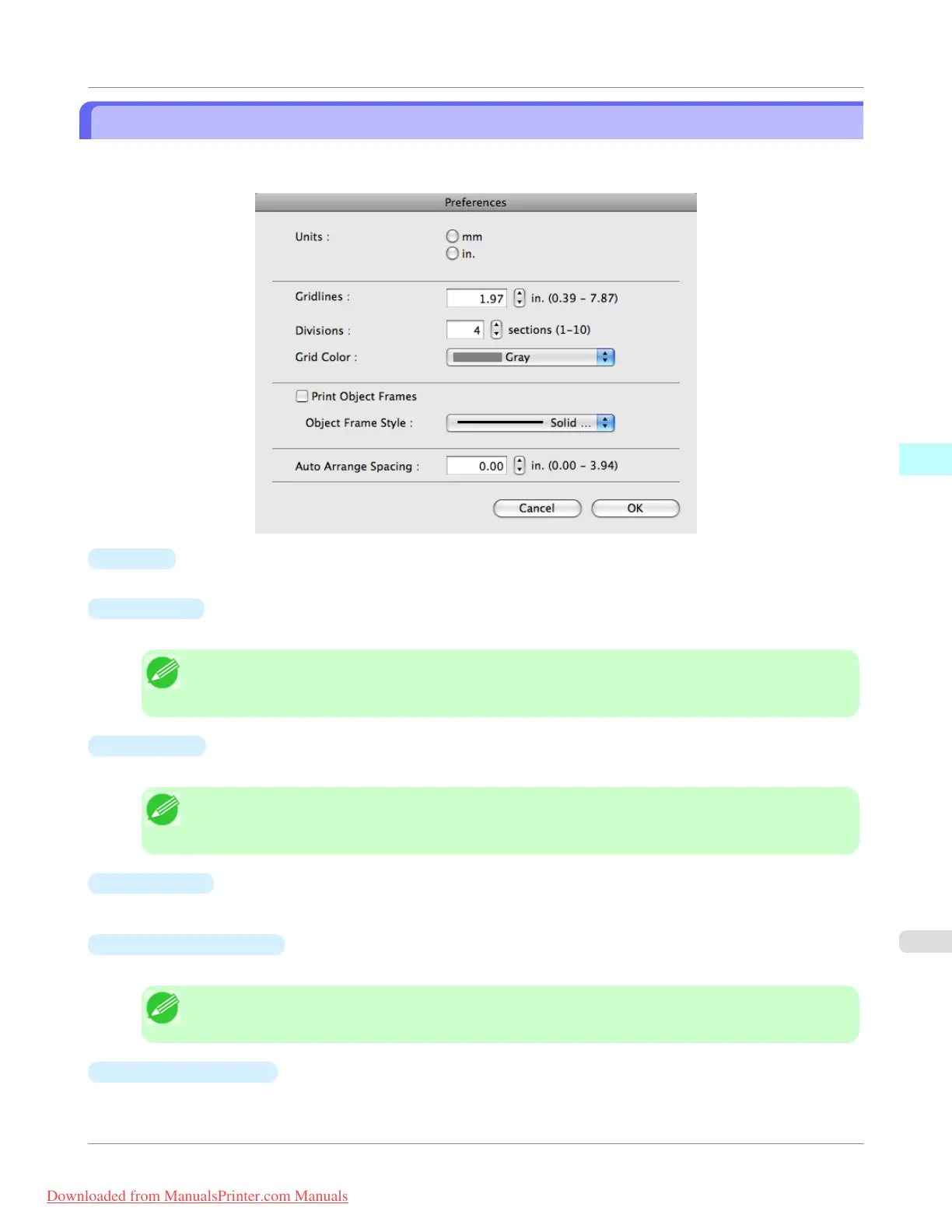
Preferences Dialog Box
This dialog box appears when you select Preferences from the imagePROGRAF Advanced Preview menu. You can set the
preferences for Free Layout.
•
Units
Set the unit for paper length, margins, and so on.
•
Gridlines
You can input a grid line width value in numerical characters so that they serve as a guide to laying out objects.
Note
• You can input between 10.0 and 200.0(mm) (between 0.39 and 7.87(inch)).
• You can change the numbers by clicking either ▲ button or ▼ button.
•
Divisions
You can change the number of divisions of grid lines so that they serve as a guide to laying out objects.
Note
• You can input between 1 and 10.
• You can change the numbers by clicking either ▲ button or ▼ button.
•
Grid Color
Select the grid line color.
•
Print Object Frames
You can print the object border.
Note
• If you do not want to print the object border, deselect the Print Object Frames check box.
•
Object Frame Style
You can select the object frame style for printing.
Mac OS X Software
>
Free Layout
>
iPF755
Preferences Dialog Box
4
507
Downloaded from ManualsPrinter.com Manuals


 To Next Page
 Loading...











