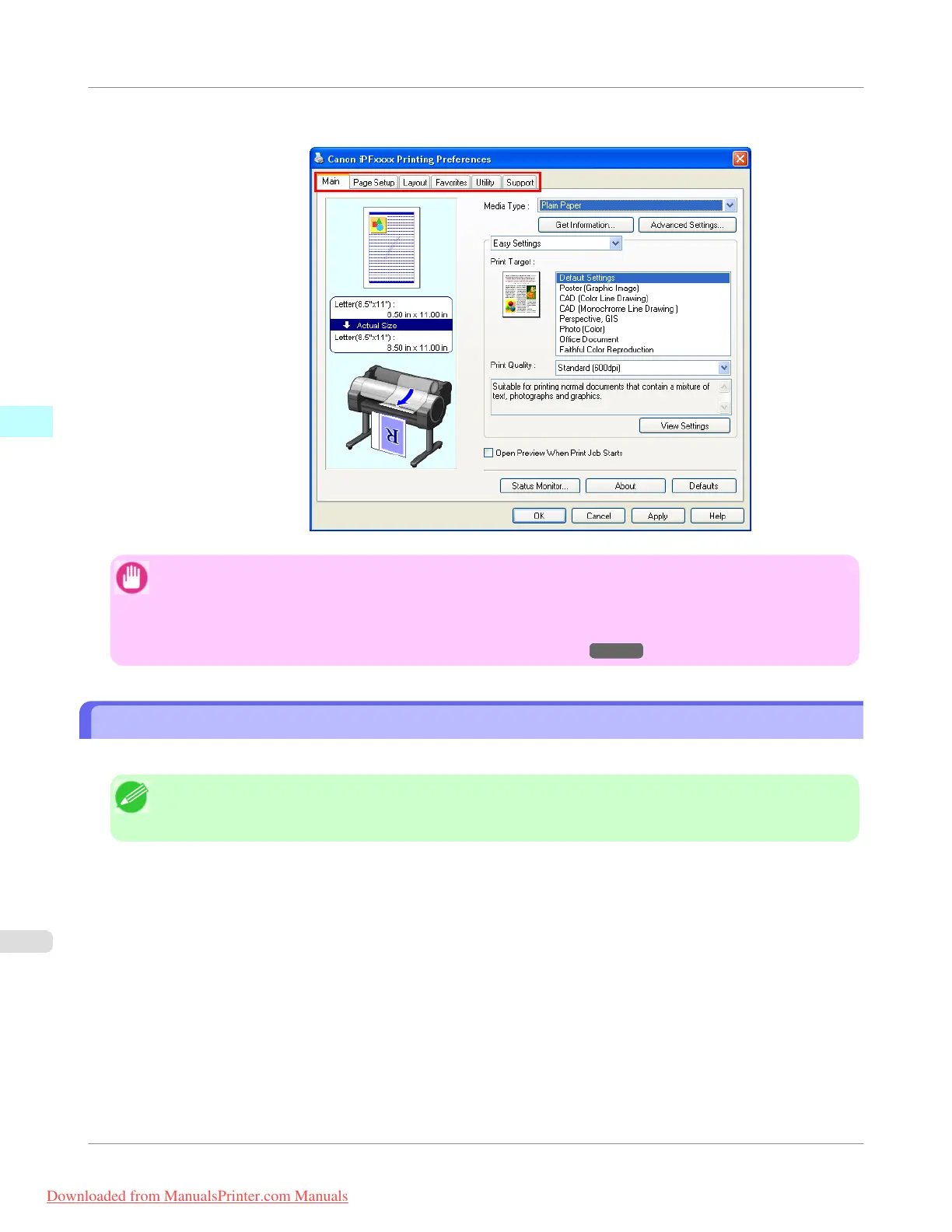
Six sheets of print settings are displayed by the printer driver: Main, Page Setup, Layout, Favorites, Utility, and
Support.
Important
• If you access the printer driver dialog box from the operating system menu, changes you make to the settings
will apply to all applications you use for printing.
• You can also access the printer driver dialog box from applications.
See "Accessing the Printer Driver Dialog Box from Applications →P.217 ".
Main Sheet
The following settings are available on the Main sheet. For details on settings items, refer to the printer driver help file.
Note
• On the Main sheet, choose Easy Settings to specify basic print settings based on the particular printing ap-
plication, or switch to Advanced Settings to complete more detailed settings as desired.
Windows Software
>
Printer Driver
>
Main Sheet
iPF755
3
220
Downloaded from ManualsPrinter.com Manuals


 To Next Page
 Loading...











