Configuring the Printer Driver in Windows
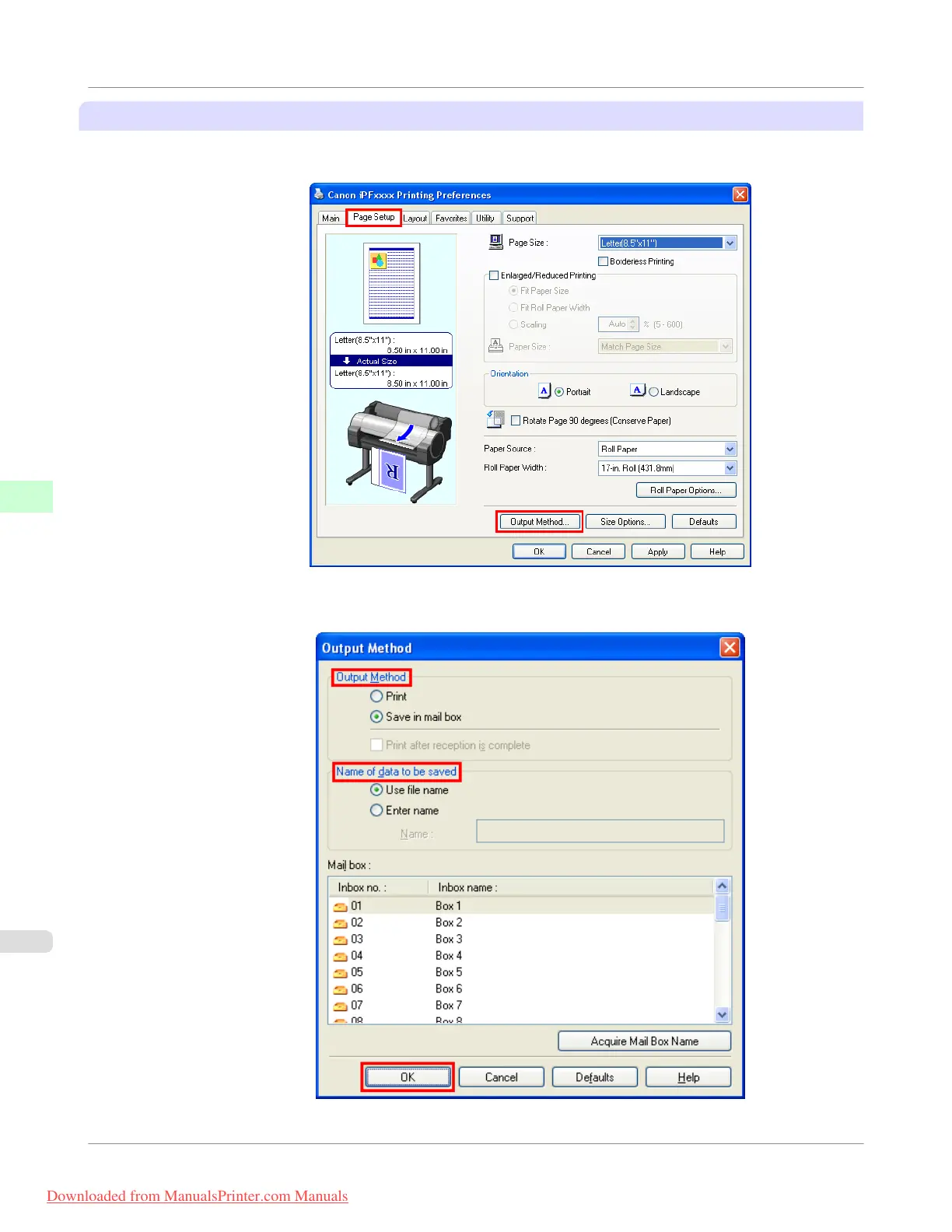
1. Access the Page Setup sheet.
2. Click Output Method to display the Output Method dialog box.
Print Job Operations
>
Basic Print Job Operations
>
Saving Print Jobs on the Printer Hard Disk
iPF755
5
574
Downloaded from ManualsPrinter.com Manuals


 To Next Page
 Loading...











