ICC Matching Mode
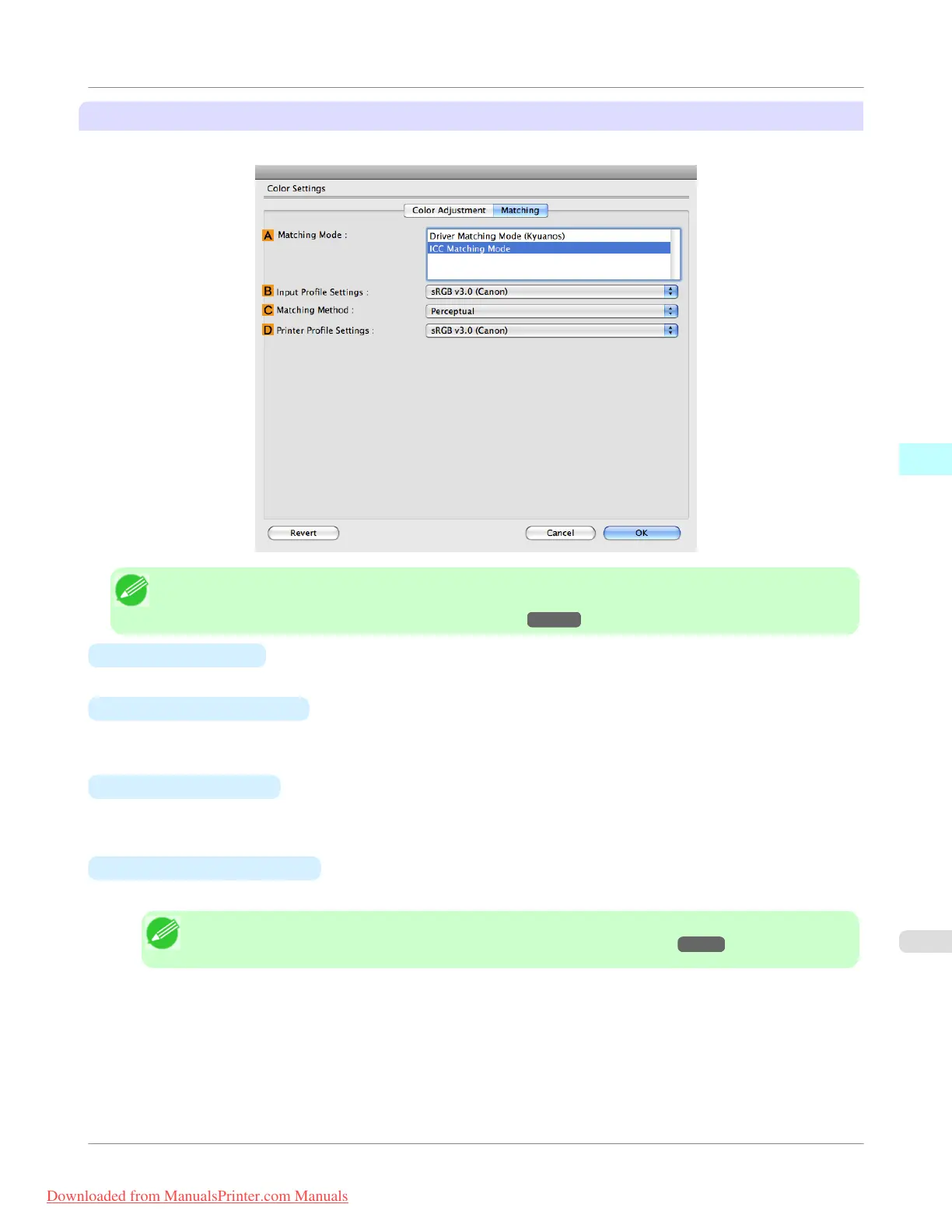
The following options are available when you select ICC Matching Mode, in the A Matching Mode list.
Note
• To display the Matching pane, on the Main pane, click Color Settings by Color Mode in Advanced Set-
tings, and then click the Matching tab.(See "Main Pane →P.442 ")
•
A Matching Mode
Select the color matching mode to use, as desired.
•
B Input Profile Settings
You can choose Input Profile.
Various options are available depending on your selected A Matching Mode.
•
C Matching Method
You can choose C Matching Method.
Various options are available depending on your selected A Matching Mode.
•
D Printer Profile Settings
Specify the printer profile as desired.
Note
• For details on settings items, see "Adjusting the Color in the Printer Driver →P.51 "
Mac OS X Software
>
Printer Driver
>
iPF755
Matching pane
4
449
Downloaded from ManualsPrinter.com Manuals


 To Next Page
 Loading...











