Turning the printer off
Important
• Never disconnect the printer's power supply or unplug it during a print job. This may damage the printer.
1. Make sure no print jobs are in progress.
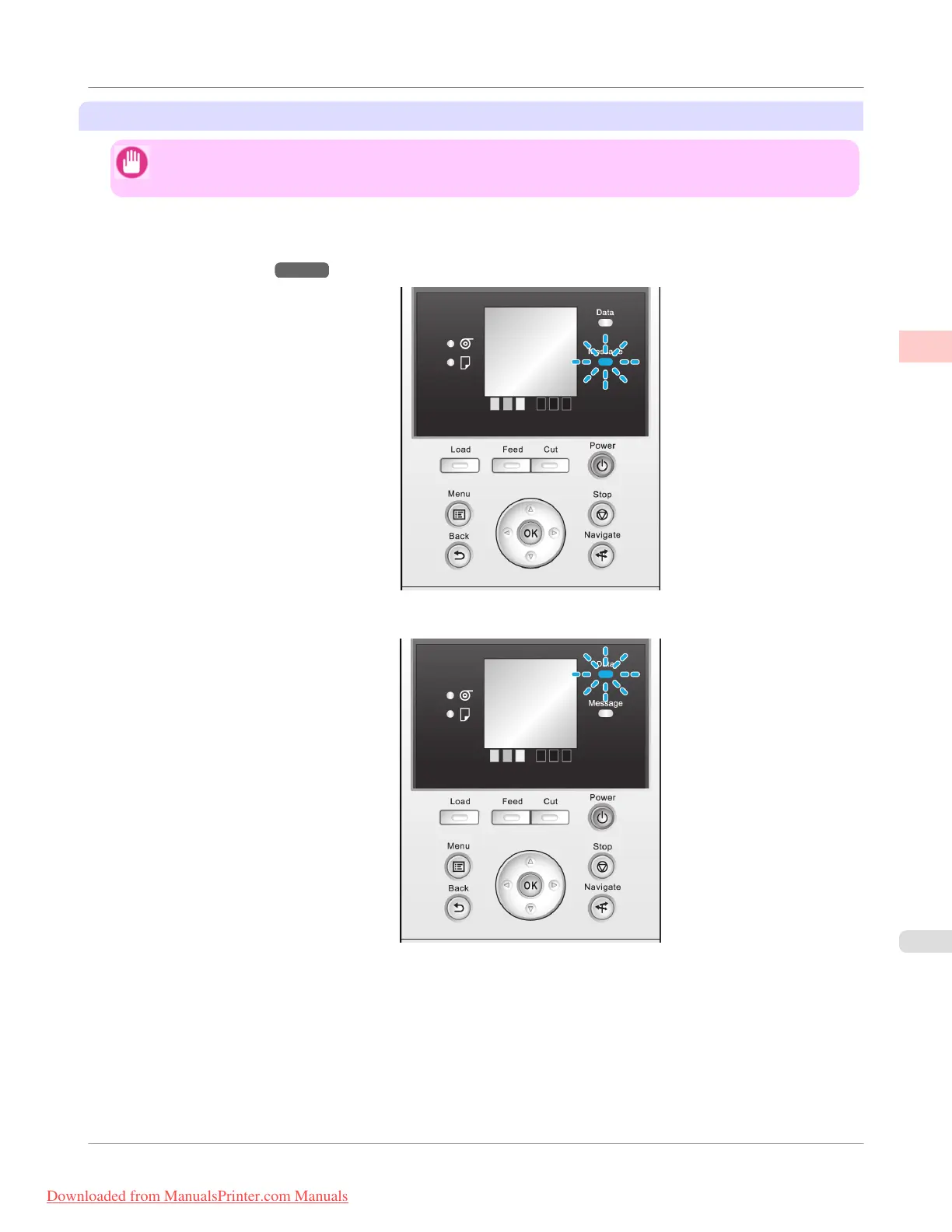
If the Message Lamp is flashing, check the message on the Display Screen and take action as necessary. (See
"Error Messages.") →P.876
If the Data Lamp is flashing, the printer is receiving a print job. Turn off the printer only after printing is finished.
Basic Printing Workflow
>
Printing procedure
>
iPF755
Turning the Printer On and Off
1
5
Downloaded from ManualsPrinter.com Manuals


 To Next Page
 Loading...










