Note
• To display the Color Adjustment sheet, on the Main sheet, click Color Settings by Color Mode in Ad-
vanced Settings.(See "Main Sheet →P.220 ")
•
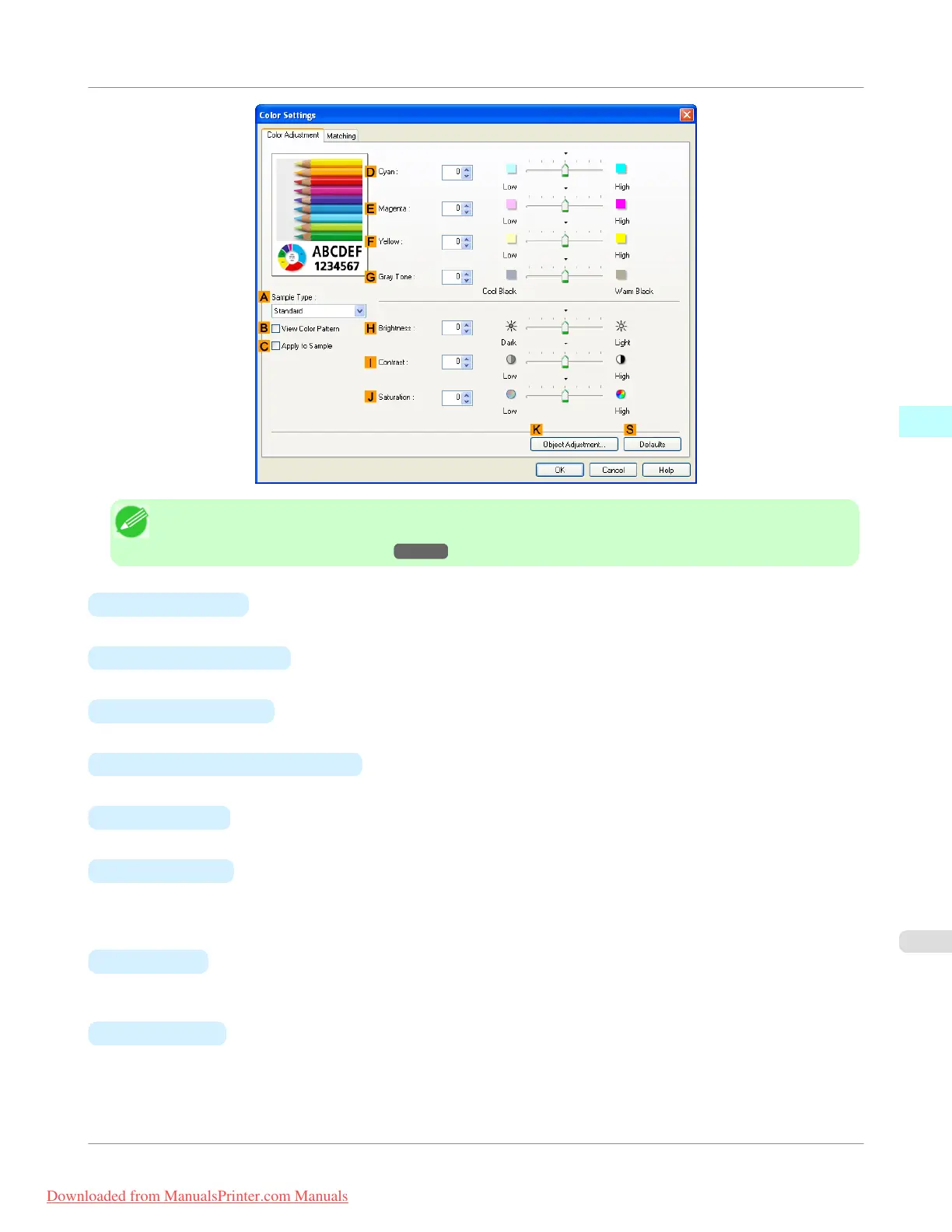
A Sample Type
Choose a sample image from Standard, Portrait, Landscape, or Graphics.
•
B View Color Pattern
Select this checkbox to display the color pattern.
•
C Apply to Sample
Select this checkbox to apply the changed settings to the sample image.
•
D Cyan / E Magenta / F Yellow
Fine-tune color tones by adjusting the levels of each color.
•
G Gray Tone
Adjust the color tone of grays as desired. Choose Cool Black (tinged with blue) or Warm Black (tinged with red).
•
H Brightness
Adjust the overall image brightness as desired. You can adjust the brightness if the printed document is lighter or dark-
er than the original image (that is, the original photo that was scanned or the original graphic as it appears on the com-
puter screen).
•
I
Contrast
Adjust the contrast of the darkest and lightest portions relative to each other, as desired. Increasing the Contrast makes
images sharper, and reducing the Contrast softens images.
•
J
Saturation
Adjust the color intensity as desired. Increasing the Saturation setting makes colors more vivid, and reducing the
Saturation makes colors more subdued.
Windows Software
>
Printer Driver
>
iPF755
Color Adjustment Sheet: Color
3
227
Downloaded from ManualsPrinter.com Manuals


 To Next Page
 Loading...










