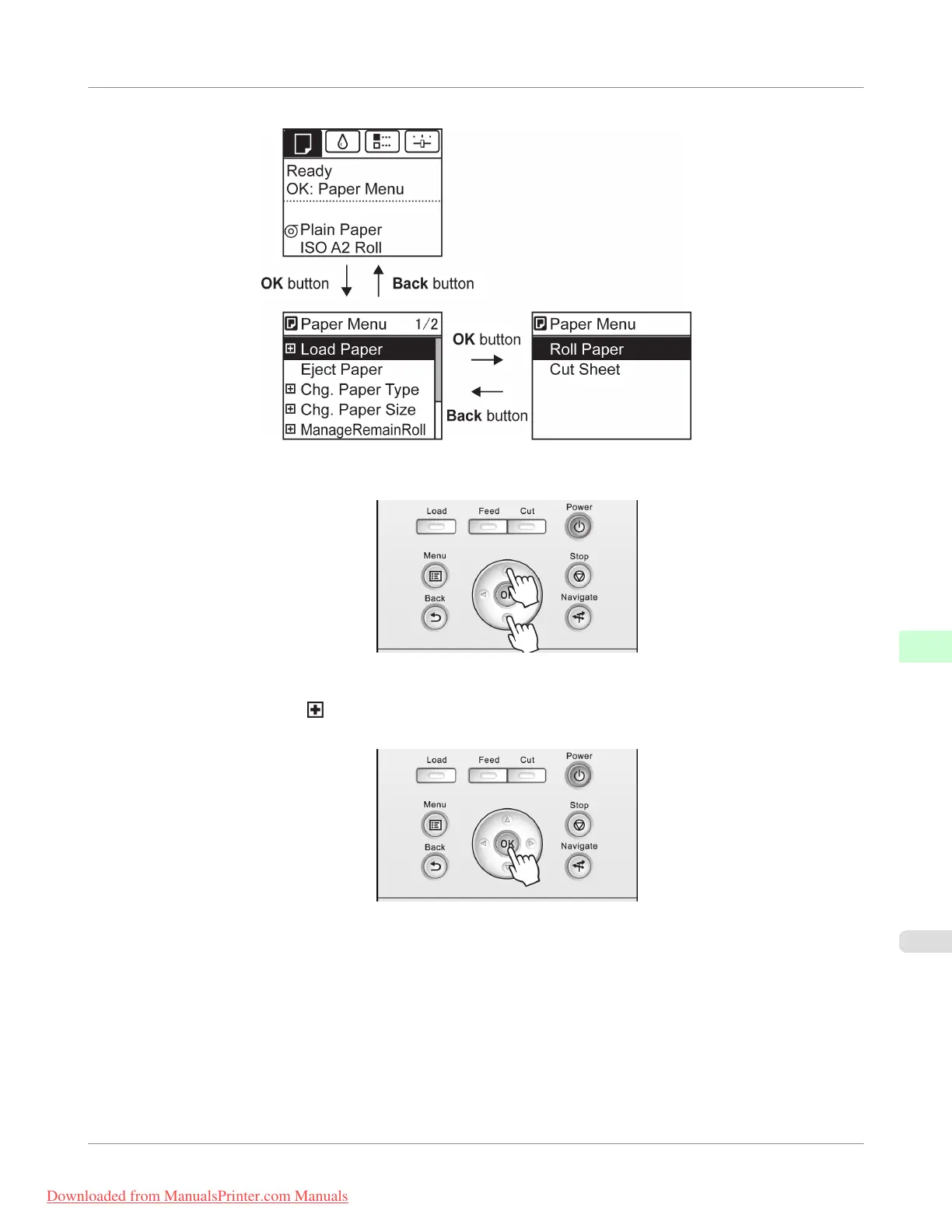
Menus are displayed with the upper line selected. You can use the buttons on the Control Panel to access each menu.
• Press Back to access a higher menu in the menu list, and press OK to access a lower one. If not all menu items are
displayed, hold down ▲ or ▼ to scroll through higher and lower menu items. Items you select are highlighted.
The scroll bar at right indicates the current position in the overall menu.
• Lower menus are available if is displayed at right next to the second and subsequent rows. To access the lower
menus, select the menu and press the OK button.
Control Panel
>
Printer Menu
>
iPF755
Menu Operations
9
725
Downloaded from ManualsPrinter.com Manuals


 To Next Page
 Loading...











