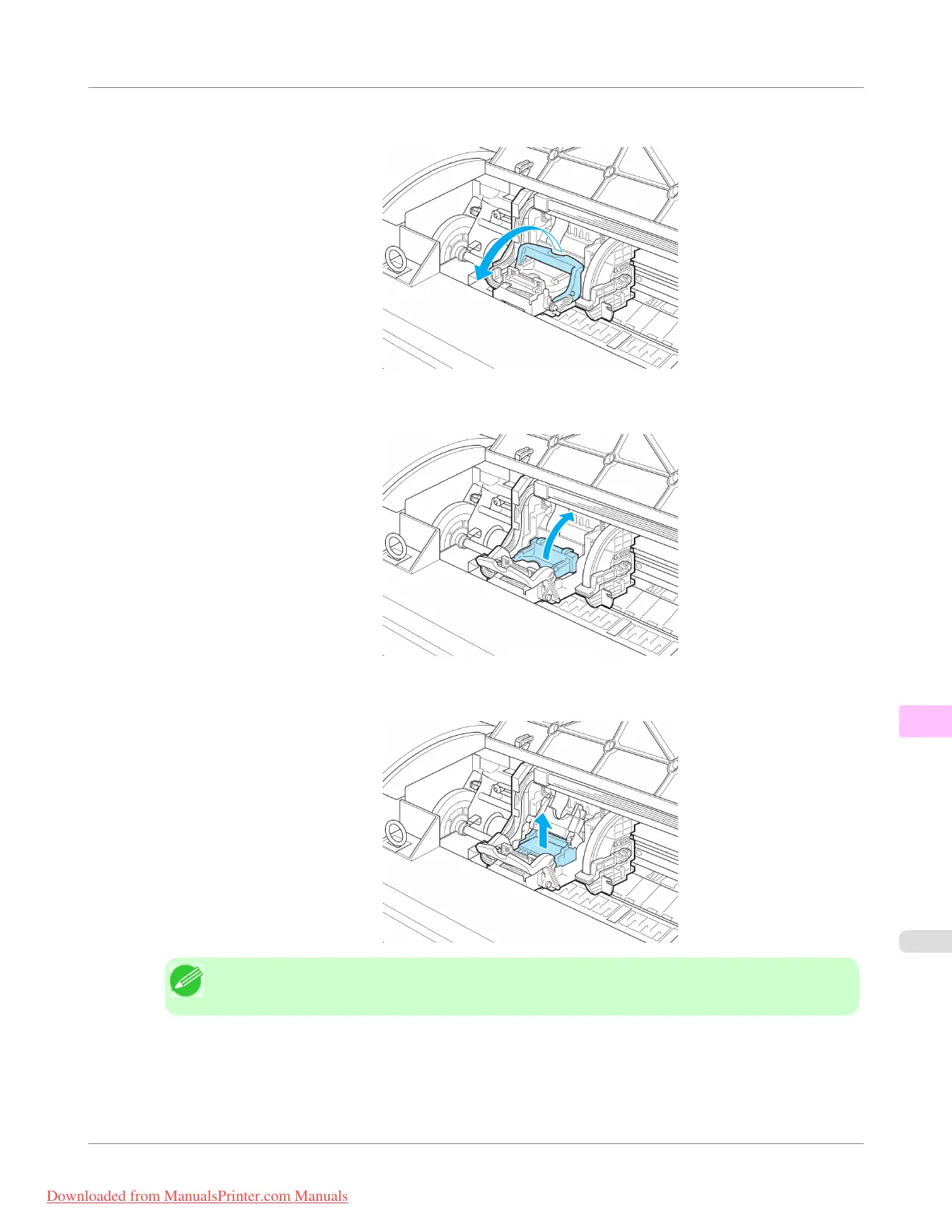
3. Pull the Printhead Fixer Lever forward all the way to open it completely.
4. Pull up the Printhead Fixer Cover to open it completely.
5. Remove the Printhead and press the OK button.
Note
• Dispose of the used Printhead in accordance with local regulations.
Maintenance and Consumables
>
Printheads
>
iPF755
Replacing the Printhead
11
813
Downloaded from ManualsPrinter.com Manuals


 To Next Page
 Loading...











