•
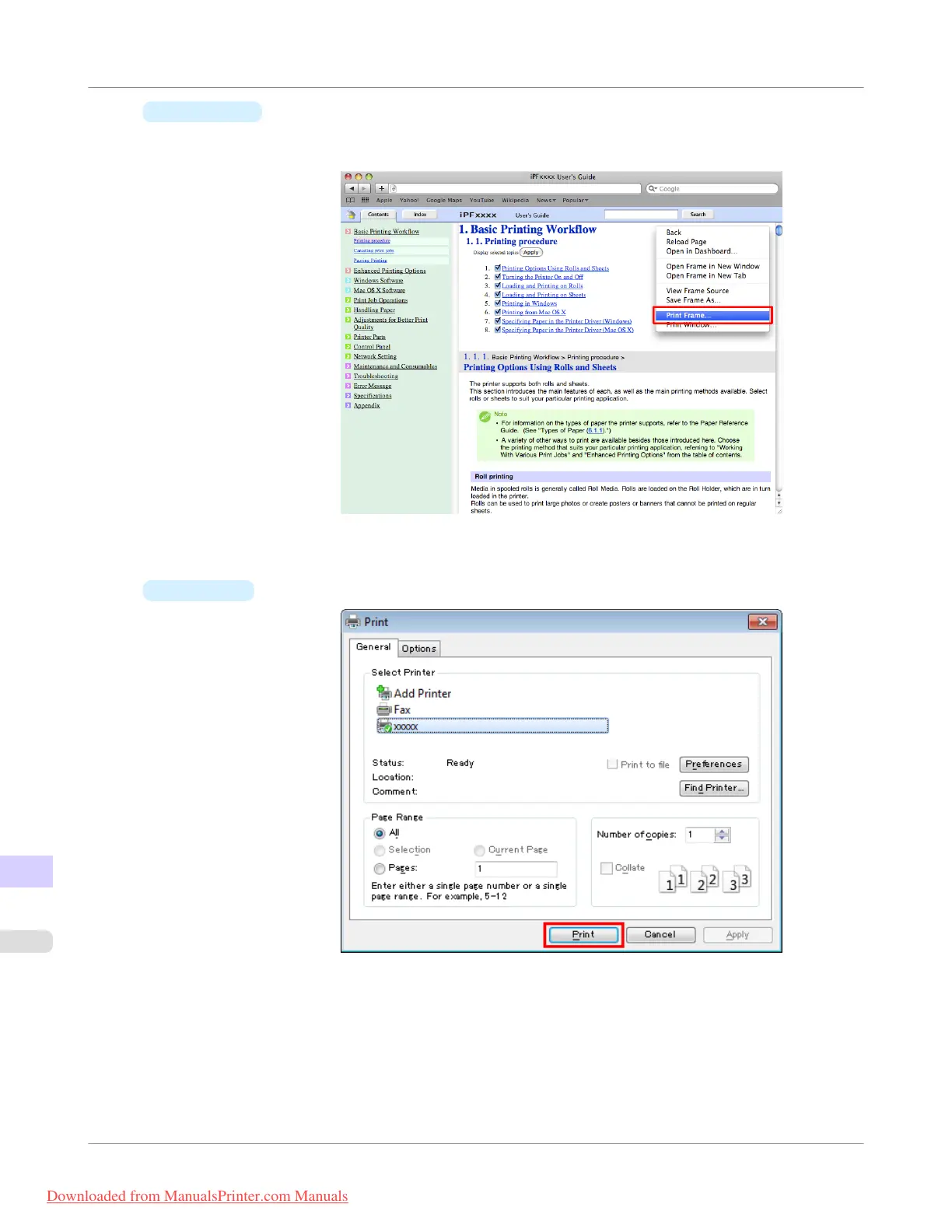
Macintosh
On a Macintosh computer, click anywhere in the explanation area except on a figure or a link while holding
the Ctrl key. In the shortcut menu, click Print Frame to display the Print dialog box.
2. Specify conditions as needed, and then click Print (Windows) or Print (Macintosh).
•
Windows
Appendix
>
How to use this manual
>
HTML Version of the Manual for Printing
iPF755
15
918
Downloaded from ManualsPrinter.com Manuals


 To Next Page
 Loading...











