3-CONTROLSANDINSTRUMENTS
Multi-functiondisplay
Themulti-functionLiquidCrystalDisplay(LCD)islocated
atthecenterofthemodulardashboard.Onstartup,the
consoleindicatorlampswillmomentarilyash.Thedis-
playwillashthemachinemodel.Theinitialstandard
screenwillthenappear.Onceoperatorpreferencesare
set,thescreenwillreectthoseselections.
NOTE:Uponinitialstartup,theoperatorcanpushthere-
turn/escapekey,andthelanguageselectionscreenwill
appearimmediately.Thisallowstheoperatortomakea
languageselectionwithouthavingtouseanunknownlan-
guagetoscrollthroughtopreferences.
RAIL12DOZ0206AA1
InformationwillbedisplayedontheLCDasdirectedby
theoperatororautomaticallybymachineoperations.The
screenofferspromptstoassisttheoperatorwhenpro-
grammingmachinefunctionsand/orperformingdiagnos-
tics.
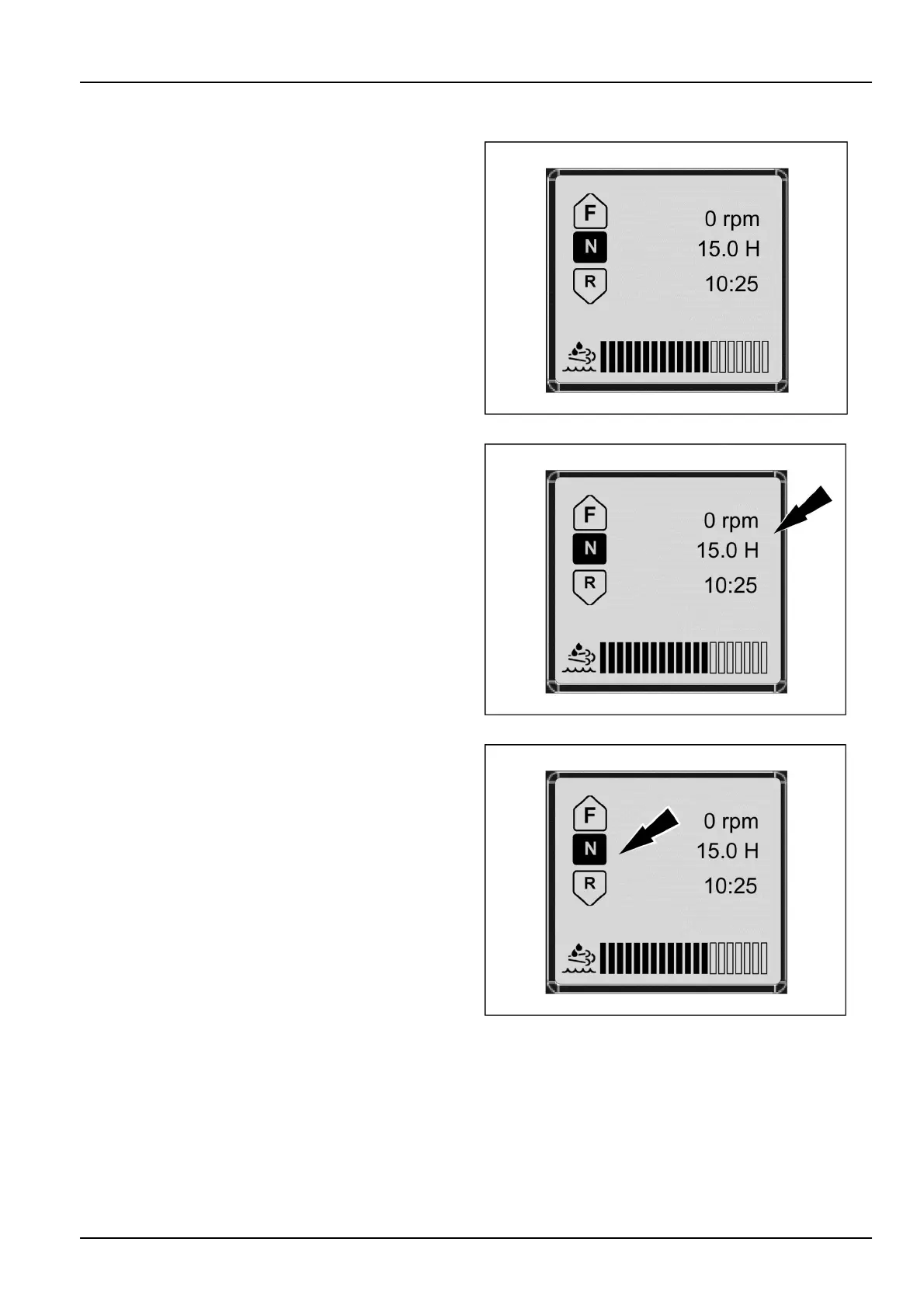
Thestart-upscreenshowsthemachinehours,RPM,and
time.Thedisplayiscontrolledbymachinetechnologyand
gearedtowardoperatorpreferences.
RAIL12DOZ0206AA2
Theleftsideofthescreendisplaysthetransmissionse-
lectionForward,Neutral,orReverseasselectedbythe
operator(F-N-R).
RAIL12DOZ0206AA3
3-25


 To Next Page