3-CONTROLSANDINSTRUMENTS
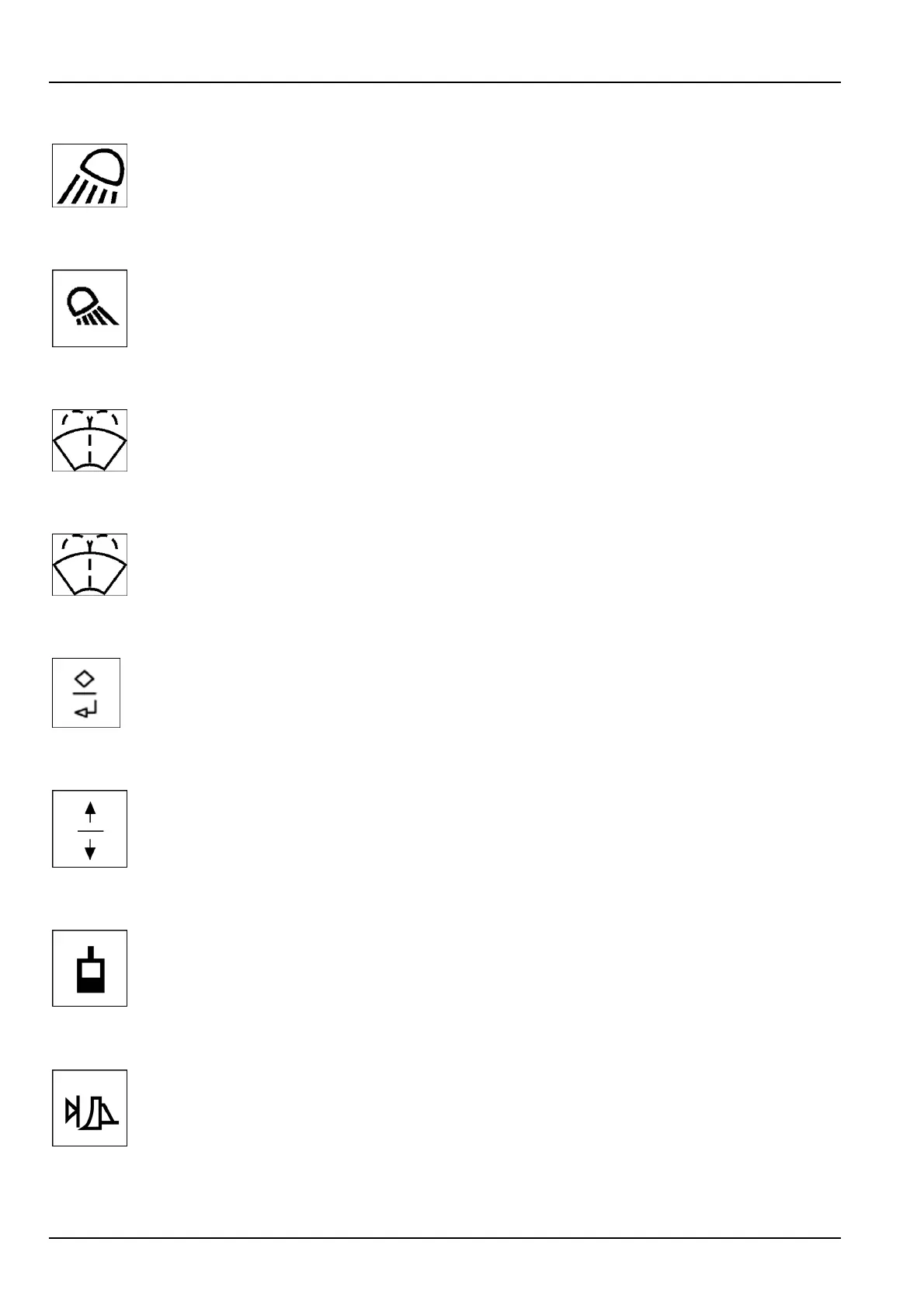
3.Frontheadlampswitch
Pushonthetopoftheswitchforfrontworklights.Pushingonthebottomoftheswitchwillturn
thelightsOFF.
4.Rearlampswitch
Pushonthetopoftheswitchforrearworklights.Pushingonthebottomoftheswitchwillturn
thelightsOFF.
5.Left-hand/Right-handwiper/washerswitch
A.PushswitchtothecenterpositionforON.
B.Pushonthefrontofswitchforwasheruid.
6.Front/Rearwiper/washerswitch
A.PushswitchtothecenterpositionforON.
B.Pushonthefrontofswitchforwasheruid.
7.Enter/Escapeswitch
Usethisswitchtomakeselectionsonthemonitormulti-functiondisplay.Seepage3-41forfurther
information.
8.Up/Downswitch
Usethisswitchtoscrollbetweenselectionsonthemonitormult-functiondisplay.Pushthetopof
switchforup.Pushthebottomoftheswitchtoscrolldown.Seepage3-41forfurtherinformation.
9.Implementenable/disableswitch
Pressandreleasetheimplementenableswitchtoenablethemachinehydraulics.Theswitchisa
momentaryswitch.Themachinedefaultstohydraulicsoffuponkeyon.Thekeymustbeinthe
onpositionwhiletheengineisnotcrankingtousetheimplementenable/disableswitch.Whenthe
functionison,aLEDindicationwillappearontheconsole.
10.Levelingenable/disableswitch(Ifequipped)
ThelevellingsystemON/OFFswitchwillallowtheoperatortoputthedozerintolevellingmode.
ThiswillenabletheAuto/Manualswitch.TheON/OFFswitchisamomentaryswitch.Theoperator
canadjustthegradeandotherlevellingsystemsettingsbyinterfacingwiththelevellingsystem
module.Whenthefunctionison,aLEDindicationwillappearontheconsole.Thedozermust
beequippedwiththelevelingsystemmodule.
NOTE:Blankswitchesmaybeusedforoptionaldevices.
3-28



 To Next Page