3-CONTROLSANDINSTRUMENTS
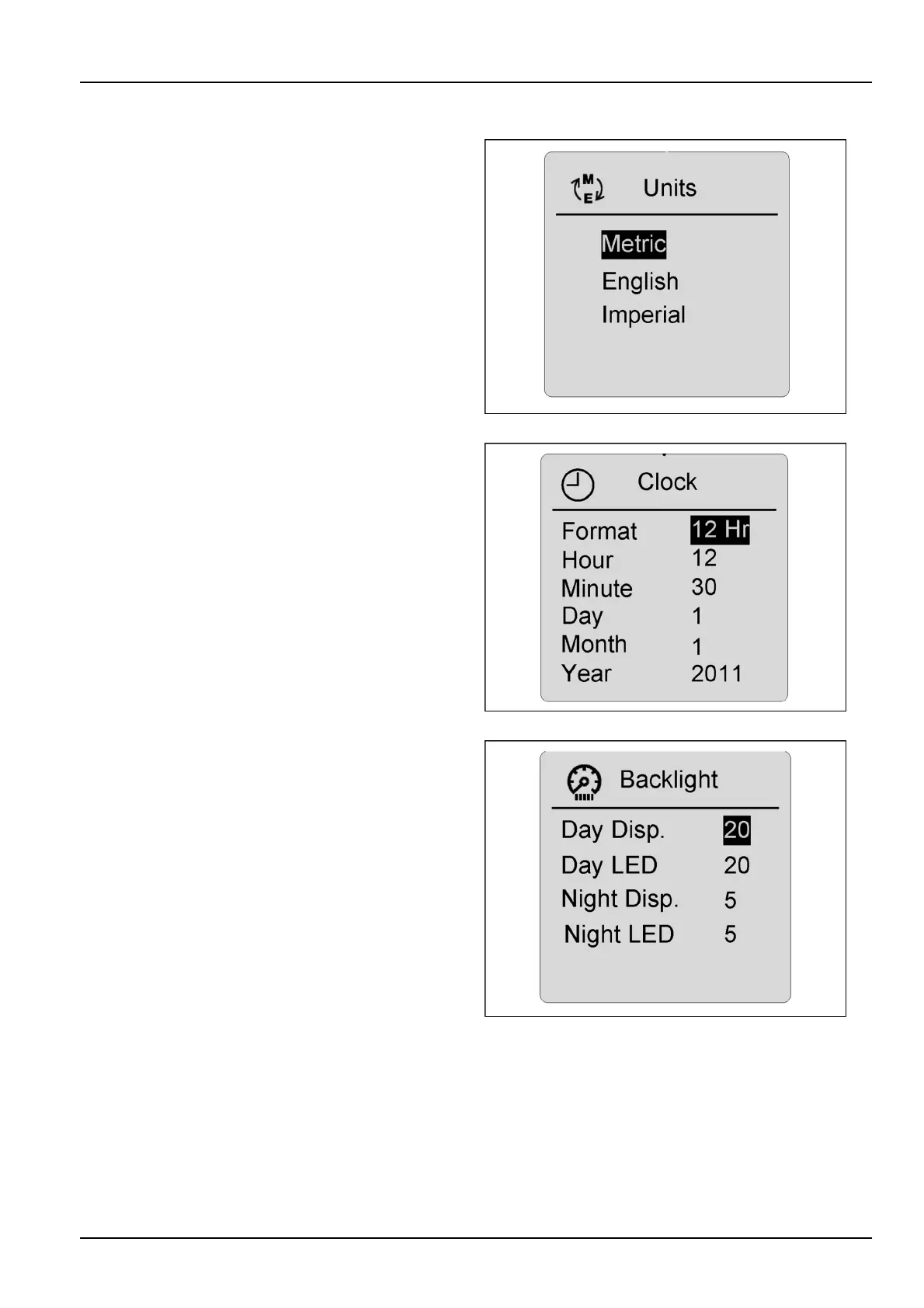
Units
Unitscanbechangedtometric,English,orImperialunits.
Highlighttheunitpreference,andpresstheenter/conrm
switch.Usetoescapeswitchtolockthepreferenceinto
memory.
RCPH10WHL362BAH3
Clock
Settingthehouranddate-Fromtheselectscreen,
choosetheclockdesignation,andpresstheenter/con-
rmswitch.Usethearrowswitchtoshoweldfortime
anddatebypressingthearrowswitch.Whenthecorrect
timeanddatehavebeenenteredbyusingtheupand
downarrowswitch(upincreasesthenumbers-downde-
creasesthenumbers),presstheenter/conrmswitchto
lockincorrecttime.Presstheescapeswitchtoreturnto
themaindrivingscreenandlockselectionsintomemory.
RCPH10WHL363BAH4
Displaybacklightmenu
Thedisplaymenucanbeusedtochangethebackground
andbrightnessofthescreen.Usethearrowswitchto
makeyourselectionfromthedisplaymenu,andpress
theenter/conrmswitchuntilthescreenrevertstothe
maindrivingscreentolocktheselectionintomemory.The
screendisplaycanbechangedtosuitworkingconditions.
Thescreenwillchangetonightfunctionilluminationwhen
theheadlampsareturnedON.
RCPH10WHL364BAH5
3-49



 To Next Page