CONTROLS AND INSTRUMENTS
2-5
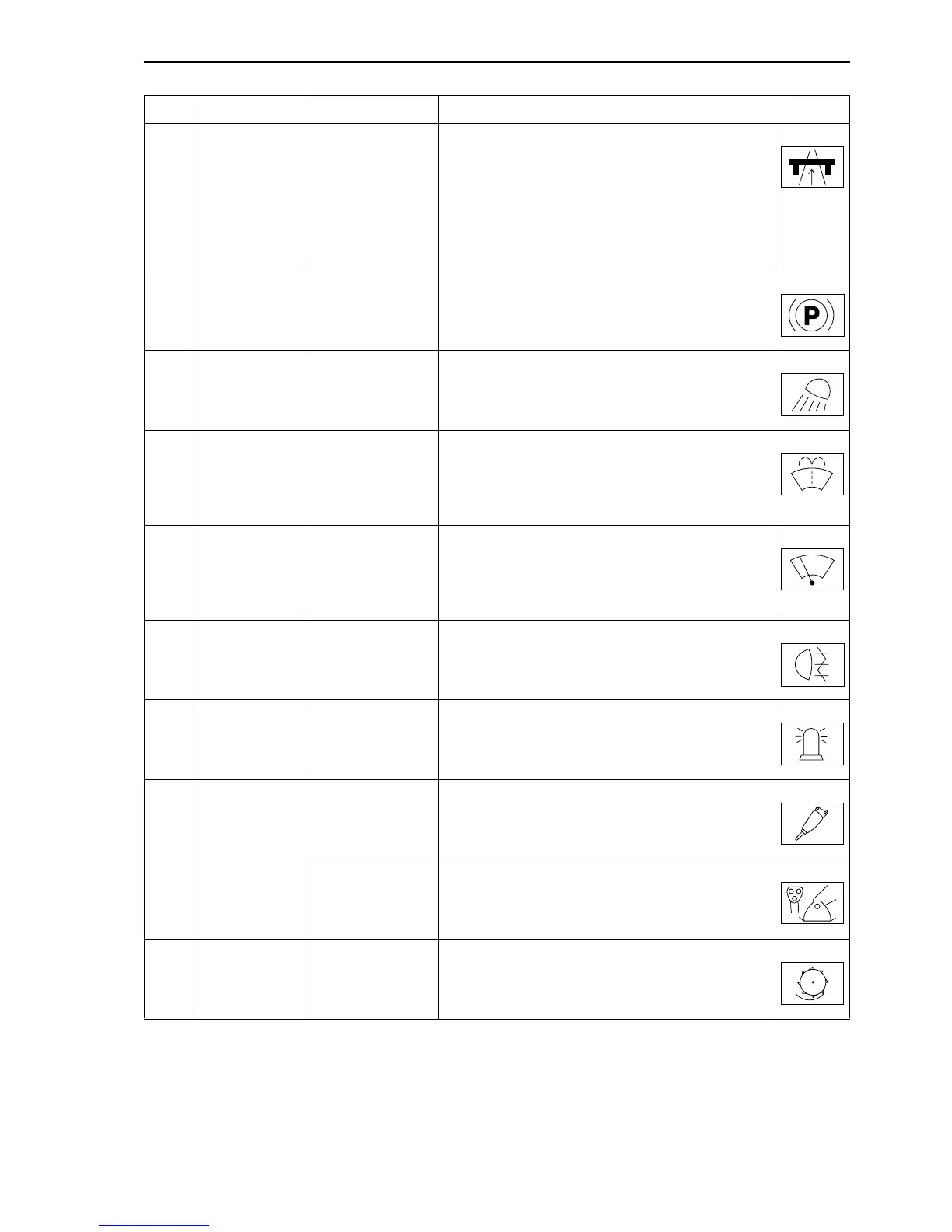
21 Push-button Road travel
Selects the road travel mode.
Ensure that the safety lever is placed to position
“0”.
Activation: press the button face with the symbol
(lamp lights up).
Deactivation: press the button face with no symbol
(lamp turns off).
22 Switch Parking brake Parking brake control.
23 Switch
Cab floodlamps /
attachment
To activate, press the switch face with no symbol.
To deactivate, press the switch face with the
symbol.
24 Switch
Screen wiper/
washer
Automatic return push-button.
One click: a wiper stroke and a liquid jet.
The windscreen wiper operates continuously with
the jet, as long as the button is kept pressed.
25 Switch Windscreen wiper
Automatic return push-button.
One click: intermittent wiping.
Press and hold button: the windscreen wiper oper-
ates continuously.
26 Switch Rear fog lights
Activation: press the button face with no symbol.
Deactivation: press the button face with the
symbol.
27 Switch
Rotary light
(optional)
Activation: press the button face with no symbol.
Deactivation: press the button face with the
symbol.
28 Switch
Hydraulic hammer
(optional)
Activation: press the button face with no symbol.
Deactivation: press the button face with the
symbol.
Stabilizers
independent
activation
(optional)
Stabilizers independent raising/lowering.
29 Switch
Hydraulic rotary
cutter (optional)
Activation: press the button face with no symbol.
Deactivation: press the button face with the
symbol.
Ref. Description Operation Symbol



 To Next Page