OPERATING THE TRANSCEIVER
CALLING
52 ENVOY™ TRANSCEIVER GETTING STARTED GUIDE
NOTE: A filtered Call Log is available in the call screen. This log
contains only the latest instance of a call to and from a
specific station, and provides records of up to 20 calls.
NOTE: Missed calls are indicated by an exclamation mark in a
yellow triangle in front of the call icon.
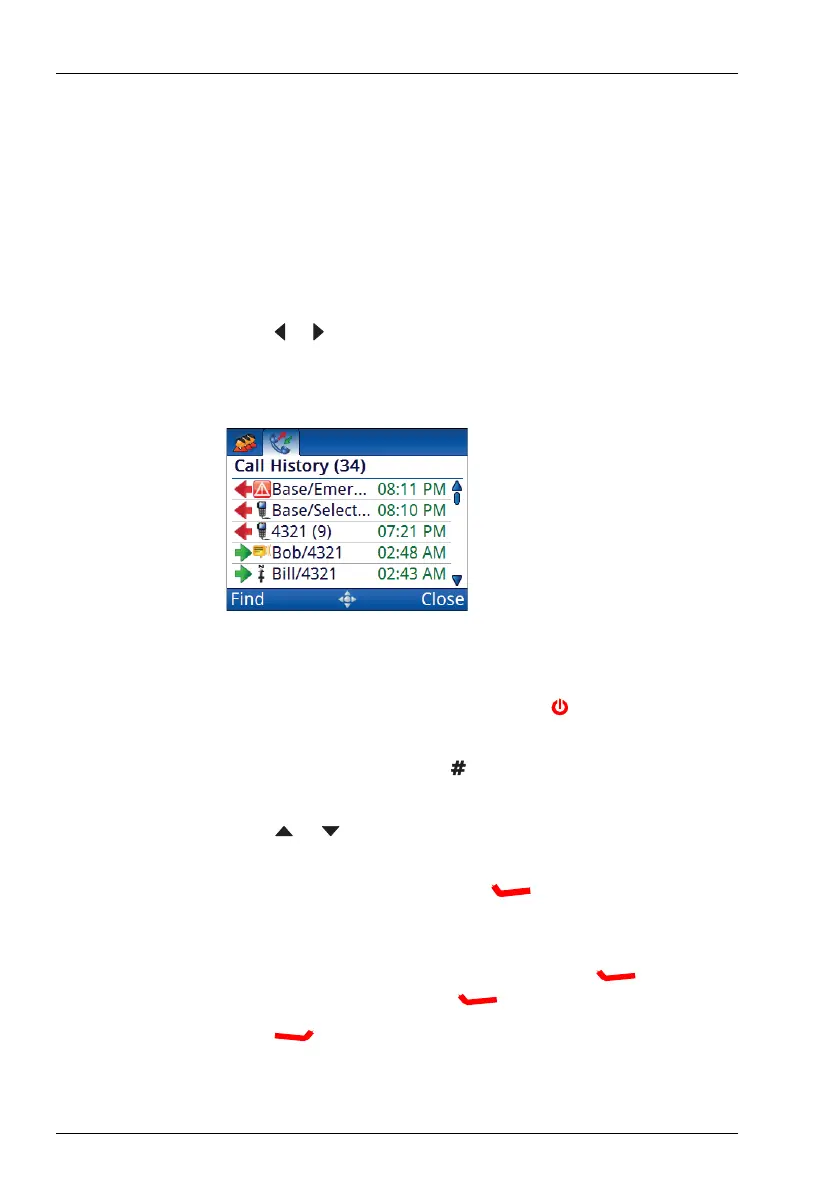
To make a call from the Call History:
1 Hold CALL.
1 Press or to select the Call History tab.
The unfiltered history of the last 200 calls is shown.
NOTE: If you want to view two lines of information for
each call as you scroll through the Call History,
switch to advanced view ( + 2).
1 If you want to filter the Call History by incoming calls, outgoing
calls, or missed calls, press repeatedly until the log that you
want to view is shown (2220/2230 only).
1 Press or to scroll to the call that you want to return or
repeat.
NOTE: You can also press (Find), enter appropriate
characters, then highlight the call that you want to
return or repeat.
1 If you want to view the details of the call, press (Options),
scroll to Details, then press (Select).
Press (Close) to exit from the call details.



 To Next Page