NAVIGATING THE MENU STRUCTURE
ENTERING TEXT IN A FIELD
ENVOY™ TRANSCEIVER GETTING STARTED GUIDE 141
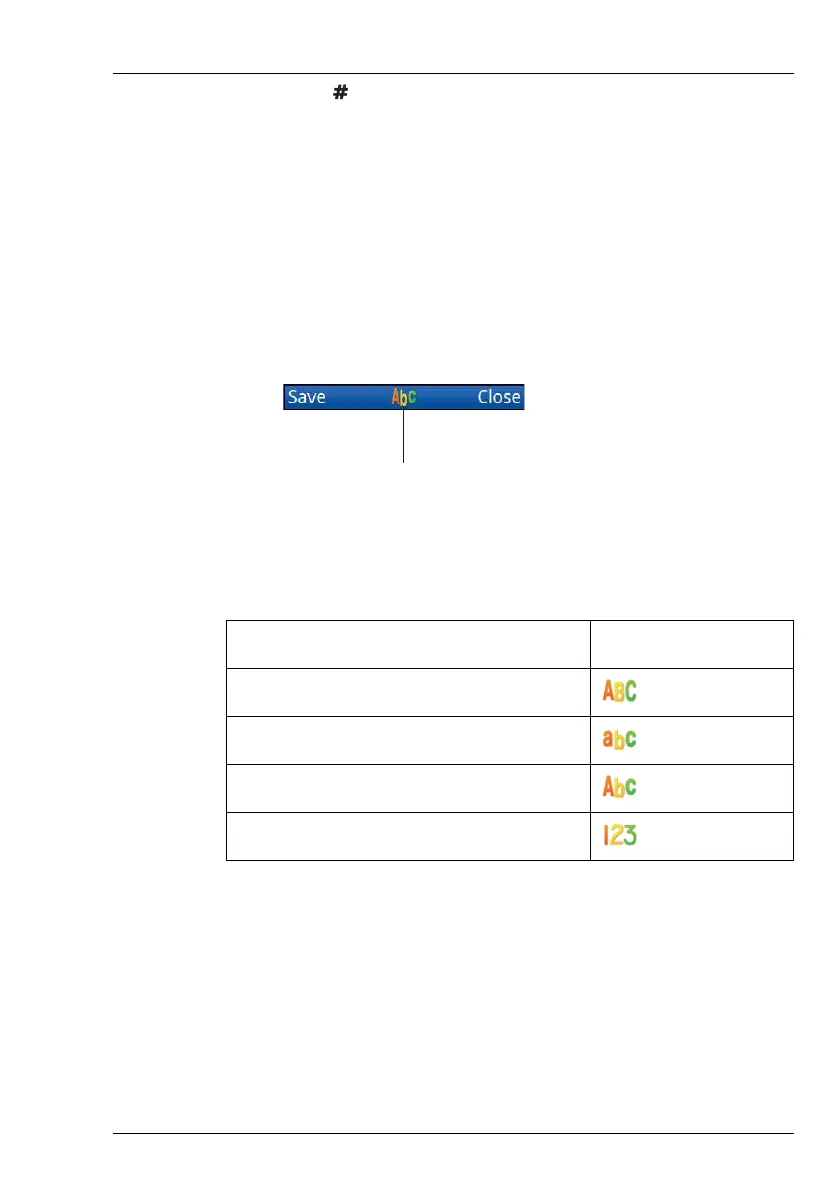
1 Press repeatedly to select the character-entry mode that you
want to use.
The indicator for the character-entry mode is shown in the centre
of the menu bar.
NOTE: The character-entry mode indicators are specific
to each language selection.
NOTE: The input language may be different from the
language selected for the user interface.
Figure 39: Character-entry mode indicator
Table 7: Character-entry mode
Character-entry mode Indicator (English)
All upper-case letters
All lower-case letters
Sentence-case letters
Numbers
character-entry mode
indicator



 To Next Page