121
© Tieline Research Pty. Ltd. 2021
Gateway and Gateway 4 Manual v1.2
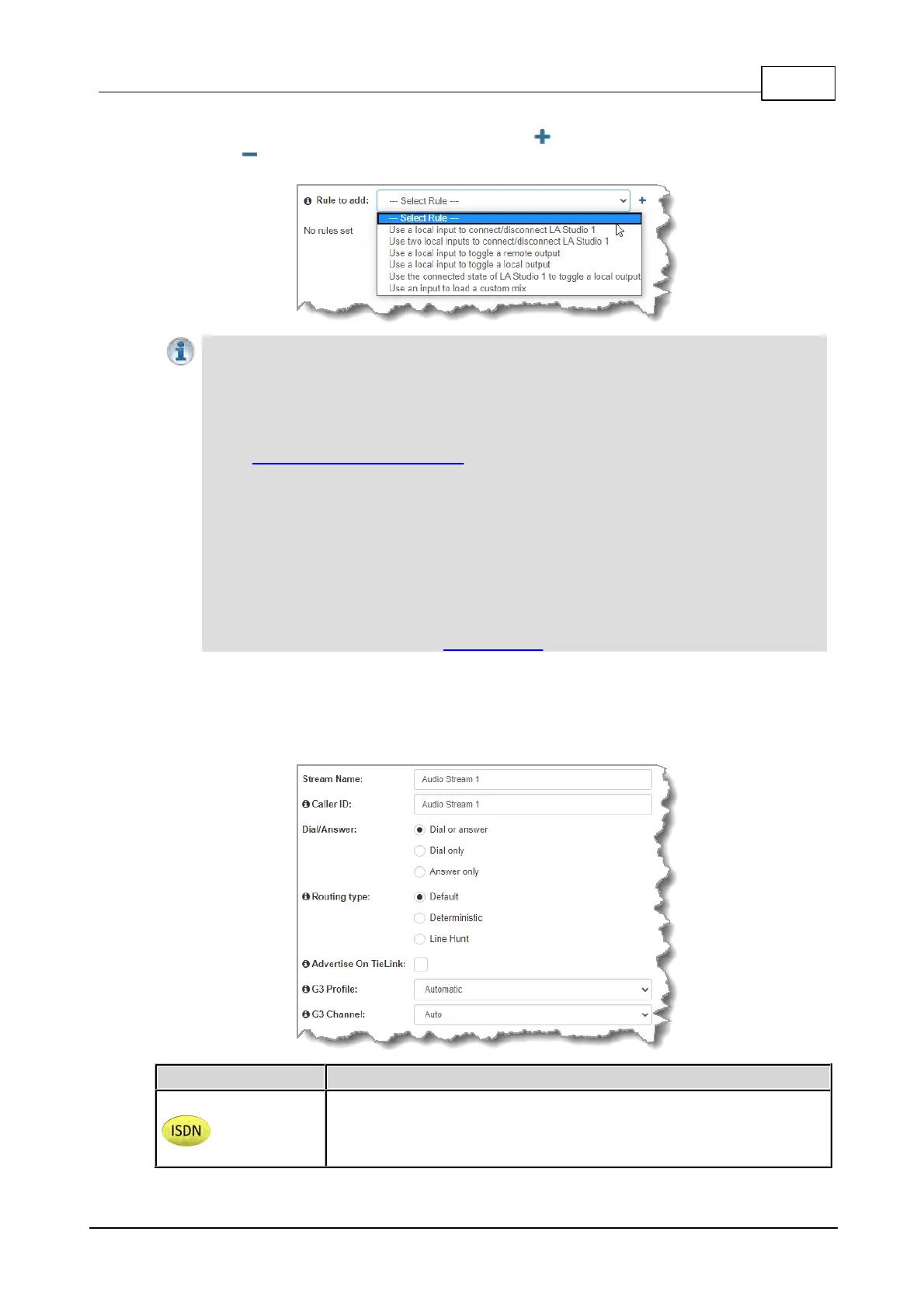
3. To configure new program level rules click the drop-down arrow and select the preferred option
from those available. Click the blue Plus symbol to add a new rule and click the Minus
symbol to remove a rule.
Important Notes for Rules:
· The Gateway 4 codec has 8 hardware GPIOs and 56 logical outputs, and the Gateway
8/16 has 16 hardware GPIOs and 48 logical outputs; both codecs also have 3 virtual
inputs, and 64 WheatNet Logic Inputs/Outputs. (WheatNet logic I/Os allow Tieline
WheatNet-IP enabled codecs to activate functions across a WheatNet-IP network.
WheatNet logical inputs are only available if a codec has a WheatNet-IP card installed).
See Enabling Relays & RS232 Data for more info.
· A non-WheatNet-IP Tieline codec can be configured to trigger a WheatNet LIO in a Tieline
WheatNet-IP codec.
· Tieline WheatNet-IP codecs require Wheatstone Razor firmware version 1.4.22 or later to
support WheatNet LIOs. In addition, the WheatNet-IP codec must have the WNet Enable
LIO checkbox selected in the Options panel of the HTML5 Toolbox Web-GUI.
· Relay reflection is not available for SIP and Multicast Client programs.
· Connection-related rules are not displayed in Answer only audio streams.
· Rules intended to activate dialing will not be valid in Answer only programs or audio
streams.
· For more details about rules see Creating Rules.
4. Enter a Stream Name, then add a Caller ID and configure the codec to dial, answer or dial and
answer. Then click Next. Note: The caller ID is used to identify calls. Select Advertise On
TieLink if configuring answering audio streams that will be used as dialing destinations in
TieLink Traversal Server Contact Lists. For more details see Configuring TieLink Settings.
No Dial Route or Answer Route is configured. An incoming call will be
routed to an audio stream on a first-come, first-served basis in a multi-
stream program. Note: By default IP streams are routed using audio
ports.



 To Next Page