128 Gateway and Gateway 4 Manual v1.2
© Tieline Research Pty. Ltd. 2021
3. Click Next to continue through the wizard and configure the failover connection in a similar
manner to how you configured the primary connection.
Configuring the Codec to Answer Connections
The codec is capable of being configured to accept calls via different transports (e.g. IP and ISDN),
or to accept calls using different audio ports. If you are configuring the codec to allow it to answer
one or more incoming audio stream connections:
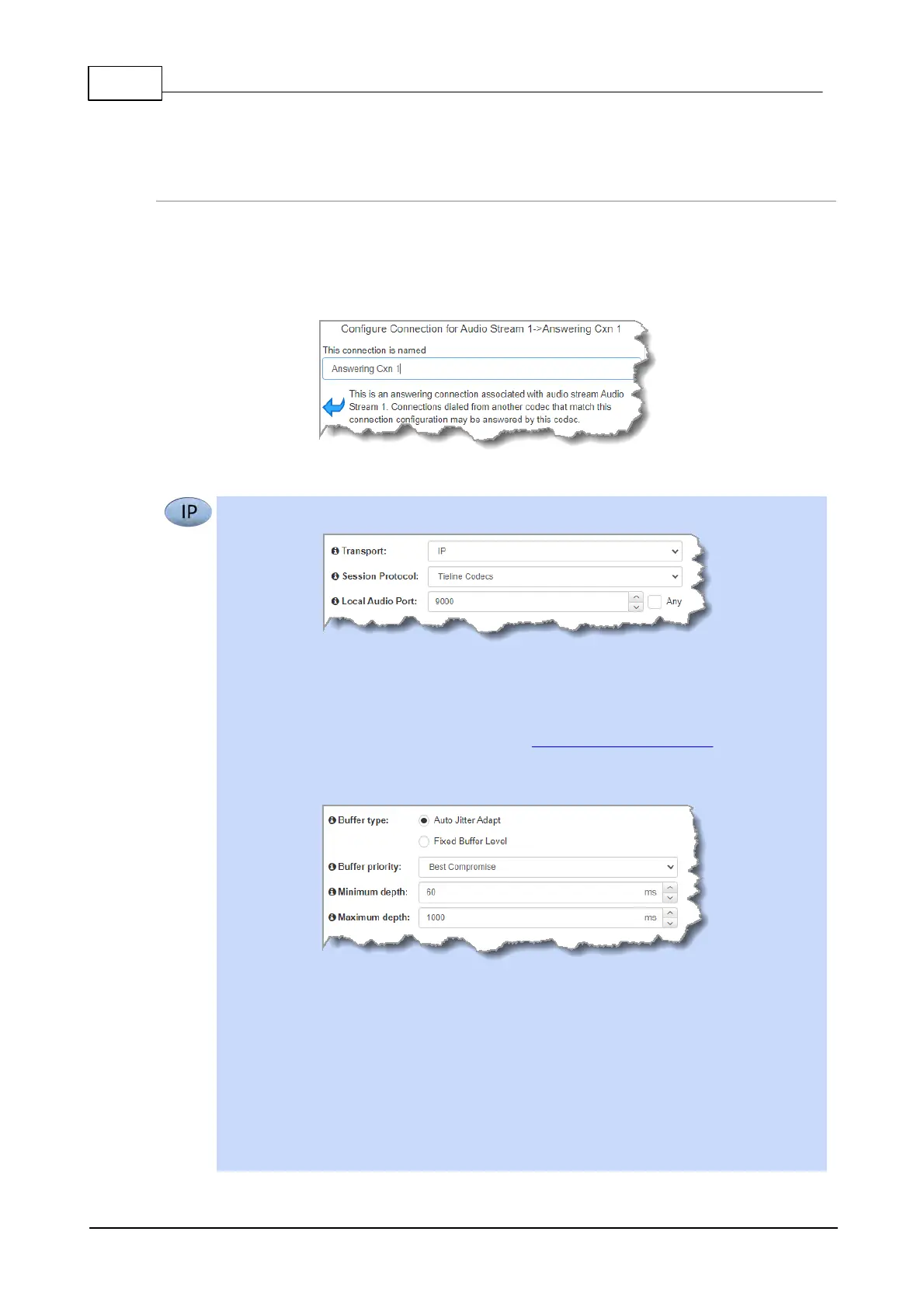
1. Enter a name for the answering connection and click Next.
2. Configure the transport settings:
For IP select the Session Protocol and Local Audio Port.
Click Next to specify jitter buffer settings, or create another answering connection. Click
to configure:
· Auto Jitter Adapt and the preferred auto jitter setting using the drop-down arrow for
Buffer priority. It is also possible to configure the Minimum depth and Maximum
depth of jitter over the connection. See Configuring the Jitter Buffer for more details.
· Alternatively, select a Fixed Buffer Level and enter the Jitter Depth, which must
be between 12ms and 5000ms depending on the algorithm you select.
Click Next to configure Failure Parameters for the answering connection if required.
Please note: In most situations the default answering Failure Parameters do not need
adjustment. These settings may be useful to troubleshoot certain connections, e.g.
satellite IP links.



 To Next Page