74 Gateway and Gateway 4 Manual v1.2
© Tieline Research Pty. Ltd. 2021
Audio Menu Panels
Important Note: Tieline codecs have different input/output configurations, therefore the
images shown in this section may not reflect the number of inputs displayed in your codec
Web-GUI.
Audio Options
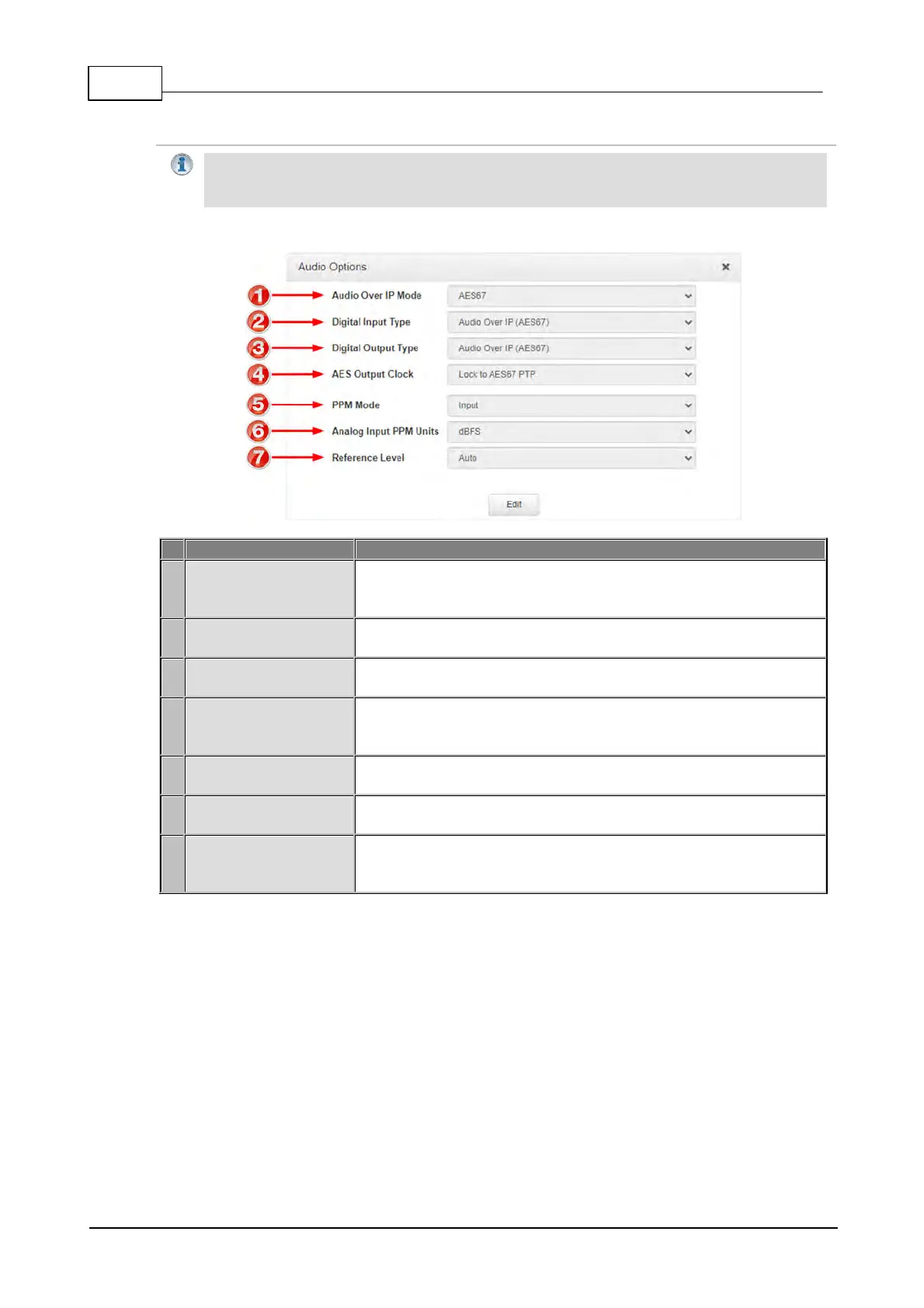
If an optional WheatNet-IP card is installed in the codec select
WheatNet-IP as the AoIP mode. Select AES67 as the AoIP mode
when connecting to any other AES67 network protocol.
Select either AES3 or AES67 as the Digital Input Type for the
codec. This setting is global for all digital inputs.
Select either AES3 or AES67 as the Digital Output Type for the
codec. This setting is global for all digital outputs.
The sample rate of the AES3 output is configured using the clock
source which sets the sample rate frequency of all AES3 output
signals. Adjust using this setting.
PPM metering can be adjusted to display inputs, outputs, encoders
and decoders with this setting.
Use this setting to change the analog input PPM meter unit of
measurement from dBFS (default) to dBU
The codec will automatically adjust the reference level to suit G5
and G3 codecs, or Report-IT. The reference level can also be
preconfigured using this setting.



 To Next Page