86 Gateway and Gateway 4 Manual v1.2
© Tieline Research Pty. Ltd. 2021
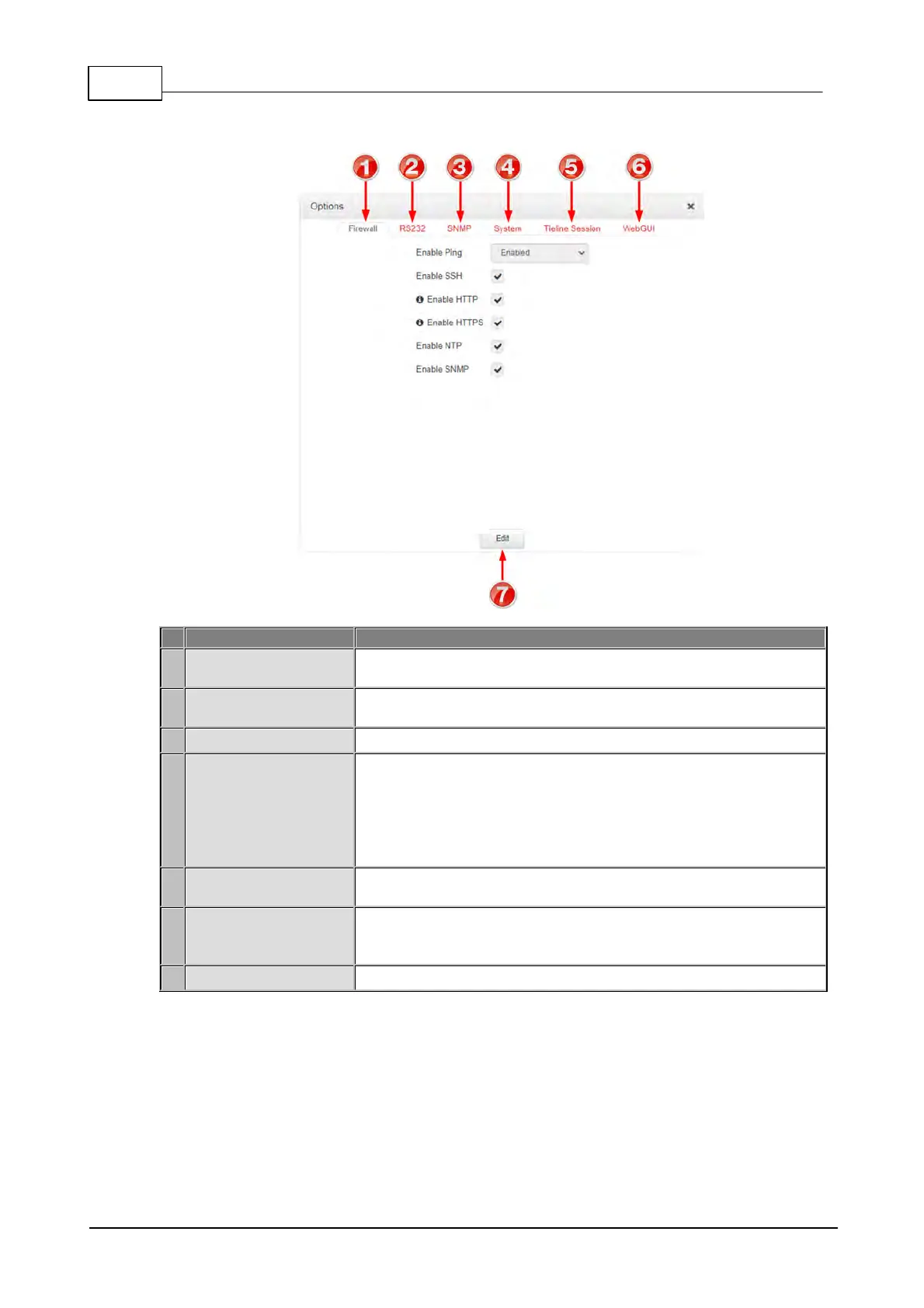
Options panel
Enable or disable a range of firewall-related network services, or limit
ping to only work in a local subnet.
Click Baud rate to adjust the baud rate used by the RS-232 serial
port on the codec. Select the check-box to Enable Flow Control.
Configure SNMP settings in the codec.
Configure various system settings, including: Country setting; select
the Lock Loaded User Program check-box to lock the currently
loaded program in the codec; enable and assign a hostname to the
codec to provide a flexible way of identifying the codec on a network;
configure IP audio data packets for expedited or assured forwarding
(Quality of Service or QoS) when traversing different networks.
Edit the Tieline session and alternative session port used by the
codec.
Includes settings such as Quick Connect Enabled, CCC Enabled
(select this option to enable Cloud Codec Controller use with the
codec), enable CSRF, enter a Browser Title, adjust the SSL Port.
Press to edit settings in the Options panel.



 To Next Page