INS_CNGE3FE8MS[POE][HO] Rev. 11.7.17 PAGE 133
INSTRUCTION MANUAL CNGE3FE8MS[POE][HO]
TECH SUPPORT: 1.888.678.9427
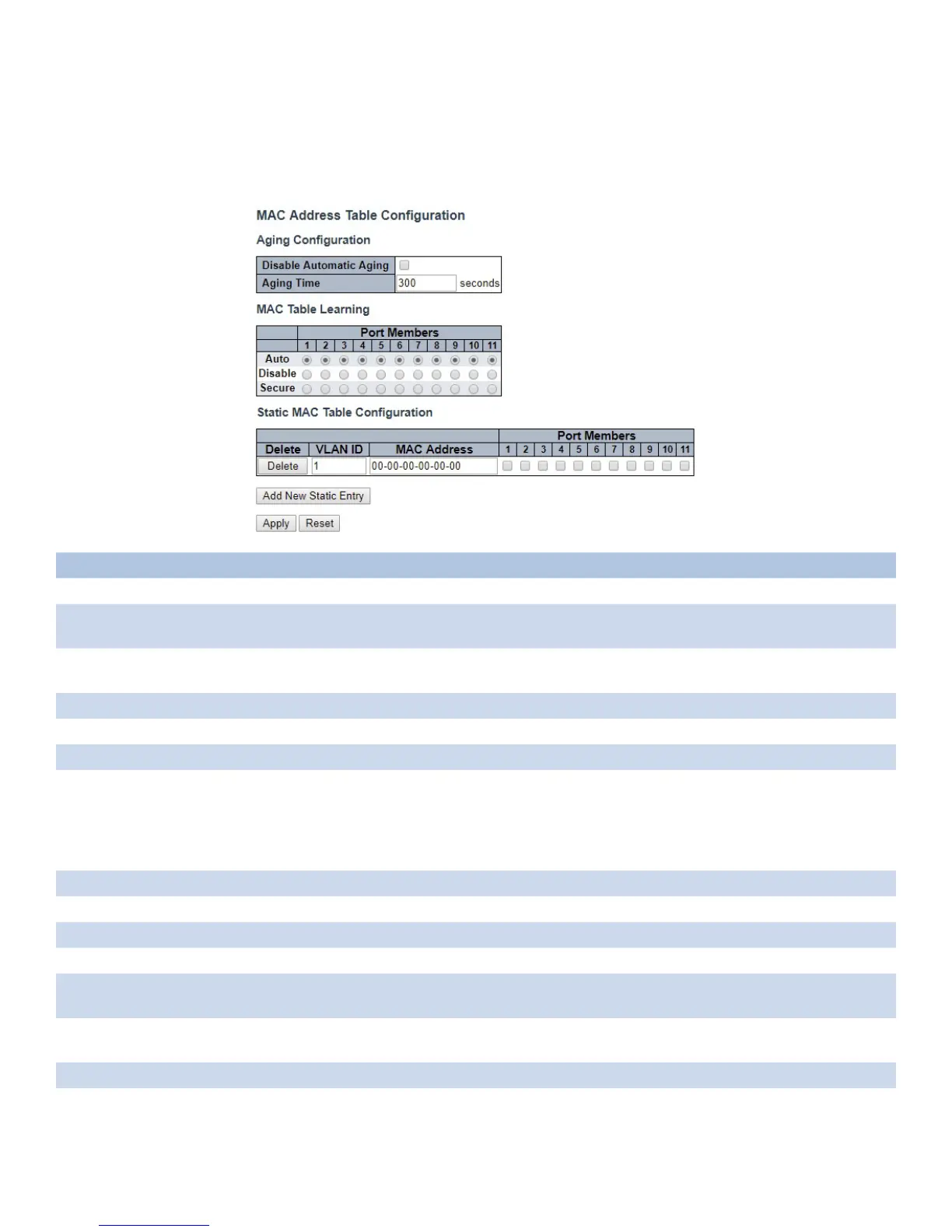
MAC Table
The MAC Address Table is configured on this page. Set timeouts for entries in the dynamic MAC
Table and configure the static MAC table here.
Object Description
Aging Configuration
Disable Automatic
Aging
Disable the automatic aging of dynamic entries by ticking the item.
Aging Time Enter a value in seconds.
The allowed range is 10 to 1000000 seconds.
MAC Table Learning
Auto Learning is done automatically as soon as a frame with unknown SMAC is received.
Disable No learning is done.
Secure Only static MAC entries are learned, all other frames are dropped.
Note: Make sure that the link used for managing the switch is added to the Static Mac Table
before changing to secure learning mode, otherwise the management link is lost and can
only be restored by using another non-secure port or by connecting to the switch via the
serial interface.
Static MAC Table Configuration
Delete Check to delete the entry. It will be deleted during the next save.
VLAN ID The VLAN ID of the entry.
MAC Address The MAC address of the entry.
Port Members Checkmarks indicate which ports are members of the entry. Check or uncheck as needed to
modify the entry.
Adding a New Static
Entry
Click “Add New Static Entry” button to add a new entry to the static MAC table. Specify the
VLAN ID, MAC address, and port members for the new entry. Click “Apply”.
Apply Click to apply changes.
Reset Click to revert to previous values.



 To Next Page