INS_CNGE3FE8MS[POE][HO] Rev. 11.7.17 PAGE 112
INSTRUCTION MANUAL CNGE3FE8MS[POE][HO]
TECH SUPPORT: 1.888.678.9427
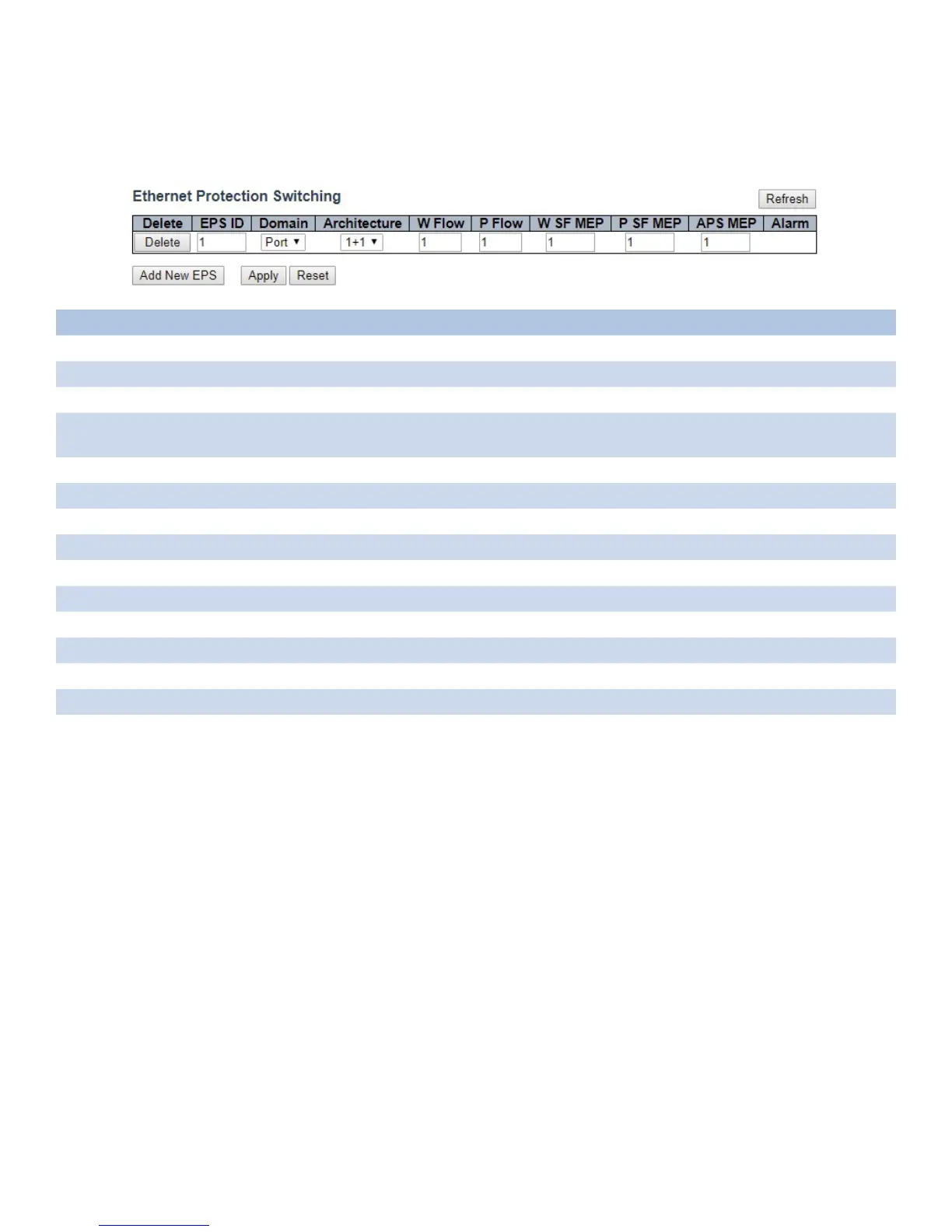
EPS
The Ethernet (Linear) Protection Switch instances are configured here.
Object Description
Delete This box is used to mark an EPS for deletion in next Save operation.
EPS ID The ID of the EPS. Click on the ID of an EPS to enter the configuration page.
Domain Port: This will create a EPS in the Port Domain. ‘W/P Flow’ is a Port.
Architecture 1+1: This will create a 1+1 EPS.
1:1: This will create a 1:1 EPS.
W Flow The working flow for the EPS - See ‘Domain’.
P Flow The protecting flow for the EPS - See ‘Domain’.
W SF MEP The working Signal Fail reporting MEP.
P SF MEP The protecting Signal Fail reporting MEP.
APS MEP The APS PDU handling MEP.
Alarm There is an active alarm on the EPS.
Add New EPS Click to add a new EPS entry.
Refresh Click to refresh the page immediately.
Apply Click to apply changes.
Reset Click to undo any changes made locally and revert to previously saved values.



 To Next Page