INS_CNGE3FE8MS[POE][HO] Rev. 11.7.17 PAGE 95
INSTRUCTION MANUAL CNGE3FE8MS[POE][HO]
TECH SUPPORT: 1.888.678.9427
IPMC Profile
Profile Table
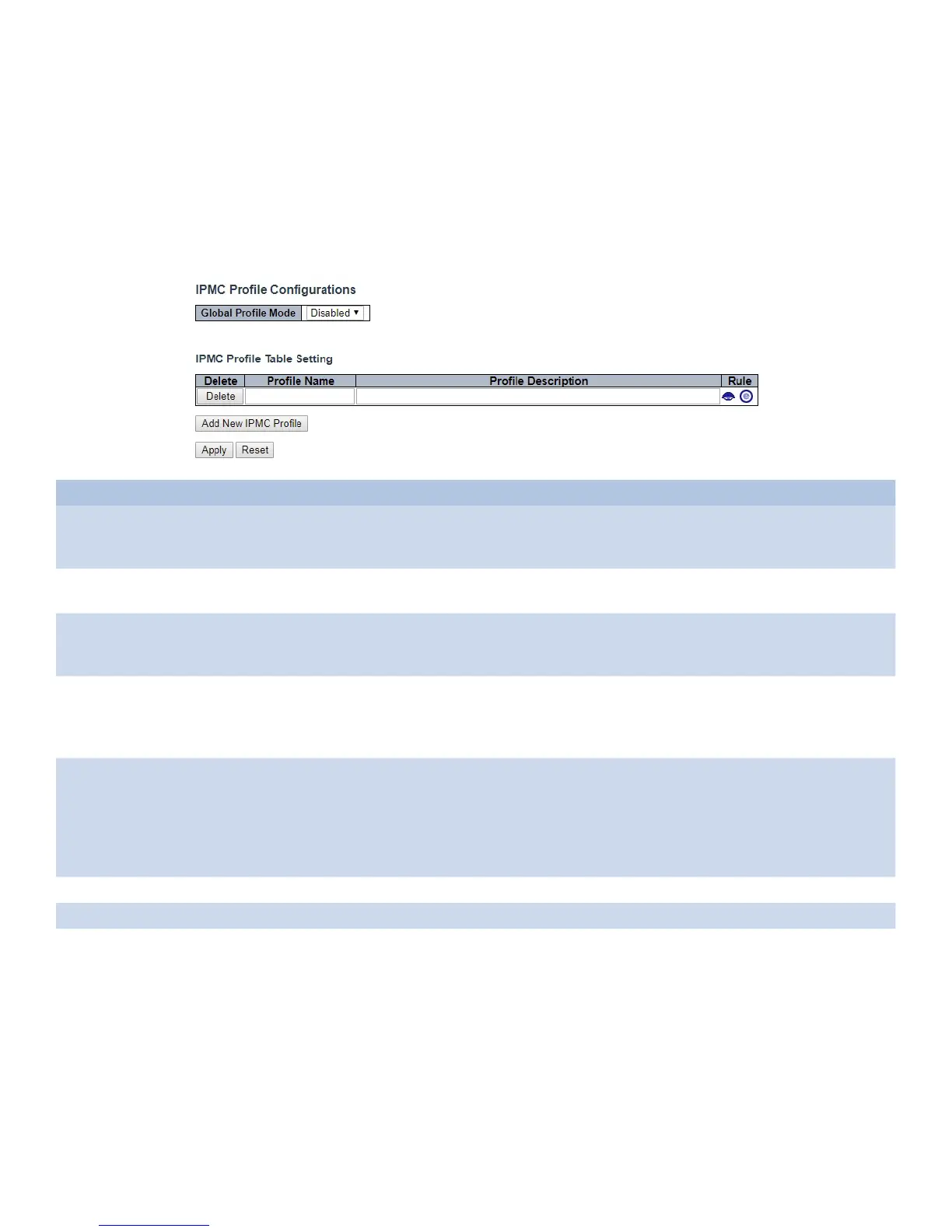
This page provides IPMC Profile related configurations.
The IPMC profile is used to deploy the access control on IP multicast streams. It is allowed to
create at maximum 64 Profiles with at maximum 128 corresponding rules for each.
Object Description
Global Profile Mode Enable/Disable the Global IPMC Profile.
System starts to do filtering based on profile settings only when the global profile mode is
enabled.
Delete Check to delete the entry.
The designated entry will be deleted during the next save.
Profile Name The name used for indexing the profile table.
Each entry has the unique name which is composed of at maximum 16 alphabetic and
numeric characters. At least one alphabet must be present.
Profile Description Additional description, which is composed of at maximum 64 alphabetic and numeric
characters, about the profile.
No blank or space characters are permitted as part of description. Use “_” or “-” to
separate the description sentence.
Rule When the profile is created, click the edit button to enter the rule setting page of the
designated profile. Summary about the designated profile will be shown by clicking the
view button. You can manage or inspect the rules of the designated profile by using the
following buttons:
“Eye”: List the rules associated with the designated profile.
“e”: Adjust the rules associated with the designated profile.
Apply Click to apply changes.
Reset Click to revert to previous values.
Add New IPMC Profile Click to add a new profile. Specify the name and configure the new entry, then click
“Apply”.



 To Next Page