INS_CNGE3FE8MS[POE][HO] Rev. 11.7.17 PAGE 230
INSTRUCTION MANUAL CNGE3FE8MS[POE][HO]
TECH SUPPORT: 1.888.678.9427
PoE
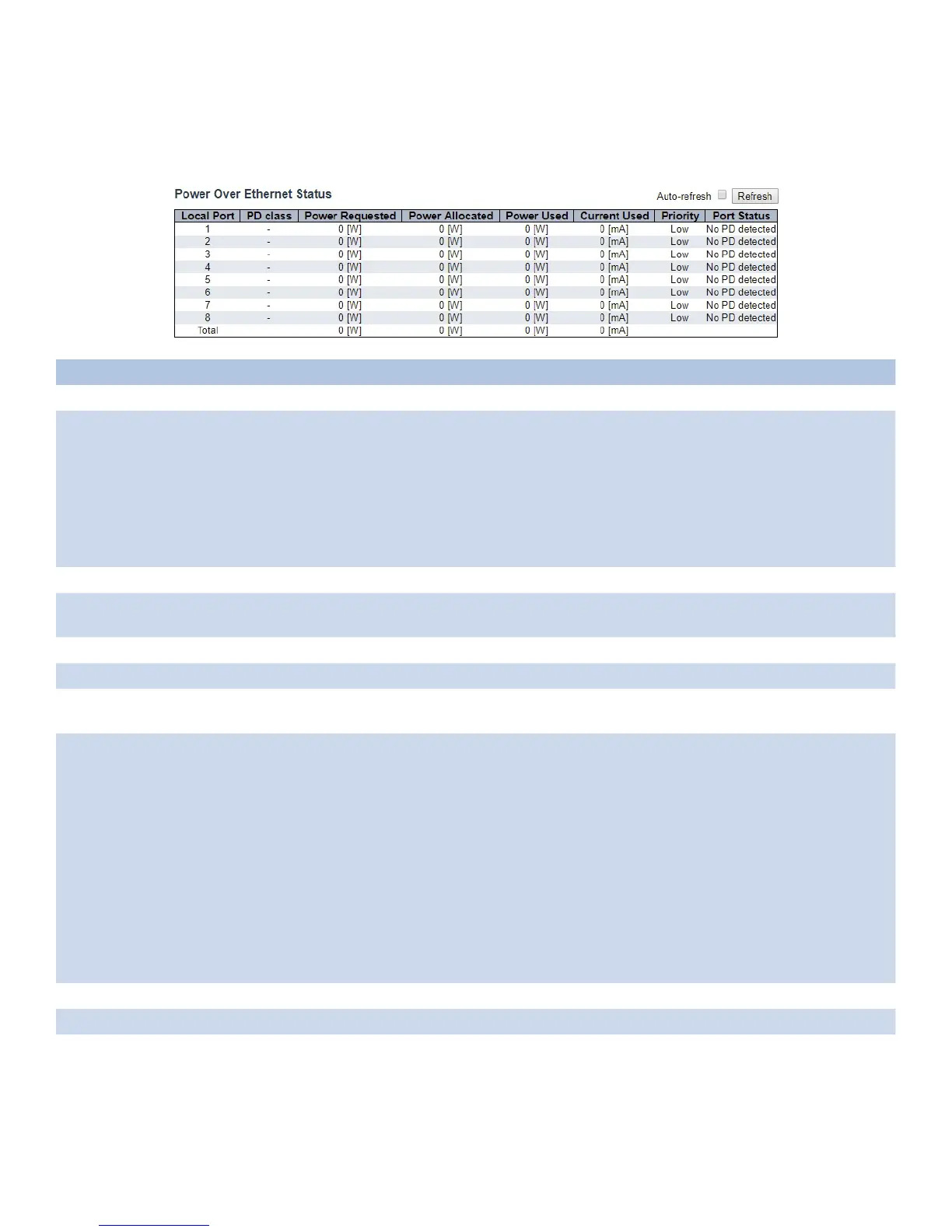
This page allows the user to inspect the current status for all PoE ports.
Object Description
Local Port This is the logical port number for this row.
PD Class Each PD is classified according to a class that defines the maximum power the PD will use. The
PD Class shows the PDs class.
Five Classes are defined:
Class 0: Max. power 15.4 W
Class 1: Max. power 4.0 W
Class 2: Max. power 7.0 W
Class 3: Max. power 15.4 W
Class 4: Max. power 30.0 W
Power Requested The Power Requested shows the requested amount of power the PD wants to be reserved.
Power Allocated The Power Allocated shows the amount of power the switch has allocated for the PD.
“DISABLE” denotes the specific interface is administratively disabled.
Power Used The Power Used shows how much power the PD currently is using.
Current Used The Power Used shows how much current the PD currently is using.
Priority The Priority shows the port’s priority configured by the user. The resolved value that is the
actual “tx wakeup time “ used for this link (based on EEE information exchanged via LLDP).
Port Status The Port Status shows the port’s status. The status can be one of the following values:
PoE not available - No PoE chip found - PoE not supported for the port.
PoE turned OFF - PoE disabled : PoE is disabled by user.
PoE turned OFF - Power budget exceeded - The total requested or used power by the PDs
exceeds the maximum power the Power Supply can deliver, and port(s) with the lowest priority
is/are powered down.
No PD detected - No PD detected for the port.
PoE turned OFF - PD overload - The PD has requested or used more power than the port can
deliver, and is powered down.
PoE turned OFF - PD is off.
Invalid PD - PD detected, but is not working correctly.
The resolved value that is the actual “tx wakeup time “ used for this link (based on EEE
information exchanged via LLDP).
Auto_refresh Check to refresh the page automatically every 3 seconds.
Refresh Click to refresh the displayed table starting from the input fields.
Note: When using the 60 W "Forced" PoE mode,the PoE statistics may not be accurately
represented on this page.



 To Next Page