INS_CNGE3FE8MS[POE][HO] Rev. 11.7.17 PAGE 17
INSTRUCTION MANUAL CNGE3FE8MS[POE][HO]
TECH SUPPORT: 1.888.678.9427
Configuration
System Information
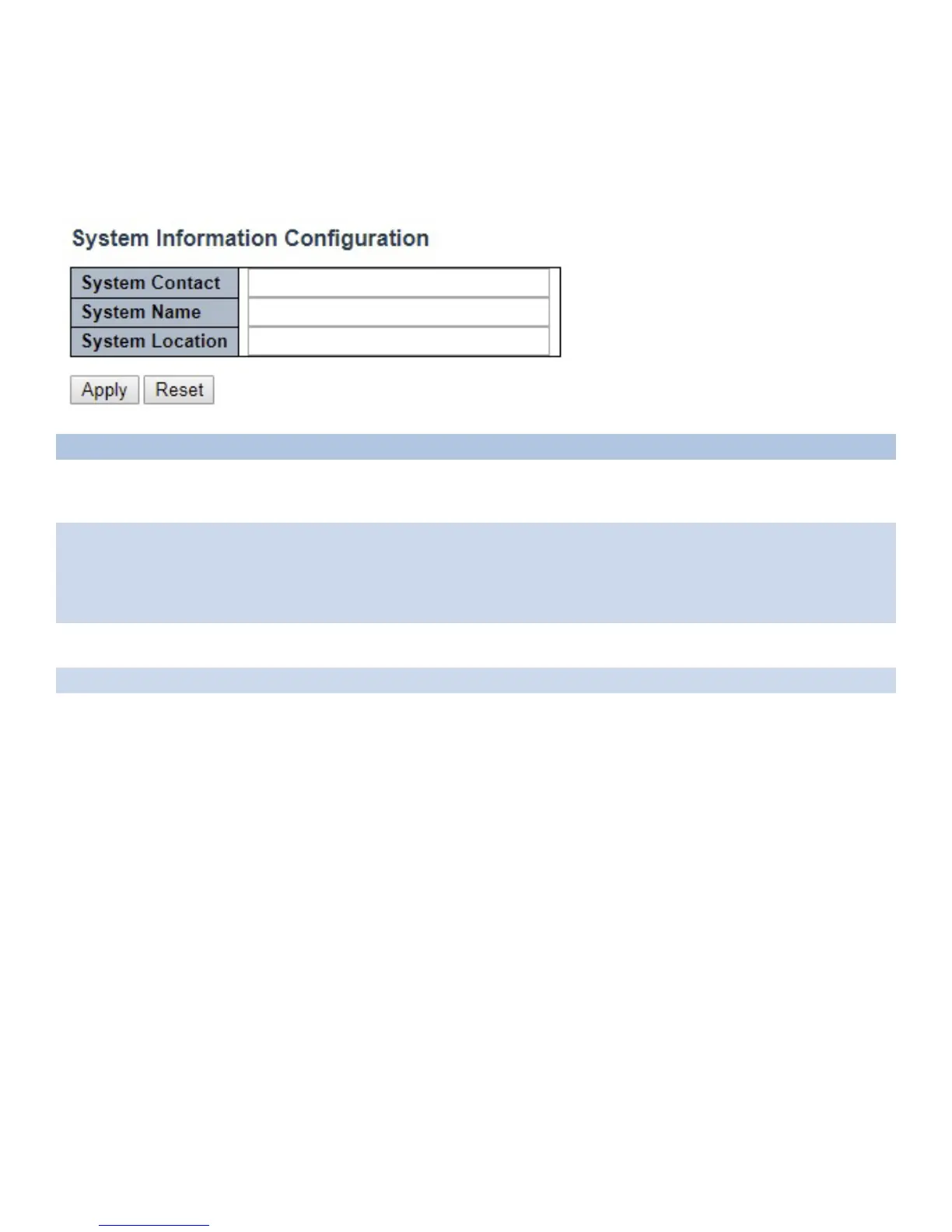
The switch system information is provided here.
Object Description
System Contact The textual identification of the contact person for this managed node, together with
information on how to contact this person. The allowed string length is 0 to 255, and the allowed
content is the ASCII characters from 32 to 126.
System Name An administratively assigned name for this managed node. By convention, this is the node’s fully-
qualified domain name. A domain name is a text string drawn from the alphabet (A-Za-z), digits
(0-9), minus sign (-). No space characters are permitted as part of a name. The first character
must be an alpha character. And the first or last character must not be a minus sign. The allowed
string length is 0 to 255.
System Location The physical location of this node (e.g., telephone closet, 3rd floor). The allowed string length is
0 to 255, and the allowed content is the ASCII characters from 32 to 126.
Apply Click to apply changes without saving. *
Reset Click to revert to previous values.
Save to startup-config is under Maintenance Menu tree.



 To Next Page