INS_CNGE3FE8MS[POE][HO] Rev. 11.7.17 PAGE 152
INSTRUCTION MANUAL CNGE3FE8MS[POE][HO]
TECH SUPPORT: 1.888.678.9427
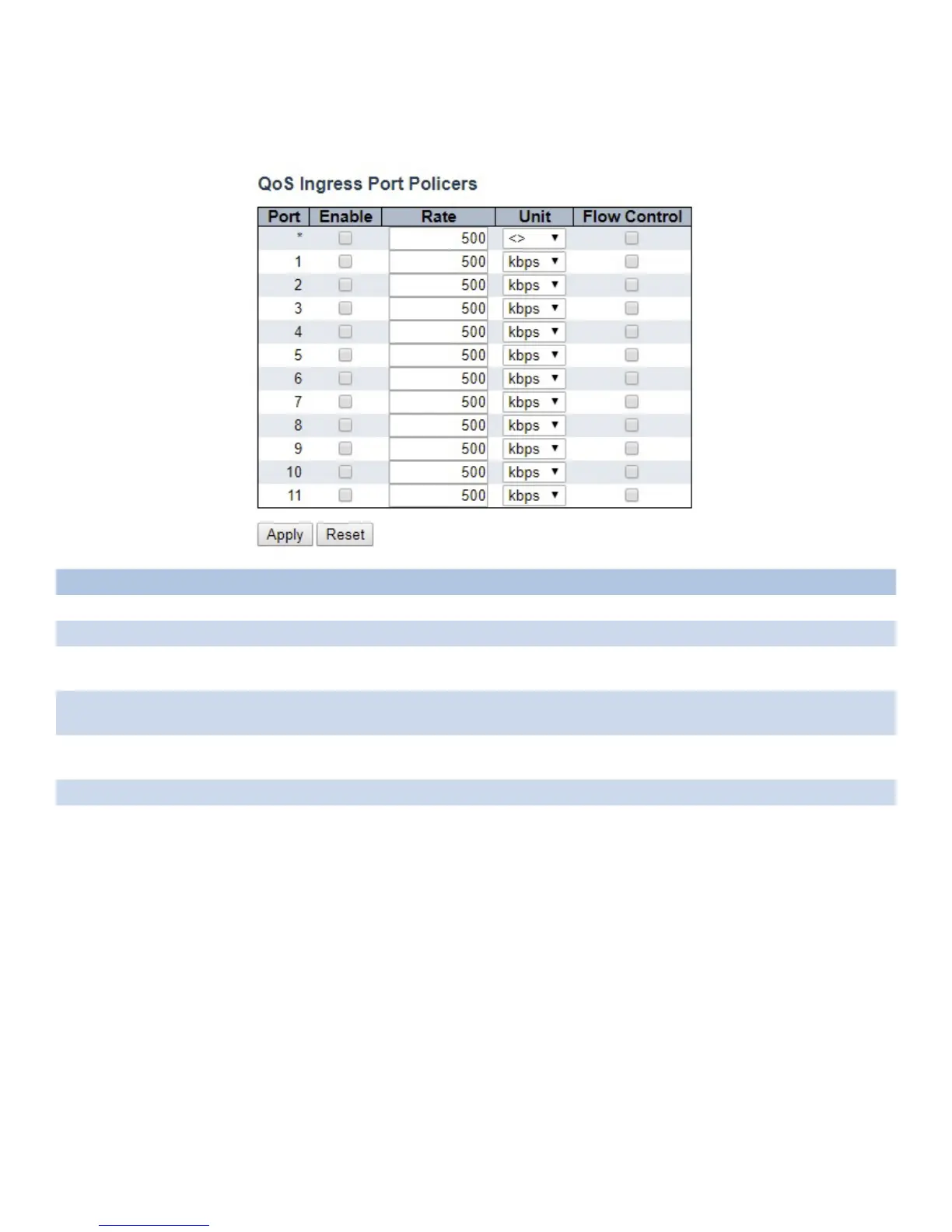
Port Policing
This page allows you to configure the Policer settings for all switch ports.
Object Description
Port The port number for which the configuration below applies.
Enabled Controls whether the policer is enabled on this switch port.
Rate Controls the rate for the policer. The default value is 500. This value is restricted to 100-1000000
when the “Unit” is “kbps” or “fps”, and it is restricted to 1-3300 when the “Unit” is “Mbps” or “kfps”.
Unit Controls the unit of measure for the policer rate as kbps, Mbps, fps or kfps. The default value is
“kbps”.
Flow Control If flow control is enabled and the port is in flow control mode, then pause frames are sent instead of
discarding frames.
Apply Click to apply changes.
Reset Click to revert to previous values.



 To Next Page