INS_CNGE3FE8MS[POE][HO] Rev. 11.7.17 PAGE 29
INSTRUCTION MANUAL CNGE3FE8MS[POE][HO]
TECH SUPPORT: 1.888.678.9427
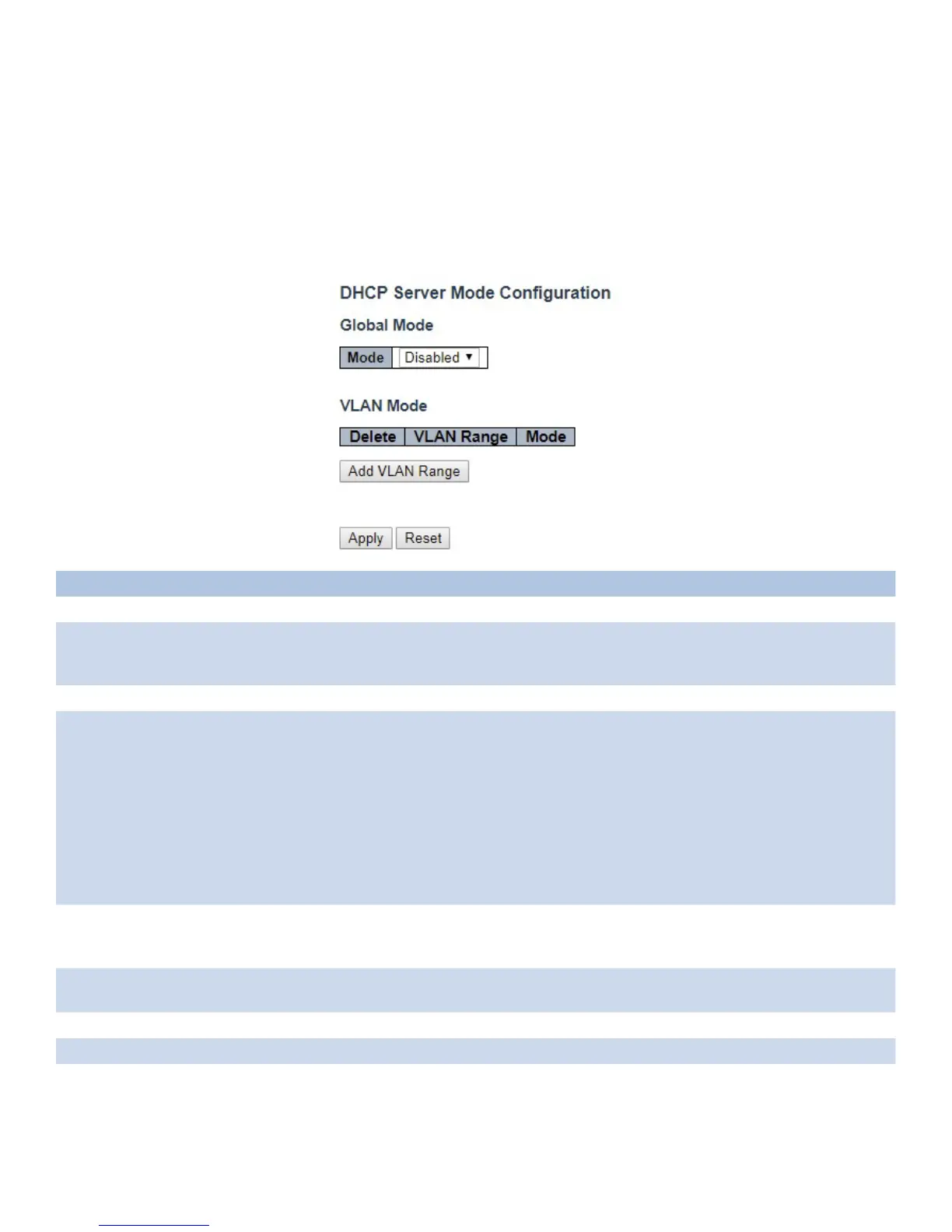
DHCP
DHCP Server
Mode
This page configures global mode and VLAN mode to enable/disable DHCP server per system
and per VLAN.
Object Description
Global Mode
Mode Configure the operation mode per system. Possible modes are:
Enabled: Enable DHCP server per system.
Disabled: Disable DHCP server per system.
VLAN Mode
VLAN Range Indicate the VLAN range in which DHCP server is enabled or disabled. The first VLAN ID must be
smaller than or equal to the second VLAN ID. BUT, if the VLAN range contains only 1 VLAN ID, then
you can just input it into either one of the first and second VLAN ID or both.
On the other hand, if you want to disable existed VLAN range, then you can follow the steps.
1. press “Add VLAN Range” to add a new VLAN range.
2. input the VLAN range that you want to disable.
3. choose Mode to be Disabled.
4. press “Save” to apply the change.
Then, you will see the disabled VLAN range is removed from the DHCP Server mode configuration
page.
Mode Indicate the operation mode per VLAN. Possible modes are:
Enabled: Enable DHCP server per VLAN.
Disabled: Disable DHCP server pre VLAN.
Add VLAN
Range
Click to apply to add a new VLAN range.
Apply Click to apply changes.
Reset Click to undo any changes made locally and revert to previously saved values.



 To Next Page