INS_CNGE3FE8MS[POE][HO] Rev. 11.7.17 PAGE 141
INSTRUCTION MANUAL CNGE3FE8MS[POE][HO]
TECH SUPPORT: 1.888.678.9427
VCL
MAC-based VLAN
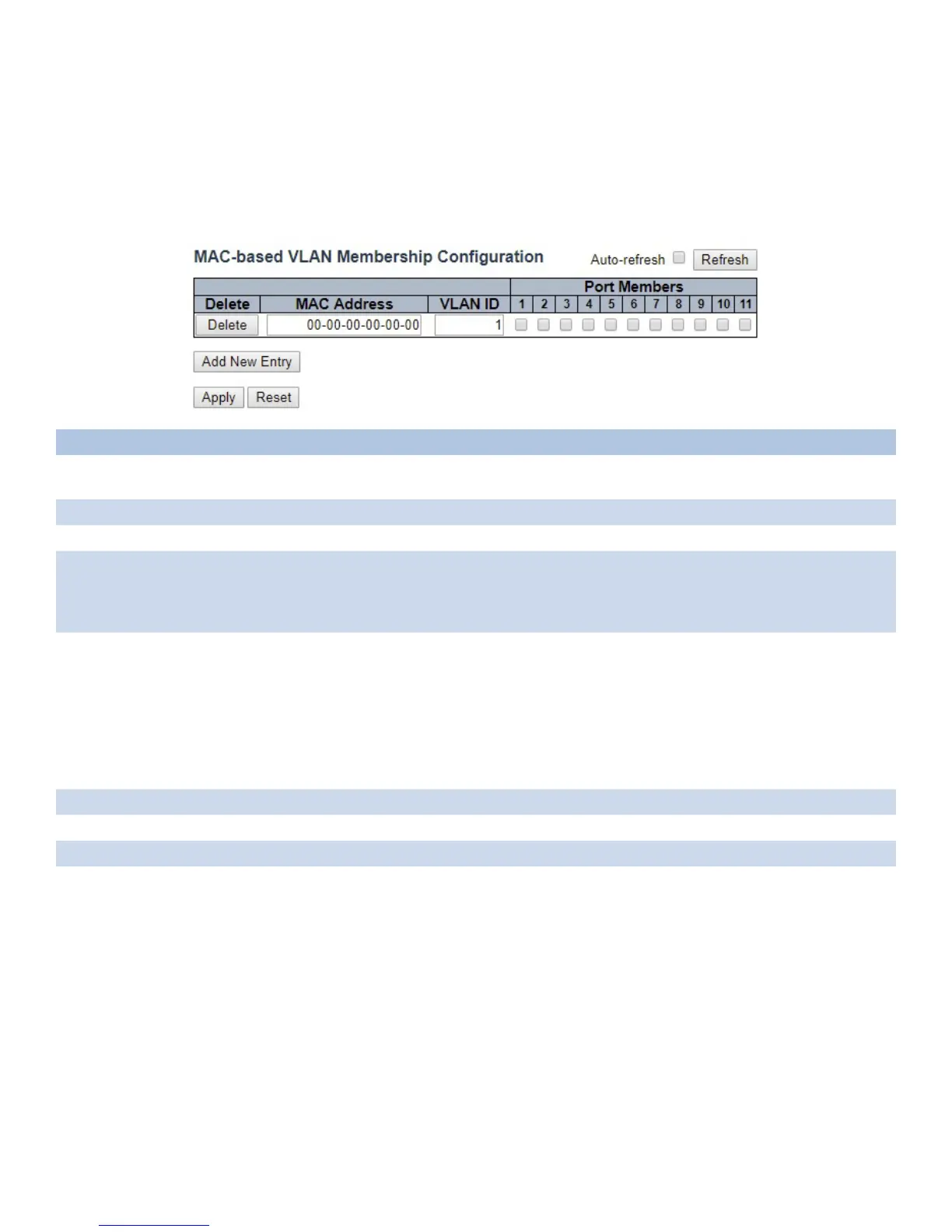
The MAC address to VLAN ID mappings can be configured here. This page allows adding and
deleting MAC-based VLAN Classification List entries and assigning the entries to different ports.
Object Description
Delete To delete a MAC to VLAN ID mapping entry, check this box and press save. The entry will be
deleted in the stack.
MAC Address Indicates the MAC address of the mapping.
VLAN ID Indicates the VLAN ID the above MAC will be mapped to.
Port Members A row of check boxes for each port is displayed for each MAC to VLAN ID mapping entry.
To include a port in the mapping, check the box. To remove or exclude the port from the
mapping, make sure the box is unchecked. By default, no ports are members, and all boxes
are unchecked.
Adding a New MAC
to VLAN ID mapping
entry
Click “Add New Entry” to add a new MAC to VLAN ID mapping entry. An empty row is added
to the table, and the mapping can be configured as needed. Any unicast MAC address can
be used to configure the mapping. No broadcast or multicast MAC addresses are allowed.
Legal values for a VLAN ID are 1 through 4095.
The MAC to VLAN ID entry is enabled when you click on “Apply”. A mapping without any
port members will not be added when you click “Apply”.
The “Delete” button can be used to undo the addition of new mappings. The maximum
possible MAC to VLAN ID mapping entries are limited to 256.
Auto_refresh Check this box to automatically refresh page every 3 seconds.
Refresh Click to refresh the displayed table.
Apply Click to apply changes.
Reset Click to undo any changes made locally.



 To Next Page