INS_CNGE3FE8MS[POE][HO] Rev. 11.7.17 PAGE 232
INSTRUCTION MANUAL CNGE3FE8MS[POE][HO]
TECH SUPPORT: 1.888.678.9427
VLANs
Membership
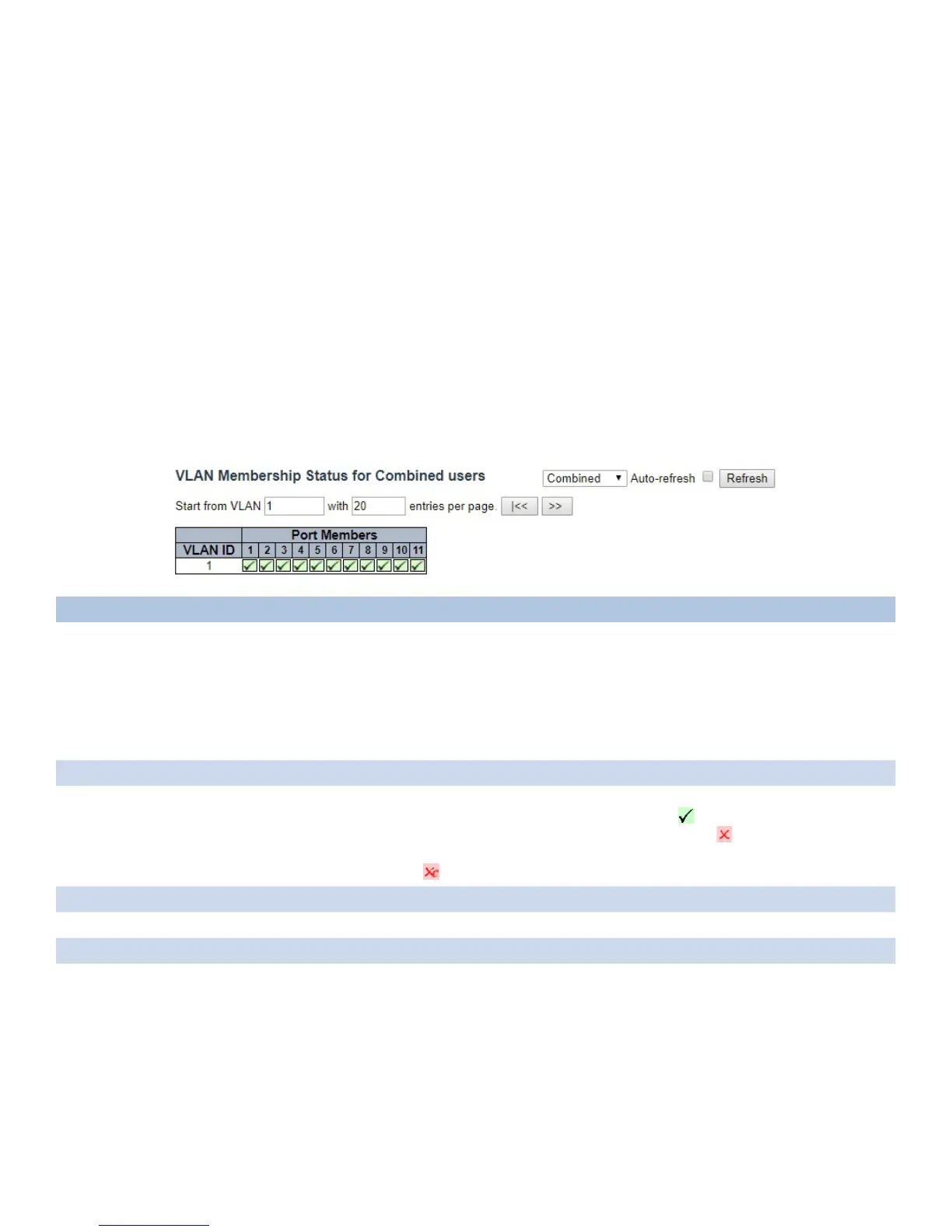
Each page shows up to 99 entries from the VLAN table (default being 20), selected through the
“entries per page” input field. When first visited, the web page will show the first 20 entries from
the beginning of the VLAN Table. The first displayed will be the one with the lowest VLAN ID
found in the VLAN Table.
The “VLAN” input field allows the user to select the starting point in the VLAN Table.
Clicking the “Refresh” button will update the displayed table starting from that or the closest next
VLAN Table match.
The “>>” will use the last entry of the currently displayed VLAN entry as a basis for the next
lookup. When the end is reached, the text “No data exists for the selected user” is shown in the
table. Use the “<<” button to start over.
Object Description
VLAN User Various internal software modules may use VLAN services to configure VLAN memberships on the
fly.
The drop-down list on the right allows for selecting between showing VLAN memberships
as configured by an administrator (Admin) or as configured by one of these internal software
modules.
The “Combined” entry will show a combination of the administrator and internal software modules
configuration, and basically reflects what is actually configured in hardware.
VLAN ID VLAN ID for which the Port members are displayed.
Port Members A row of check boxes for each port is displayed for each VLAN ID.
If a port is included in a VLAN, the following image will be displayed:
If a port is in the forbidden port list, the following image will be displayed:
If a port is in the forbidden port list and at the same time attempted included in the VLAN, the
following image will be displayed: . The port will not be a member of the VLAN in this case.
Combined Select the VLAN user from this drop-down list.
Auto_refresh Check to refresh the page automatically every 3 seconds.
Refresh Click to refresh the page.



 To Next Page