INS_CNGE3FE8MS[POE][HO] Rev. 11.7.17 PAGE 270
INSTRUCTION MANUAL CNGE3FE8MS[POE][HO]
TECH SUPPORT: 1.888.678.9427
Using ‘do’ While in a Sub-Mode
my-device# configure terminal
my-device(config)# interface vlan 1
my-device(config-if-vlan)# do show ip interface brief
Vlan Address Method Status
1 192.168.10.15/24 DHCP UP
my-device(config-if-vlan)# end
! When in Exec, no ‘do’ prefix is needed: my-device# show ip interface brief
Vlan Address Method Status
1 192.168.10.15/24 DHCP UP
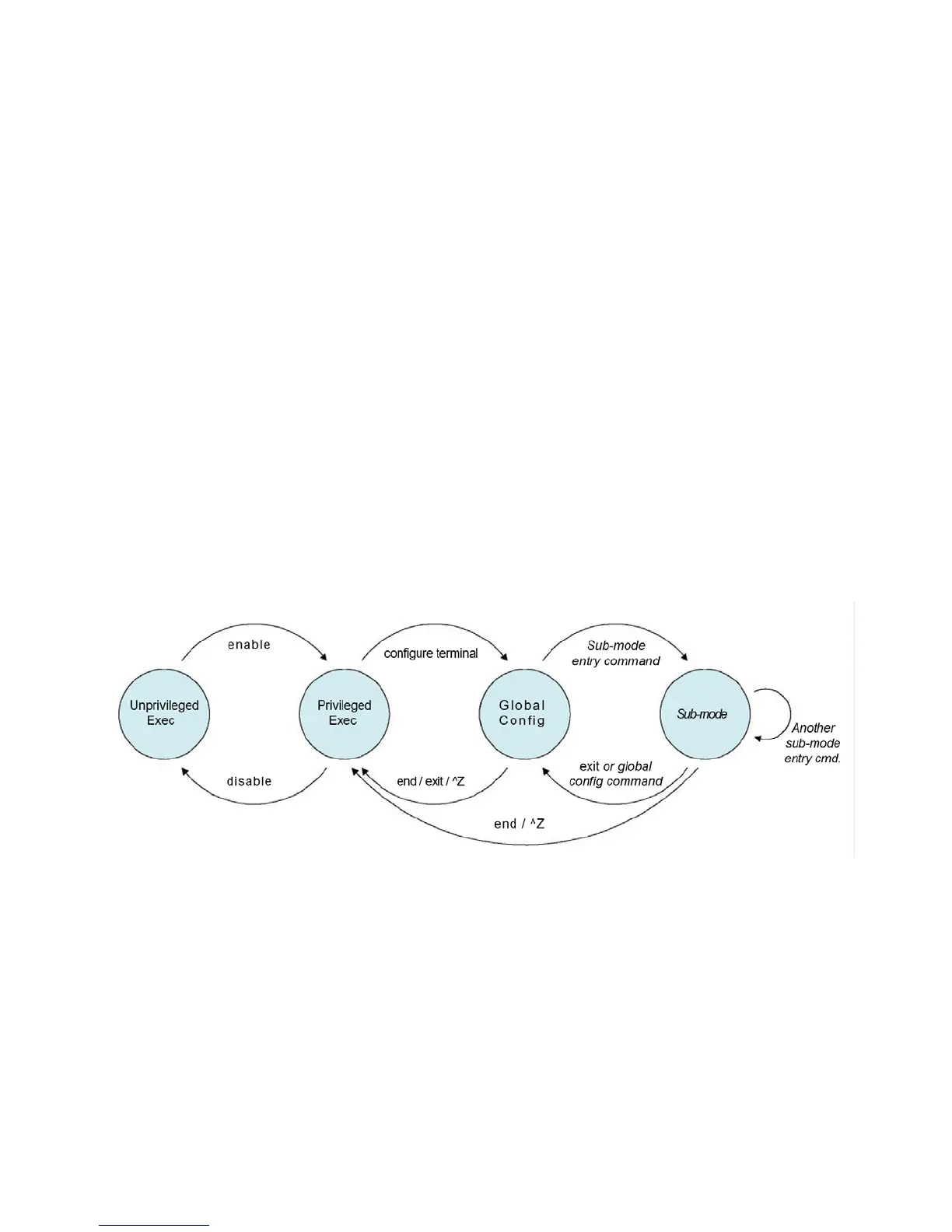
16.19 ICLI Mode Transitions
The following illustration shows the possible transitions between major modes and sub-modes,
and some of the relevant commands.
Figure 1 - ICLI Mode Transitions



 To Next Page