INS_CNGE3FE8MS[POE][HO] Rev. 11.7.17 PAGE 100
INSTRUCTION MANUAL CNGE3FE8MS[POE][HO]
TECH SUPPORT: 1.888.678.9427
IPMC
IGMP Snooping
Basic Configuration
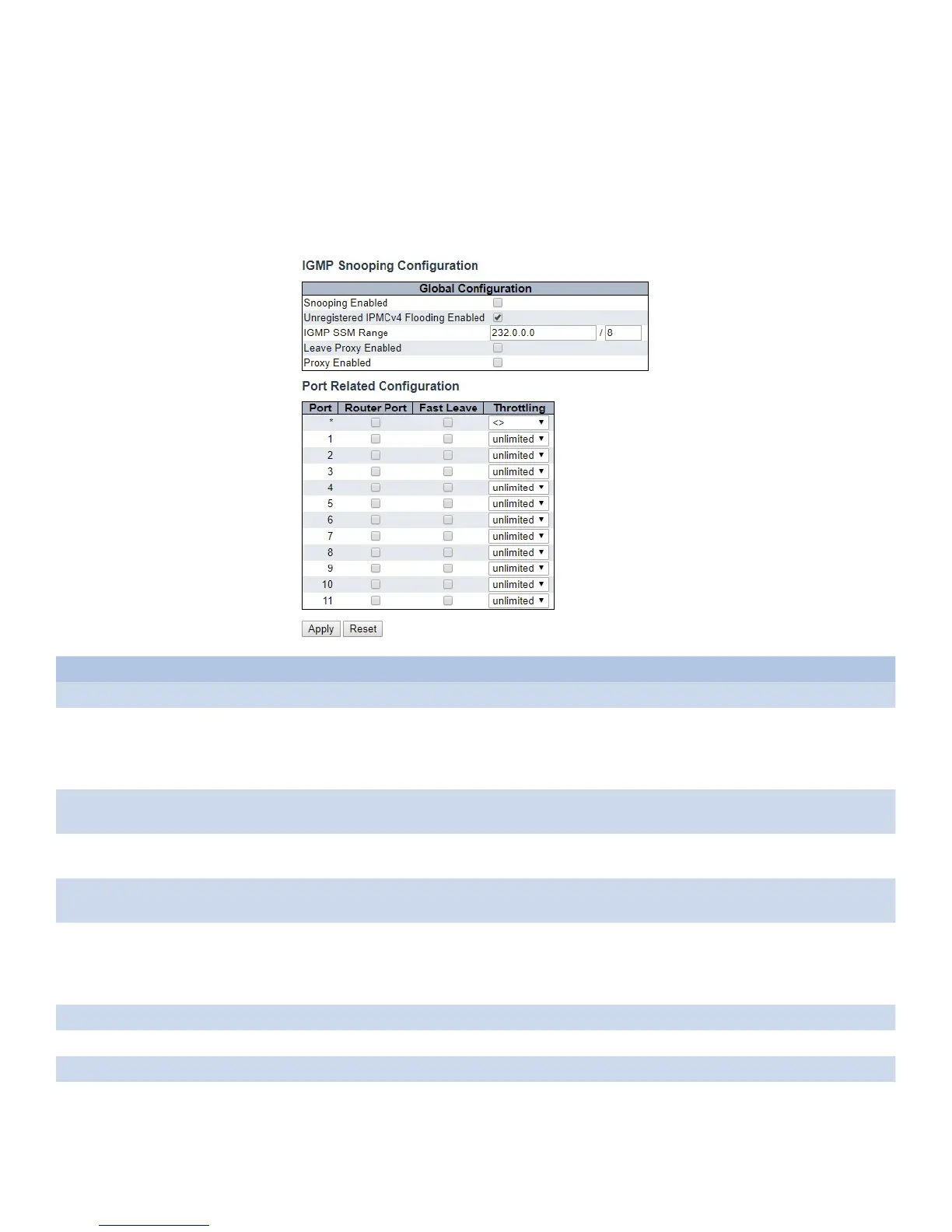
This page provides IGMP Snooping related configuration.
Object Description
Snooping Enabled Enable the Global IGMP Snooping.
Unregistered IPMCv4
Flooding Enabled
Enable unregistered IPMCv4 traffic flooding.
The flooding control takes effect only when IGMP Snooping is enabled.
When IGMP Snooping is disabled, unregistered IPMCv4 traffic flooding is always active in
spite of this setting.
IGMP SSM Range SSM (Source-Specific Multicast) Range allows the SSM-aware hosts and routers run the SSM
service model for the groups in the address range.
Leave Proxy Enabled Enable IGMP Leave Proxy. This feature can be used to avoid forwarding unnecessary leave
messages to the router side.
Proxy Enabled Enable IGMP Proxy. This feature can be used to avoid forwarding unnecessary join and leave
messages to the router side.
Router Port Specify which ports act as router ports. A router port is a port on the Ethernet switch that
leads towards the Layer 3 multicast device or IGMP querier.
If an aggregation member port is selected as a router port, the whole aggregation will act as a
router port.
Fast Leave Enable the fast leave on the port.
Throttling Enable to limit the number of multicast groups to which a switch port can belong.
Apply Click to apply changes.
Reset Click to revert to previous values.



 To Next Page