INS_CNGE3FE8MS[POE][HO] Rev. 11.7.17 PAGE 139
INSTRUCTION MANUAL CNGE3FE8MS[POE][HO]
TECH SUPPORT: 1.888.678.9427
Private VLANs
Membership
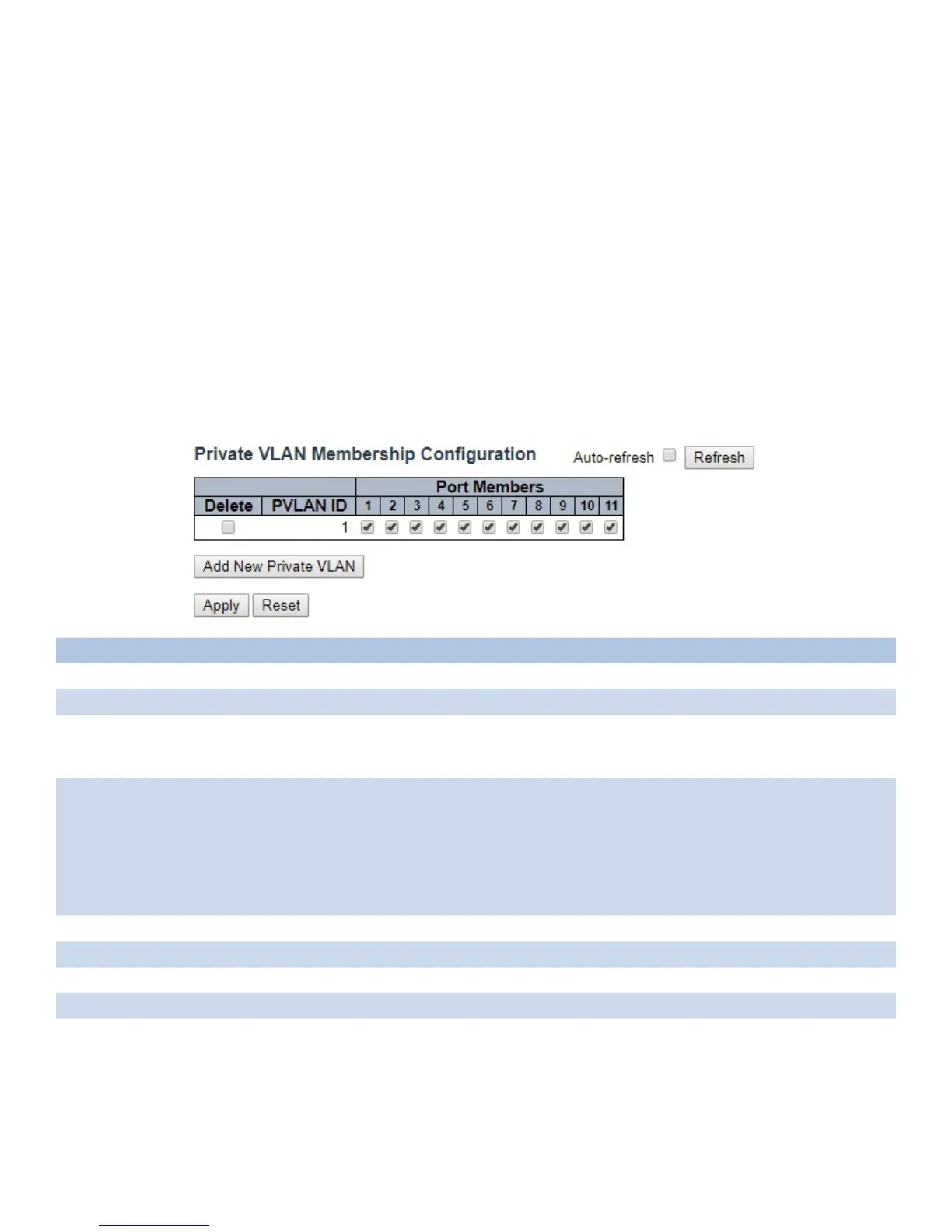
The Private VLAN membership configurations for the switch can be monitored and modified here.
Private VLANs can be added or deleted here. Port members of each Private VLAN can be added
or removed here.
Private VLANs are based on the source port mask, and there are no connections to VLANs. This
means that VLAN IDs and Private VLAN IDs can be identical.
A port must be a member of both a VLAN and a Private VLAN to be able to forward packets. By
default, all ports are VLAN unaware and members of VLAN 1 and Private VLAN 1.
A VLAN unaware port can only be a member of one VLAN, but it can be a member of multiple
Private VLANs.
Object Description
Delete To delete a private VLAN entry, check this box. The entry will be deleted during the next save.
Private VLAN ID Indicates the ID of this particular private VLAN.
Port Members A row of check boxes for each port is displayed for each private VLAN ID. To include a port in a
Private VLAN, check the box. To remove or exclude the port from the Private VLAN, make sure
the box is unchecked. By default, no ports are members, and all boxes are unchecked.
Adding a New
Private VLAN
Click “Add New Private VLAN” button to add a new private VLAN ID. An empty row is added to
the table, and the private VLAN can be configured as needed. The allowed range for a private
VLAN ID is the same as the switch port number range. Any values outside this range are not
accepted, and a warning message appears. Click “OK” to discard the incorrect entry, or click
“Cancel” to return to the editing and make a correction.
The Private VLAN is enabled when you click “Apply”.
The “Delete” button can be used to undo the addition of new Private VLANs.
Auto_refresh Check this box to automatically refresh page every 3 seconds.
Refresh Click to refresh the page immediately.
Apply Click to apply changes.
Reset Click to undo any changes made locally.



 To Next Page