INS_CNGE3FE8MS[POE][HO] Rev. 11.7.17 PAGE 305
INSTRUCTION MANUAL CNGE3FE8MS[POE][HO]
TECH SUPPORT: 1.888.678.9427
Ethernet Ring Protection Switching Configuration
Verifying ERPS
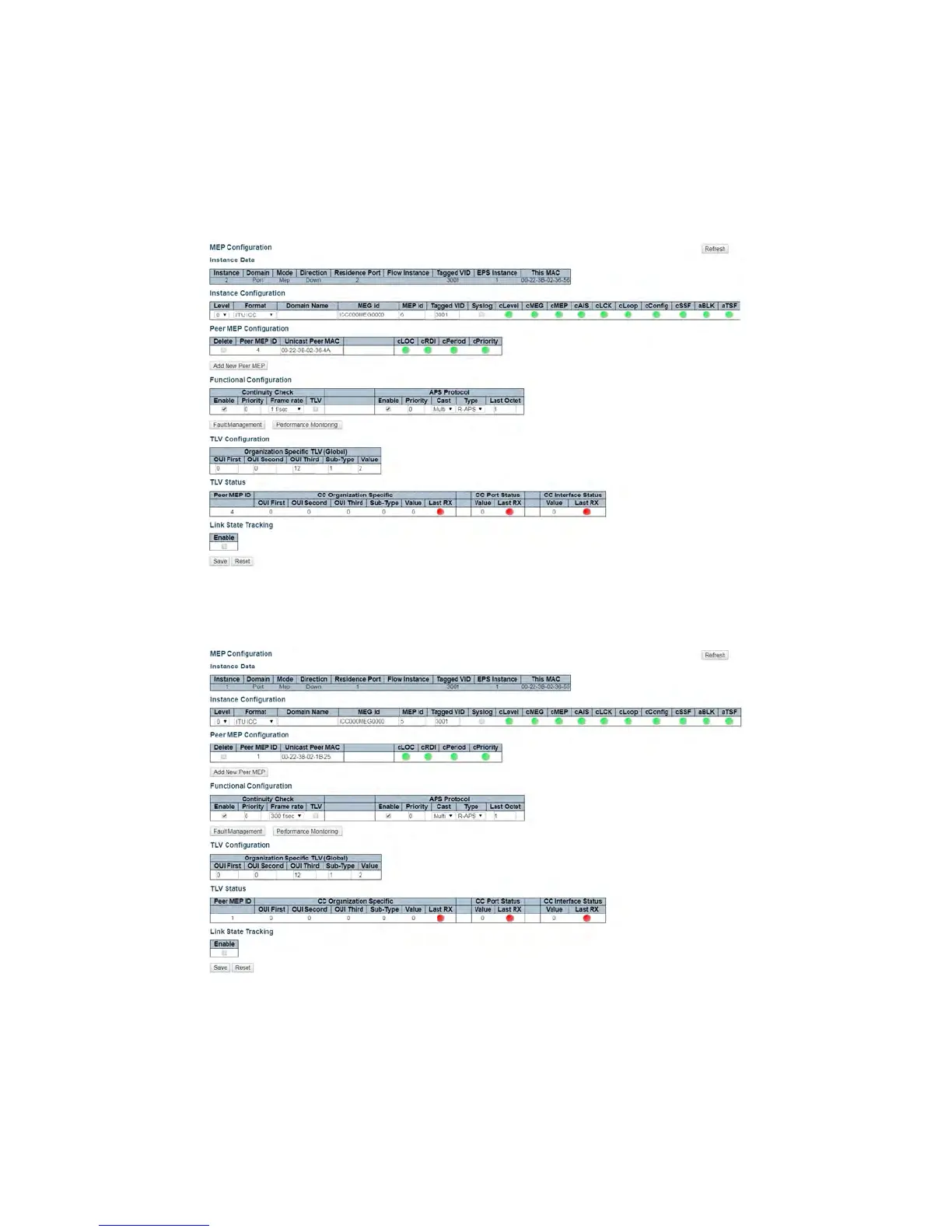
1. Change the CCM rate starting from switch 3. Click on MEP > 2 and then use the frame rate pull
down to select 300 f/sec.
Figure 21 – Edit MEP 2 CCM Rate (Switch 3)
2. Change the CCM rate for MEP 1.
Figure 22 – Edit MEP 1 CCM Rate (Switch 3)



 To Next Page