INS_CNGE3FE8MS[POE][HO] Rev. 11.7.17 PAGE 219
INSTRUCTION MANUAL CNGE3FE8MS[POE][HO]
TECH SUPPORT: 1.888.678.9427
IPMC
IGMP Snooping
Status
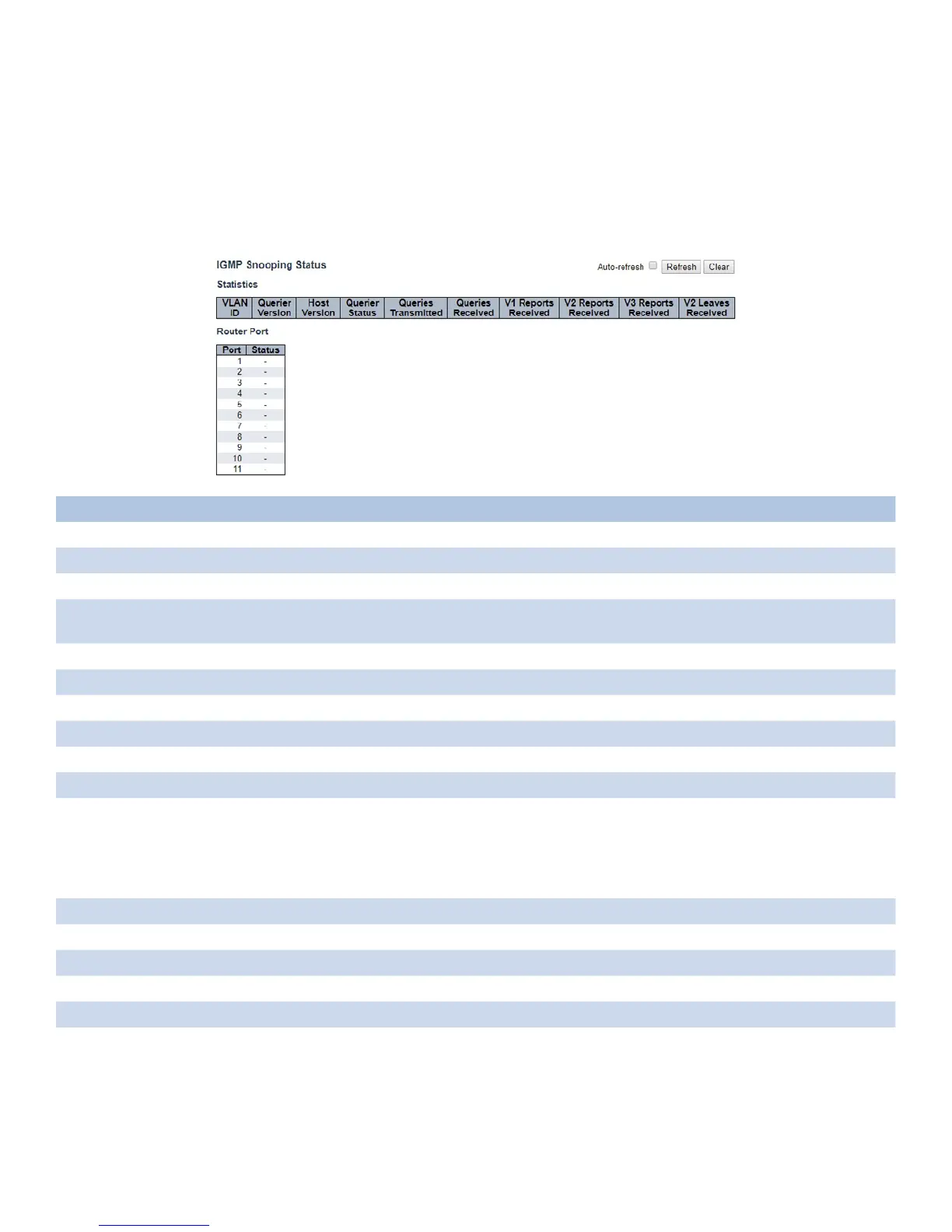
This page provides IGMP Snooping status.
Object Description
VLAN ID The VLAN ID of the entry.
Querier Version Working Querier Version currently.
Host Version Working Host Version currently.
Querier Status Shows the Querier status is “ACTIVE” or “IDLE”.
“DISABLE” denotes the specific interface is administratively disabled.
Querier Transmitted The number of Transmitted Queries.
Queries Received The number of Received Queries.
V1 Report Received The number of Received V1 Reports.
V2 Report Received The number of Received V2 Reports.
V3 Report Received The number of Received V3 Reports.
V2 Leaves Received The number of Received V2 Leaves.
Router Port Display which ports act as router ports. A router port is a port on the Ethernet switch that
leads towards the Layer 3 multicast device or IGMP querier.
Static denotes the specific port is configured to be a router port. Dynamic denotes the
specific port is learnt to be a router port.
Both denote the specific port is configured or learnt to be a router port.
Port Switch port number.
Status Indicate whether specific port is a router port or not.
Auto_refresh Check to refresh the page automatically every 3 seconds.
Refresh Click to refresh the displayed table starting from the input fields.
Clear Click to Clears all Statistics counters.



 To Next Page