INS_CNGE3FE8MS[POE][HO] Rev. 11.7.17 PAGE 233
INSTRUCTION MANUAL CNGE3FE8MS[POE][HO]
TECH SUPPORT: 1.888.678.9427
Ports
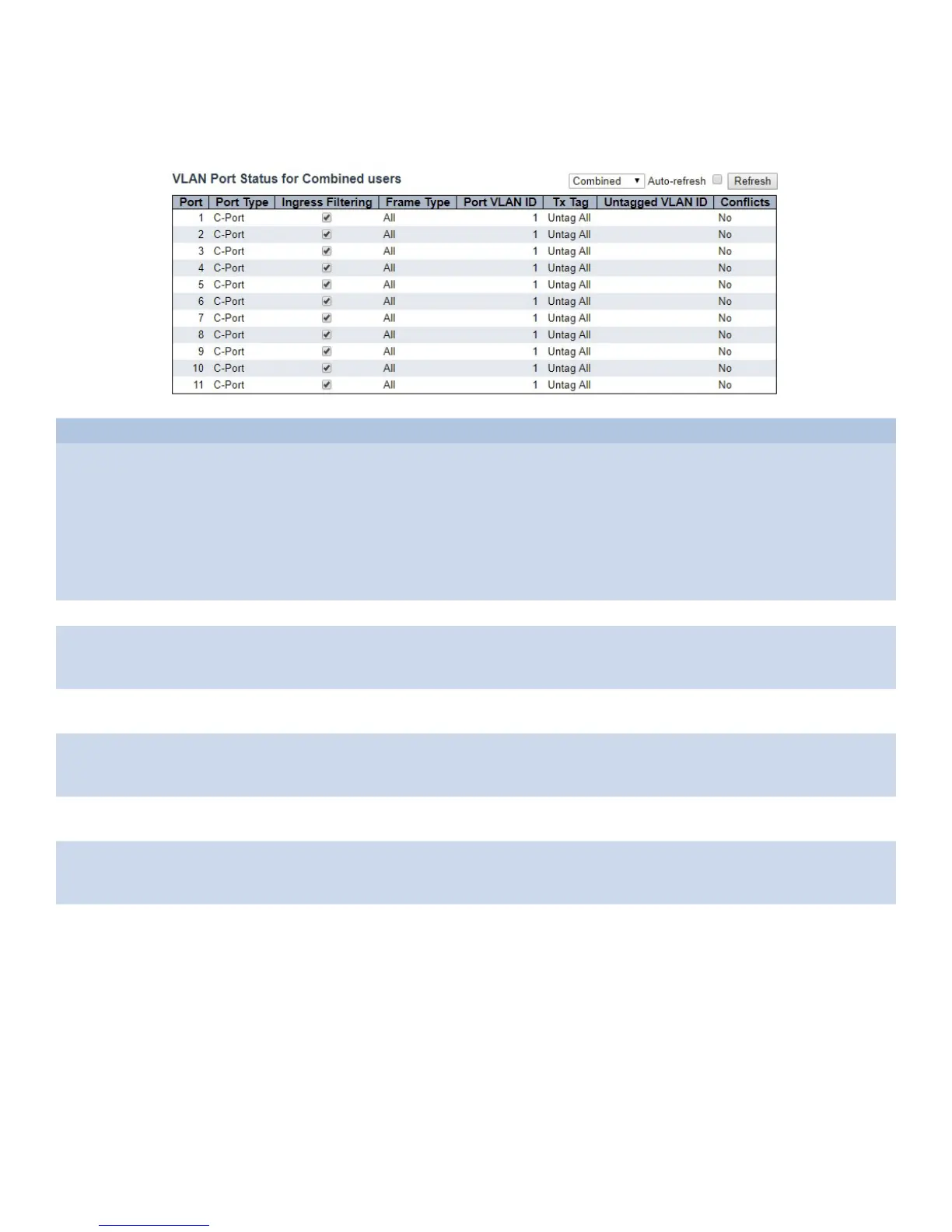
This page shows VLAN Port Status.
Object Description
VLAN User Various internal software modules may use VLAN services to configure VLAN port configuration on
the fly.
The drop-down list on the right allows for selecting between showing VLAN memberships as
configured by an administrator (Admin) or as configured by one of these internal software modules.
The “Combined” entry will show a combination of the administrator and internal software modules
configuration, and basically reflects what is actually configured in hardware.
If a given software modules hasn’t overridden any of the port settings, the text “No data exists for
the selected user” is shown in the table.
Port The logical port for the settings contained in the same row.
Por t Type Shows the port type (Unaware, C-Port, S-Port, S-Custom-Port.) that a given user wants to configure
on the port.
The field is empty if not overridden by the selected user.
Ingress
Filtering
Shows whether a given user wants ingress filtering enabled or not. The field is empty if not
overridden by the selected user.
Frame Type Shows the acceptable frame types (All, Taged, Untagged) that a given user wants to configure on the
port.
The field is empty if not overridden by the selected user.
Port VALN ID Shows the Port VLAN ID (PVID) that a given user wants the port to have. The field is empty if not
overridden by the selected user.
Tx Tag Shows the Tx Tag requirements (Tag All, Tag PVID, Tag UVID, Untag All, Untag PVID, Untag UVID)
that a given user has on a port.
The field is empty if not overridden by the selected user.
Untagged
VLAN ID
If Tx Tag is overridden by the selected user and is set to Tag or Untag UVID, then this field will show
the VLAN ID the user wants to tag or untag on egress.
The field is empty if not overridden by the selected user.



 To Next Page